How Loud Should Background Music Be in a Video?
Loud enough to feel, never loud enough to compete with the voice. The numbers in decibels, why a volume slider percentage means nothing on its own, and how to make the music step aside when someone talks.
Music only between sentences released October 27, 2026
On this page
The Short Answer
For a talking video, keep the music about 15 to 20 dB under the voice while someone speaks, and let it come up to roughly 6 to 10 dB under the voice in the pauses. Measure it against the voice, not as a percentage: a 20% slider is a different level on every recording, because voices themselves differ by more than 25 dB.
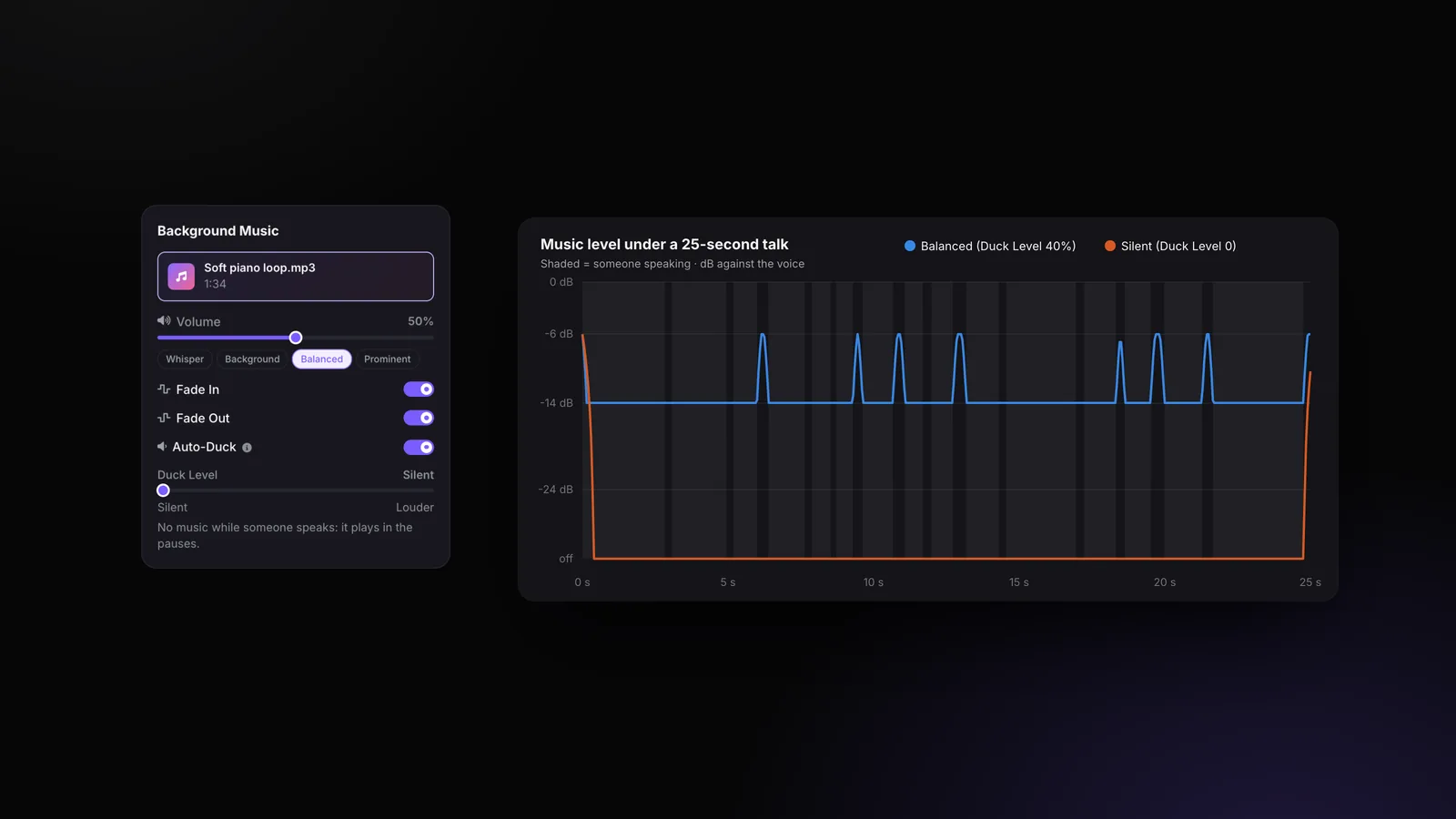
In StoryCut, the music’s volume is set against your voice’s measured loudness (100% = as loud as the voice), it ducks by itself under speech, and since October 27, 2026 the Duck Level goes down to Silent, for music that plays only between sentences. Background music exports on Pro and up (from $14/mo billed yearly).
Disclosure: StoryCut publishes this guide and makes the tool it describes.
Why a Volume Percentage Can’t Tell You
A volume slider changes the music file’s own level. Whether that is loud depends on how loud your voice is, and voices vary a lot: in 24 uploads we measured in October 2026, voices went from -34 to -7 LUFS, 27 dB apart. The same 20% music is buried under a loud YouTube voice and covers a quiet webcam one.
We learned it the hard way: until October 2026, StoryCut’s Auto Edit added music at a fixed 10% with a 30% duck, which put it about 30 dB under the voice. Nobody could hear it. Now StoryCut measures the loudness of your voice and of the track on the server, and the music volume means a level against the voice: 100% is as loud as the voice, 50% is 6 dB under it. The editor’s preview and the export use the same numbers, so what you hear is what you get.
Where the Music Sits Under the Voice
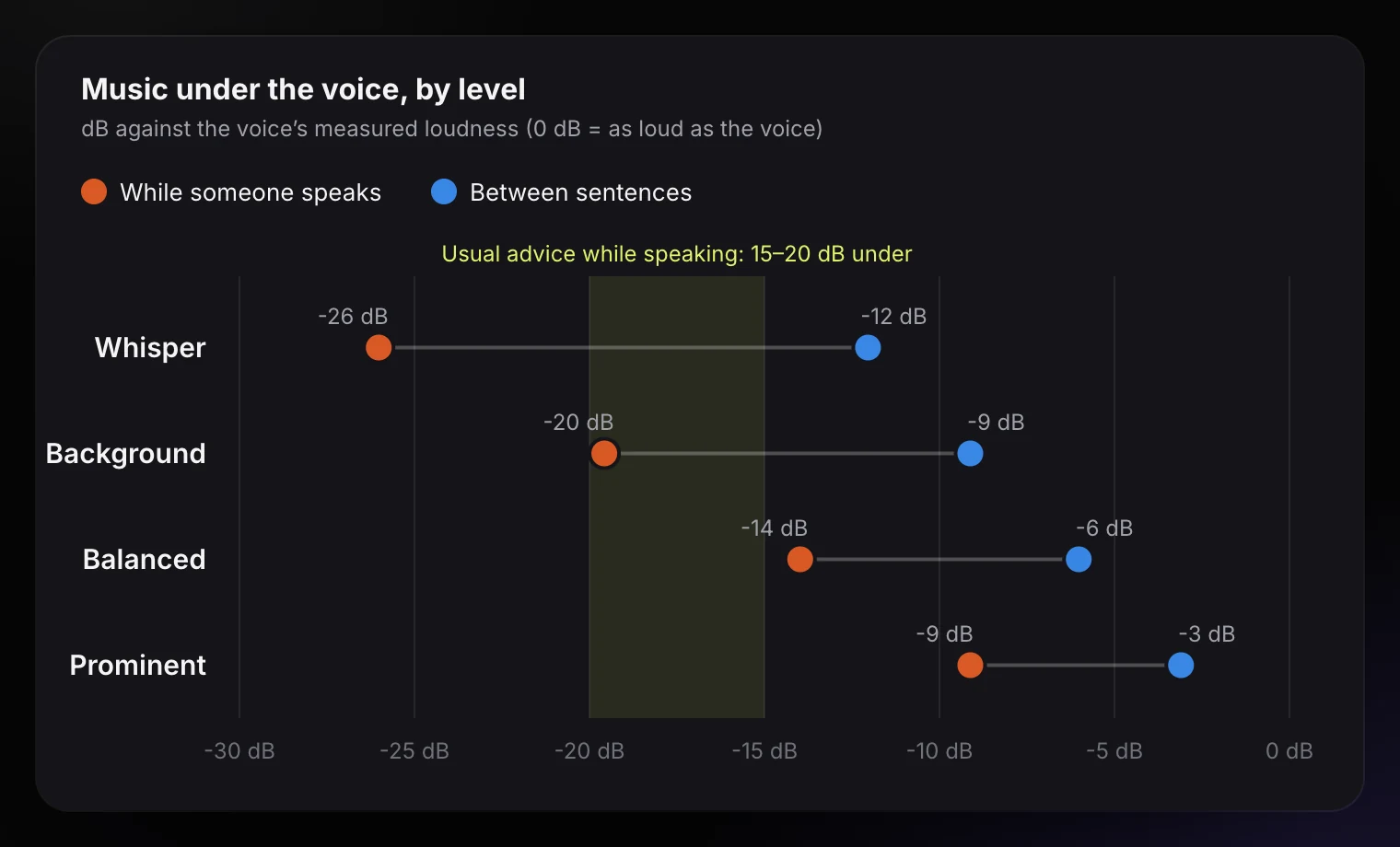
The four music levels an edit style can use, in dB against the voice: between sentences (blue) and while someone speaks (orange). The band is the usual advice for speech: 15 to 20 dB under.
The Music Levels, in Numbers
| Level | Between sentences | While someone speaks | Ready-made styles that use it |
|---|---|---|---|
| Whisper | 12 dB under the voice | 26 dB under the voice | Calm, Explainer, LinkedIn Pro, Sermon & Faith |
| Background | 9 dB under the voice | 20 dB under the voice | Clean, Standard, Punchy Shorts, Finance & Real Estate, Faceless / Voiceover |
| Balanced | 6 dB under the voice | 14 dB under the voice | Energetic, Product Demo / Ad, Vlog, Motivational |
| Prominent | 3 dB under the voice | 9 dB under the voice | None (pick it under Customize) |
From StoryCut’s edit style settings: each level sets the music volume and how far it ducks. Bold intensity moves the music one level up, at most to Balanced.
What Is Audio Ducking?
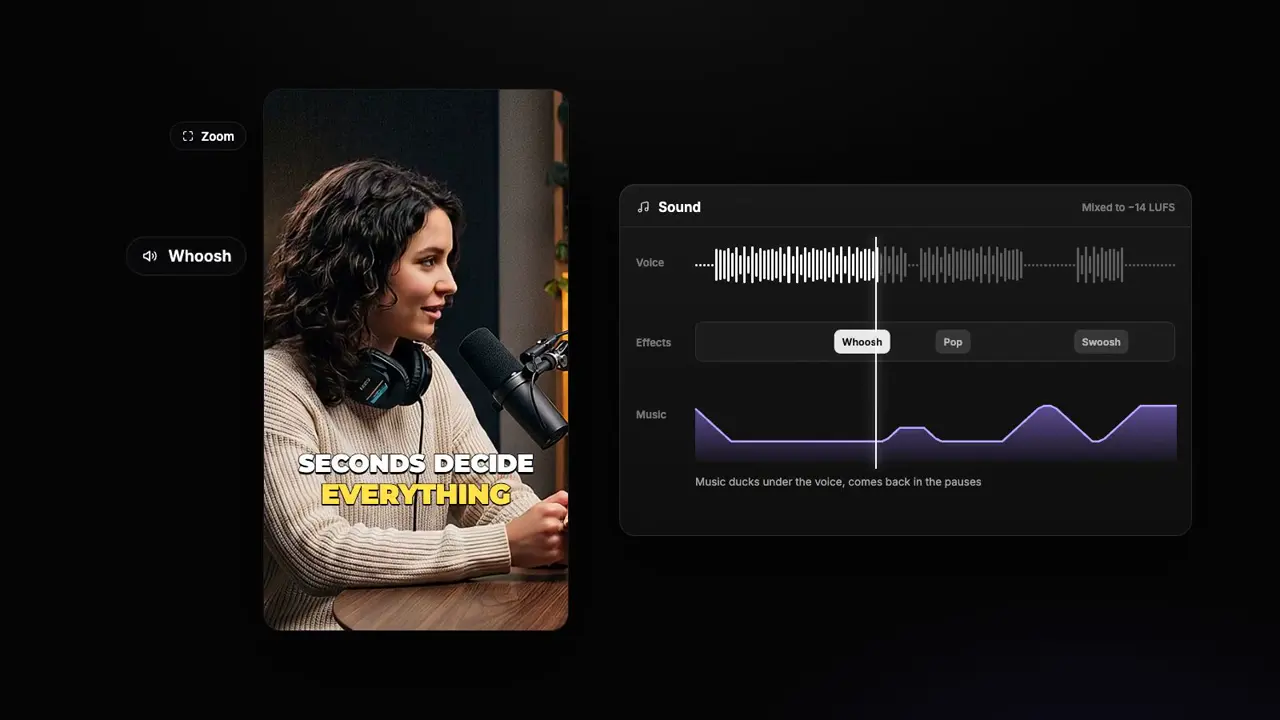
Ducking lowers the music while someone speaks and brings it back up in the pauses, so the music fills the gaps without fighting the words. Done by hand, it means a keyframe down before every sentence and up after it.
StoryCut does it from your captions: wherever someone speaks, the music fades down over 0.15 s to its Duck Level, the share of its volume it keeps while someone talks (40% by default, 8 dB lower), and comes back up after. Pauses shorter than 0.3 s count as speech, so it doesn’t bounce between words. The same curve plays in the editor and in the export.
Music Only Between Sentences (Duck Level: Silent)
Some videos want the music gone while you talk: a lesson, a sermon, an interview, or simply your taste. Slide the Duck Level to the left until it reads Silent: no music while someone speaks, music in the pauses. A Pro customer asked for exactly this, and it shipped on October 27, 2026.
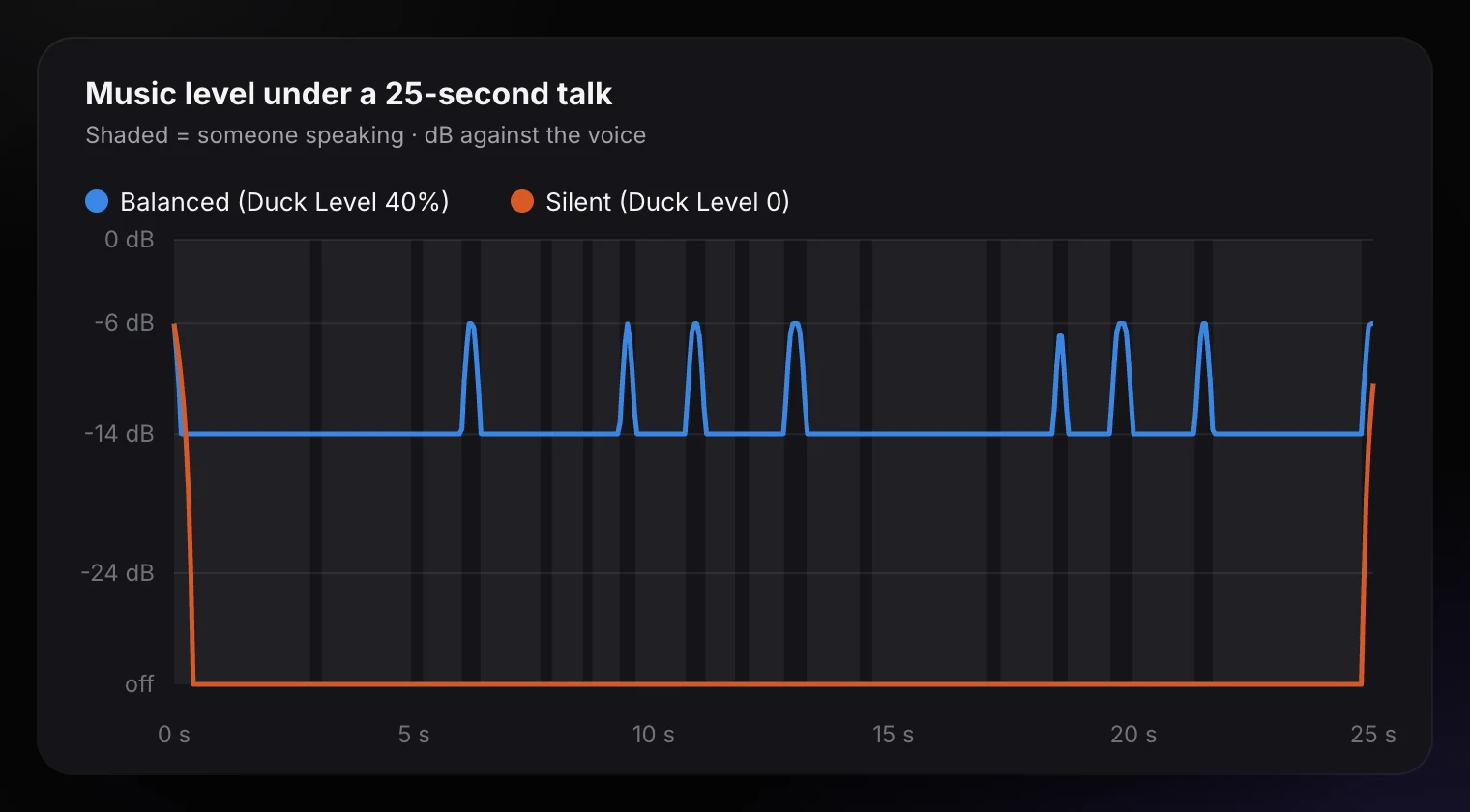
Two things keep it from sounding choppy: pauses shorter than 1.5 seconds stay quiet (otherwise the music would pop up in every breath), and the music fades in and out over 0.4 seconds. In a talk without a pause that long, like the one in the chart below, the music doesn’t come in at all; it plays in the intro, the outro and the real breaks.
Balanced vs Silent Under a Real Talk
The music level under one of StoryCut’s 25-second example videos, from the editor’s own ducking code. Shaded = someone speaking. Balanced dips to 14 dB under the voice and comes back up in the pauses; Silent stays off, because no pause in this talk reaches 1.5 seconds.
How to Set the Music Level in StoryCut
Add a track
In the editor’s Music panel, upload your own track or generate one with AI Music.
Pick a volume
The presets set the level between sentences: Whisper 20% (14 dB under the voice), Background 35% (9 dB under the voice), Balanced 50% (6 dB under the voice), Prominent 70% (3 dB under the voice). Balanced is the default.
Set the ducking
Keep Auto-Duck on. The Duck Level is what the music keeps while someone speaks: the default 40% puts Balanced music 14 dB under the voice; slide to Silent for music only in the pauses.
Fade in and out
Turn on Fade In and Fade Out so the music doesn’t start or stop abruptly. Start From and End At pick the part of the track.
Set it once for every video
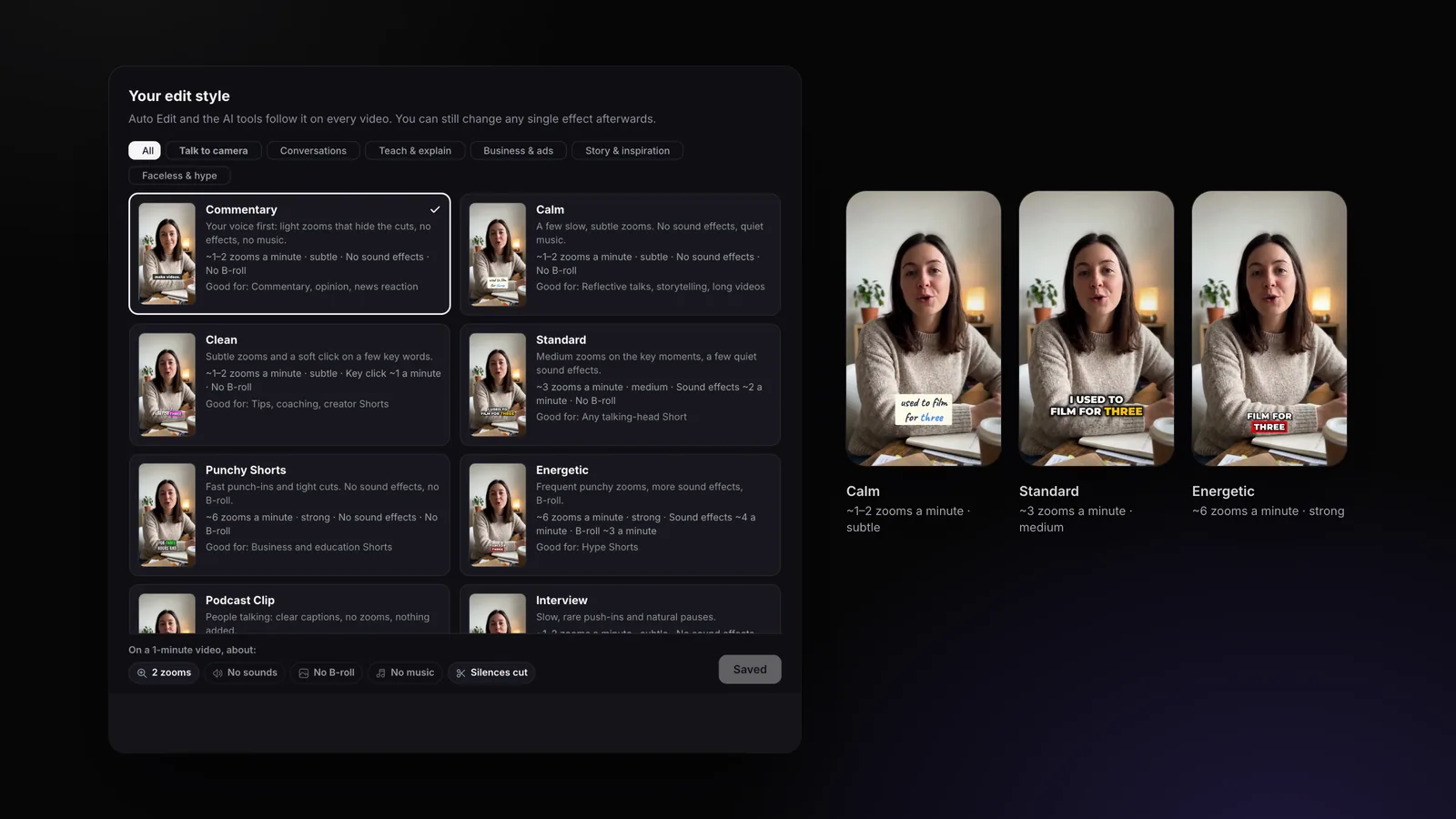
In Settings → Edit style, the music level (Whisper, Background, Balanced, Prominent) sets both the volume and the ducking for Auto Edit and AI clips. How edit styles work
Doing It by Hand in Other Editors
- Premiere Pro: in the Essential Sound panel, tag the music as Music, turn on Ducking and duck against Dialogue; then check the result with your ears and adjust the amount.
- Any editor: put a volume keyframe a few frames before each sentence and lower the music until it sits about 15 to 20 dB under the voice, then raise it in the longer pauses.
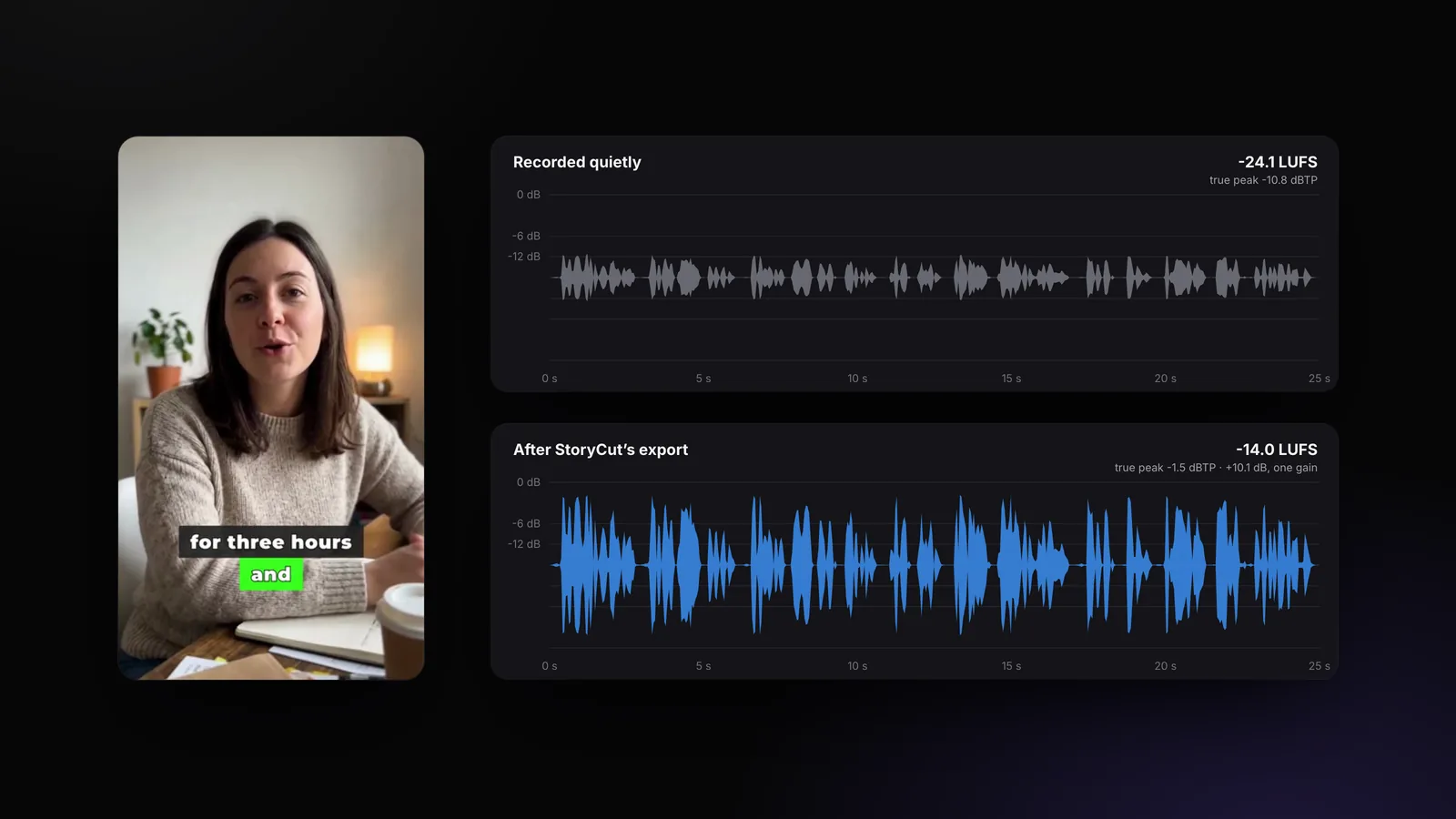
- Measure, don’t guess: a loudness meter on the voice alone and on the music alone tells you how far apart they are. Then set the whole mix to about -14 LUFS for the apps: the right loudness for TikTok and Shorts.
Background Music Mistakes
Songs with vocals under speech
Two voices at once are hard to follow. Under talking, use instrumental music.
As loud as the voice
The music should be felt, not followed. 15 to 20 dB under while speaking.
Loud music in the hook
The first seconds decide whether people stay: keep the first sentence clear.
An abrupt ending
Fade the music out, or end it on a phrase of the track.
A different level on every clip
Set the level once in your edit style so every clip sits the same.
Judging by percentage
20% means nothing without the voice’s level. Compare against the voice.
Frequently Asked Questions
How loud should background music be compared to the voice?
What volume percentage should background music be?
What is audio ducking?
Can the music play only when nobody talks?
Does the music change the video’s overall loudness?
Which plan includes background music?
Related Tools & Features