 VS
VS
Opus Clip Alternatives in 2026: 7 Clip Makers Compared
Opus Clip is strong at finding clips in long videos. If you want a cheaper plan, a free test without a watermark, or more editing once the clip is cut, here is how seven tools compare. Prices checked on each tool’s website on October 3, 2026. StoryCut is our product.
- Free plan, no credit card
- Free exports are 720p with a watermark






Opus Clip alternatives: the short answer
- Short answer
- Opus Clip is good at finding clips, so pick an alternative for a specific reason. A free test with no watermark: Klap (1 free video). The closest feature match, with mobile apps: Vizard. Clips plus a full caption and effects editor, with eye contact correction: StoryCut. Free hands-on editing on any device: CapCut.
- Opus Clip’s prices
- Free: 60 credits a month with a watermark (1 credit = 1 minute of uploaded video). Starter: $15/mo, monthly billing only, 150 credits. Pro: $29/mo or $14.50/mo billed yearly, 300 credits per pack. Business: custom.
- What Opus Clip does well
- Clip detection with a virality score, auto-posting, iOS and Android apps (4.85 stars from 7,417 App Store ratings), and on Pro: auto sound effects, dubbing in 25 languages, 4K, a scheduler and API access.
- What it doesn’t do
- AI eye contact correction is not offered on any plan. Starter has no yearly price, and free-plan clips can’t be exported after 3 days.
- StoryCut for clips
- Paste a YouTube link (up to 2 hours) or upload a video of 2 to 150 minutes and get 3–12 vertical clips with a 0–100 virality score, captions and active-speaker reframing. Included in every plan: 1 long video a month on Free, 10 on Starter ($7/mo billed yearly), 50 on Pro, 100 on Business.
Why do people look for an Opus Clip alternative?
Opus Clip’s clip detection is the main reason people use it, so the reasons to leave are usually cost and limits. The free plan adds a watermark, and its clips can’t be exported after 3 days. Credits are counted per minute of uploaded video, so a 60-minute podcast uses 60 credits. Starter costs $15/mo and is only sold monthly, and auto sound effects, dubbing, 4K, the scheduler and API access are all on Pro, at $29/mo or $14.50/mo billed yearly. The 7-day Pro trial is watermarked too. Opus Clip has no eye contact correction. On Trustpilot it scores 4.0 from 501 reviews, and some of the 1-star reviews describe charges after cancelling (checked October 3, 2026).
Opus Clip vs 7 alternatives for long-video clipping
| Tool | Entry paid plan | Free plan | Clip features | Eye contact | Auto sound effects | Apps |
|---|---|---|---|---|---|---|
| Opus Clip | Starter: $15/mo, monthly only | Yes60 credits/month, watermark | Virality score, auto-post; prompt clips (Pro) | No | YesAuto SFX on Pro | Web, iOS, Android |
| StoryCut | Starter: $7/mo yearly, $9/mo monthly | Yes1 long video/month, 720p, watermark | Virality score, active-speaker reframing | YesPro (10/mo) and Business, 1 free try | YesAI-placed on key words (Pro) | Web (desktop and mobile browsers) |
| Klap | Basic: $14/mo yearly, $29/mo monthly | Yes1 free video, no watermark | Virality score, prompt clipping, reframe | Not listed | Not listed | Web |
| Vizard | Creator: $14.50/mo yearly, $29/mo monthly | Yes60 credits/month, 720p, watermark | Viral score, AI B-roll, 4K export | Not listed | Not listed | Web, iOS, Android |
| Submagic + Magic Clips | Starter $12/mo yearly + Magic Clips add-on | Trial: 3 short videos, watermark | Virality score, YouTube links, uploads | YesPro and up | Nomanual library | Web |
| Captions (Clips) | Max: $24.99/mo | Yes60–200 lifetime credits | Up to 3 h input, ranked clips, reframe | YesiOS app | Prompt-made AI Sounds (Max) | iOS, macOS, web, Android (Lite) |
| CapCut | Pro: $179.99/yr or $19.99/mo (varies) | Yesfree editor; Pro assets add a watermark | "Long video to short" tool | Yesmobile app | AI sound effects tool (mobile) | iOS, Android, Windows, Mac, web |
| Descript | Hobbyist: $16/mo yearly, $24/mo monthly | Yes60 min/month, 720p, watermark | 1–20 clips per video, edit by text | Yeslimited on Free, full from Hobbyist | Nolibrary + AI generation | Mac, Windows, web |
Checked on October 3, 2026 from each product’s public pages. Sources: Opus Clip pricing, Opus Clip credits, Opus Clip Auto SFX, Klap pricing, Klap watermark policy, Vizard pricing, Submagic pricing, Submagic Magic Clips, Captions pricing, Captions feature availability, CapCut Standard vs Pro, CapCut long video to short, Descript pricing.
The alternatives, one by one
StoryCut
Best for: clips plus a full caption and effects editor
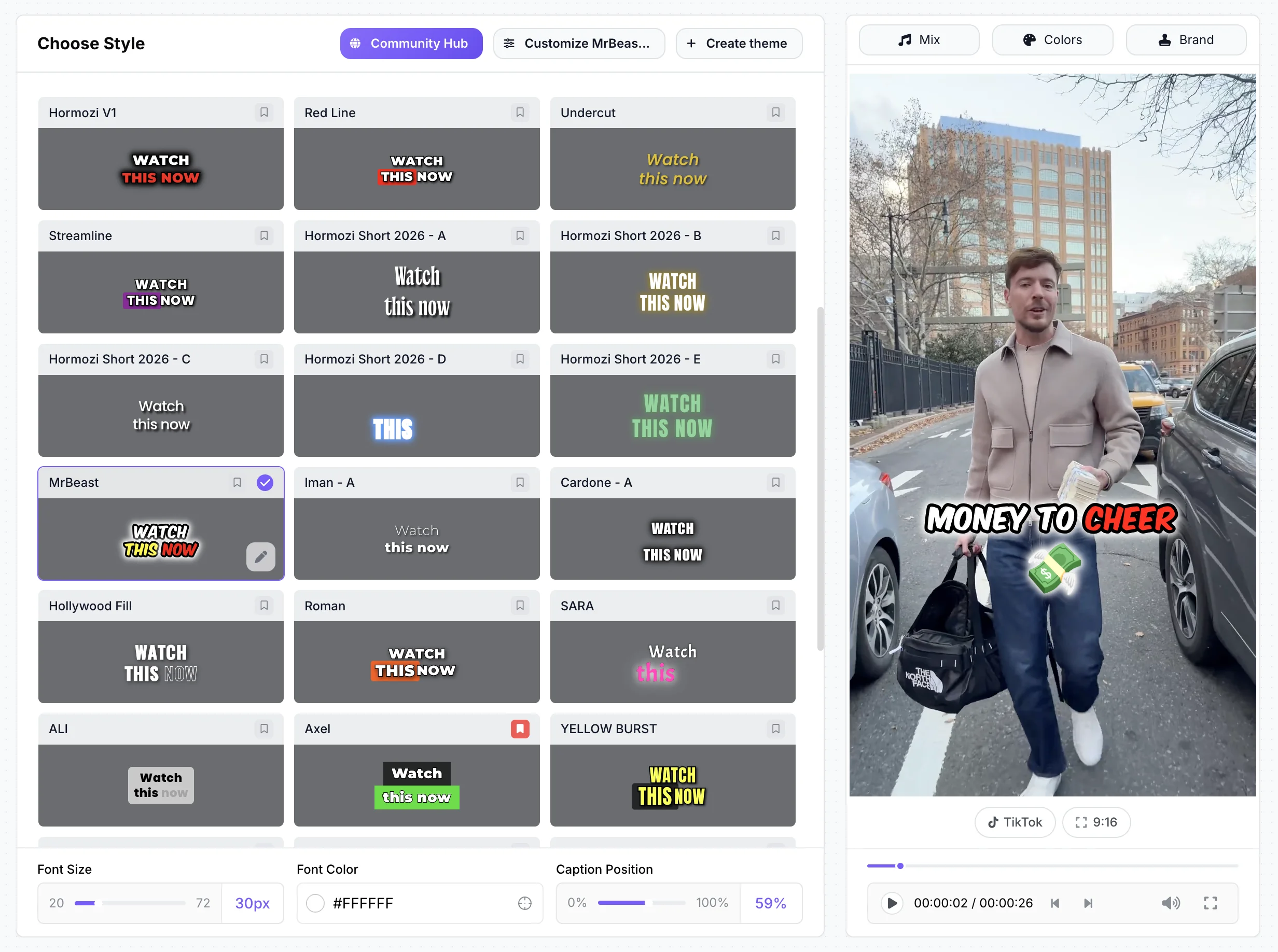
Paste a YouTube link or upload a 2–150 minute video; StoryCut picks 3–12 moments, scores each one, reframes it to 9:16 around the active speaker and adds captions. Each clip then opens in the editor, where Pro adds AI-placed sound effects, magic zoom, clean audio, AI music, dubbing and eye contact correction (10 videos a month). AI clips are in every plan, and the quota counts long videos, not minutes. The free plan exports 720p with a watermark. No mobile app, no auto-posting, no API.
Klap
Best for: a free test without a watermark
Klap is a clip maker like Opus Clip, with a virality score, prompt-based clipping, active-speaker reframing, scheduling and a public API. Its free trial makes 1 video with no watermark and no credit card, and Klap says clips are watermark-free on every plan. Basic costs $14/mo billed yearly ($29 monthly). It is web only.
Vizard
Best for: the closest Opus Clip match, with mobile apps
Vizard works much like Opus Clip: upload a long video and get scored clips, with AI B-roll even on the free plan, scheduling from Creator, and iOS and Android apps. Creator costs $14.50/mo billed yearly ($29 monthly) and exports in 4K. Credits are counted per uploaded minute, refunds are limited to 7 days, and the free plan exports 720p with a watermark.

Submagic (Magic Clips)
Best for: Submagic users who clip now and then
Magic Clips finds clips with a virality score from a YouTube link, an upload or Google Drive, and the clips get Submagic’s caption templates. It is a paid add-on on top of a Submagic plan, listed at $19/mo for 10 uploads in Submagic’s help center. Submagic Starter is $12/mo billed yearly; eye contact starts on Pro.

Captions
Best for: clipping very long videos on iPhone
Captions’ Clips feature (on Max, $24.99/mo) accepts videos up to 3 hours or a YouTube link and returns ranked, reframed clips, which you edit in a 4.7-star iPhone app (38,220 App Store ratings). Eye contact works in the iOS app but not in the new web app, and AI features use credits that are spent even if you don’t export.

CapCut
Best for: free, hands-on editing on any device
CapCut’s "Long video to short" tool cuts clips, and you finish them in a full timeline editor on phone, desktop or web. The editor is free, but Pro assets add a watermark, and Pro costs $19.99/mo or $179.99/yr after a 2026 price increase. CapCut says prices vary by region and device.

Descript
Best for: podcasts you also edit by transcript
Descript makes 1–20 clips from a recording and lets you edit them by editing the text, in a desktop app for Mac and Windows or on the web. Hobbyist ($16/mo billed yearly) includes eye contact and AI dubbing in 30 languages. There is no mobile app, and the free plan exports 720p with a watermark.
Turn one long video into clips for free
Pricing: StoryCut vs Opus Clip
StoryCut- 3 videos at a time
- 720p export with watermark
- Videos up to 4 min
- AI captions, caption styles and transitions
- 1 long video per month into AI clips
- 20 videos at a time
- 1080p export, no watermark
- Videos up to 7 min
- AI captions, caption styles and transitions
- 10 long videos per month into AI clips
- 50 videos at a time
- 2K export, no watermark
- Videos up to 10 min
- AI eye contact (10 videos/month), auto sound effects, magic zoom, silence removal, clean audio, AI music, dubbing
- 50 long videos per month into AI clips
- 100 videos at a time
- 4K 60fps export, no watermark
- Videos up to 30 min
- Everything in Pro + unlimited AI eye contact + priority rendering
- 5 team members
- 100 long videos per month into AI clips
Opus Clip- 60 credits/month (1 credit = 1 min of video)
- Watermark on exports
- No editing
- Clips can’t be exported after 3 days
- 150 credits/month
- No watermark
- Virality score, animated captions
- Auto-post to YouTube Shorts, TikTok, Reels
- Filler word and silence removal
- 300 credits/month per pack
- 2 seats per pack
- Auto SFX, AI B-roll, dubbing in 25 languages
- 4K, scheduler, limited API access
- XML export to Premiere and DaVinci
Checked on October 3, 2026 from each product’s public pages. Sources: Opus Clip pricing, Opus Clip credits, Opus Clip free trial.
StoryCut vs Opus Clip: pros and cons
StoryCut
- AI clips in every plan, counted per video, not per minute: a 2-hour podcast counts as 1
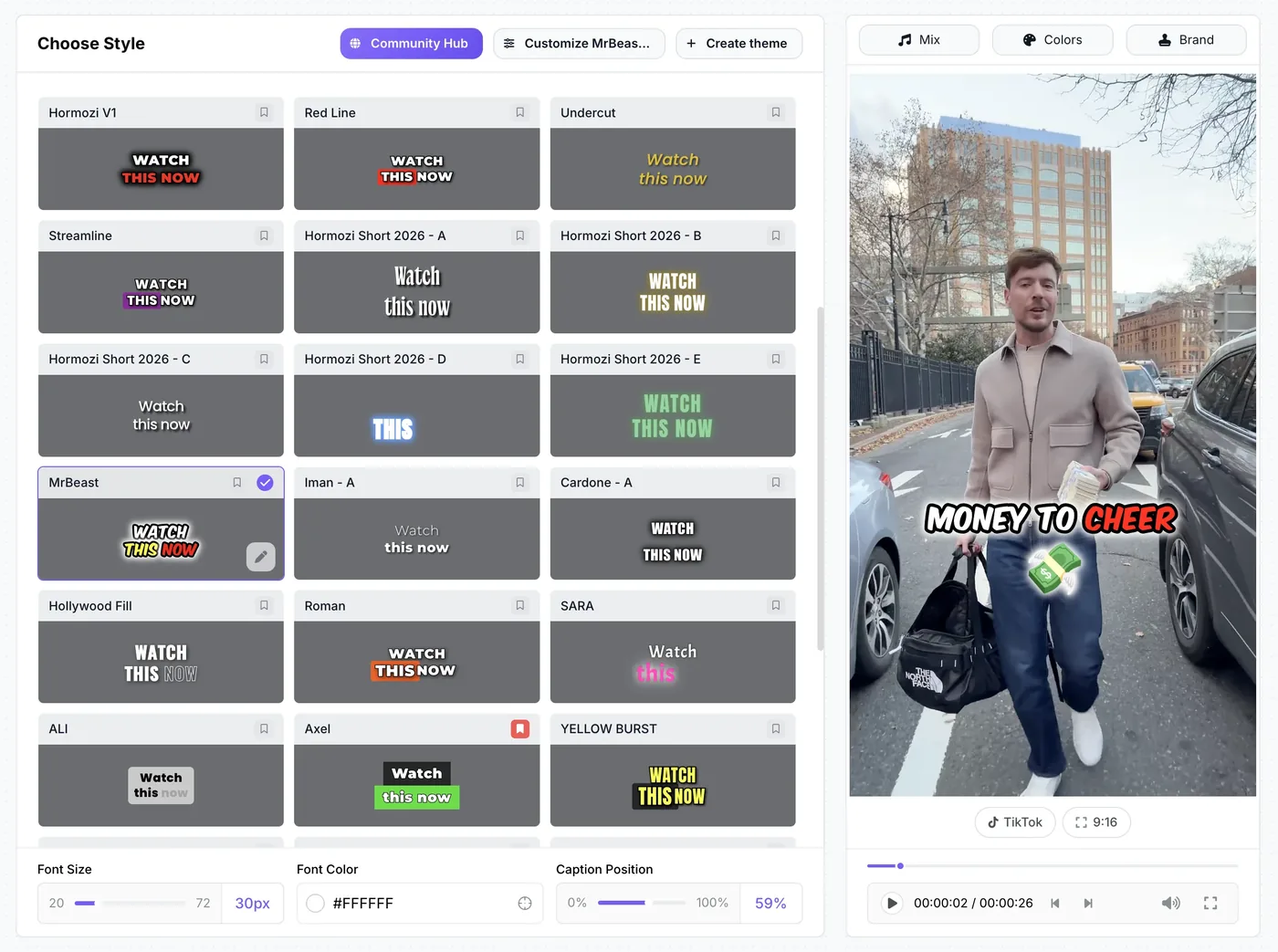
- Every clip opens in a full editor with 26 caption styles, including 6 Hormozi-style presets
- AI eye contact correction (Pro and Business, 1 free try on every account), which Opus Clip doesn’t offer
- Starter has a yearly price: $7/mo billed yearly, vs $15/mo monthly-only for Opus Starter
- Sound effects on key words, magic zoom, clean audio and AI music on Pro
- Free plan exports also carry a watermark (720p)
- No mobile apps, no auto-posting or scheduling, no API
- Clips are reframed for 9:16 only (Opus Pro also does 1:1 and 16:9)
- Newer, with no third-party reviews yet
Opus Clip
- Strong clip detection with a virality score; prompt-based clipping on Pro
- iOS and Android apps; 4.85 stars from 7,417 App Store ratings
- Auto-posting from Starter; scheduler, auto SFX, dubbing and 4K on Pro
- API access (limited on Pro, full on Business) and XML export to Premiere and DaVinci
- Free plan and a 7-day Pro trial with no credit card
- Free plan and Pro trial exports are watermarked
- Free-plan clips can’t be exported after 3 days
- Starter is sold monthly only, at $15/mo
- Credits are counted per minute of uploaded video
- No AI eye contact correction
Which Opus Clip alternative should you pick?
Pick by what you do after the clip is cut. If you mainly want clips posted fast from your phone, Opus Clip and Vizard both have iOS and Android apps and scheduling. If you want the cheapest way to test without a watermark, start with Klap’s free video. If you already pay for Submagic and only clip now and then, its Magic Clips add-on keeps everything in one place. If you want each clip finished with styled captions, sound effects, zoom, music or eye contact correction, StoryCut includes AI clips in every plan and opens each clip in a full editor. For long podcasts you also want to edit by transcript, choose Descript.
Results
Why Creators Choose StoryCut Over Opus Clip
StoryCut doesn't just clip — it transforms raw footage into scroll-stopping content that performs.
FAQ
Frequently Asked Questions
Turn Your Next Long Video Into Clips
Upload your video. Get back a scroll-stopper with viral captions, cinematic transitions, auto zoom, and clean audio. The same tools top creators use to explode views.
Paste a YouTube link or upload a recording. The free plan includes 1 long video a month and needs no credit card; paid plans start at $7/mo billed yearly.
- Join 10,000+ creators
- No credit card required
You Might Also Like
StoryCut vs Opus Clip: Clip Finder or Caption Editor?
Opus Clip is built to find the best moments in long videos. StoryCut is built to style captions and add effects to short videos, and it includes AI clips too. Here is how they compare on price and features in 2026.

AI Clip Generator: Turn Long Videos Into Shorts
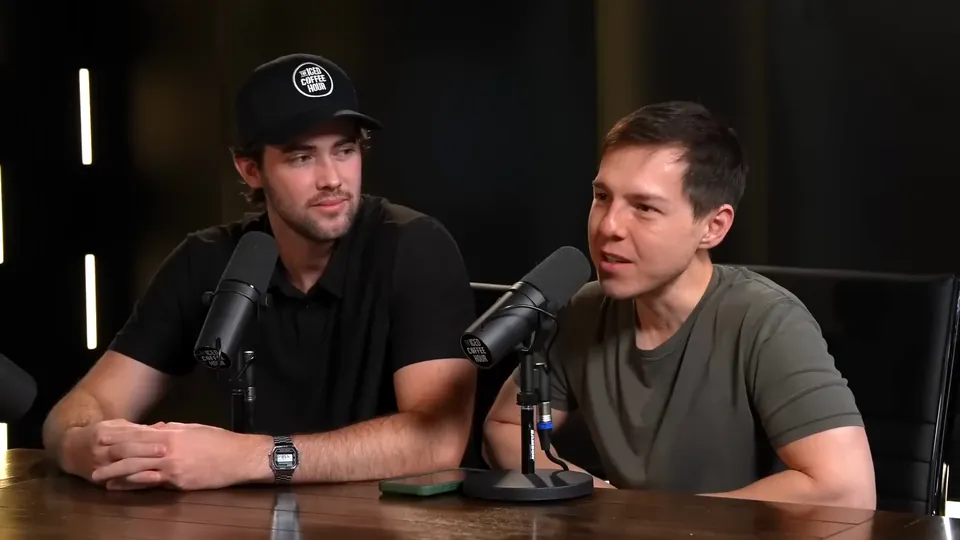
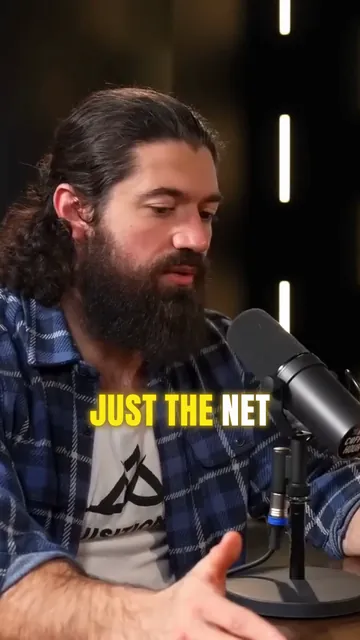
Paste a YouTube link or upload a video from 2 to 150 minutes. The AI reads the transcript, picks 3 to 12 moments, scores each one, reframes it to 9:16 around faces and the active speaker, and adds animated captions.
Turn a Podcast Episode Into Up to 12 Short Clips
Upload the full episode or paste its YouTube link. AI clips reads the transcript, picks the strongest moments, reframes them to 9:16 around whoever is speaking and adds captions. Then polish each clip in the editor.

AI video editor for creators who want viral content without the editing grind.
Features
All FeaturesAI CaptionsHormozi CaptionsMrBeast CaptionsAdd Subtitles to VideoSubtitle GeneratorAI Video EditorAI Clip GeneratorYouTube to ShortsEye Contact FixMagic ZoomTransitionsClean AudioAI MusicSound EffectsAI Auto EditRemove SilenceAI ThumbnailsBrand KitsCommunity StylesAI Video TranslatorFree Tools
Video Hook GeneratorTikTok CaptionsInstagram CaptionsYouTube TitlesTikTok HashtagsVideo Script GeneratorAI Video IdeasContent CalendarTikTok TranscriptVideo to TextFree SRT GeneratorSubtitle TranslatorFree TeleprompterWords to MinutesSRT to VTT ConverterTikTok Safe ZoneFree Sound EffectsAll 40 Tools →Use Cases
TikTok CreatorsYouTube ShortsInstagram ReelsPodcastersClippersAgencies & TeamsLinkedIn VideosTeleprompter Eye ContactPremiere Pro Eye ContactDaVinci Resolve Eye ContactFinal Cut Pro Eye ContactLoom Eye Contact