 VS
VS
StoryCut vs Opus Clip: Clip Finder or Caption Editor?
Opus Clip is built to find the best moments in long videos. StoryCut is built to style captions and add effects to short videos, and it includes AI clips too. Here is how they compare on price and features in 2026.
- Free plan with 1 long video a month into AI clips
- No credit card
StoryCut vs Opus Clip: the short answer
- Verdict
- Opus Clip is the stronger clip finder, with mobile apps, auto-posting and an API. StoryCut puts more into the edit itself: 26 caption styles, AI-placed sound effects, zoom, transitions, music and eye contact correction, with AI clips from long videos included in every plan.
- Opus Clip price (2026)
- Free: 60 credits a month (1 credit = 1 minute of video), watermarked. Starter $15/mo, monthly billing only, 150 credits. Pro $29/mo or $14.50/mo billed yearly, 300 credits. Business: custom pricing.
- StoryCut price
- Free plan: 720p with a watermark, videos up to 4 min. Starter $9/mo or $7/mo billed yearly (1080p, up to 7 min). Pro $19/mo or $14/mo (2K, up to 10 min, eye contact 10/mo). Business $49/mo or $39/mo (4K 60fps, up to 30 min, unlimited eye contact). AI clips: 1, 10, 50 or 100 long videos a month by plan.
- Best for Opus Clip
- Podcasters, streamers and YouTubers who mainly want clips found, scored, scheduled and posted for them.
- Best for StoryCut
- Creators who want each short to look edited: styled captions, sound effects, zooms and eye contact, plus clips from long videos when they need them.
StoryCut
Web app • Captions, effects and clips
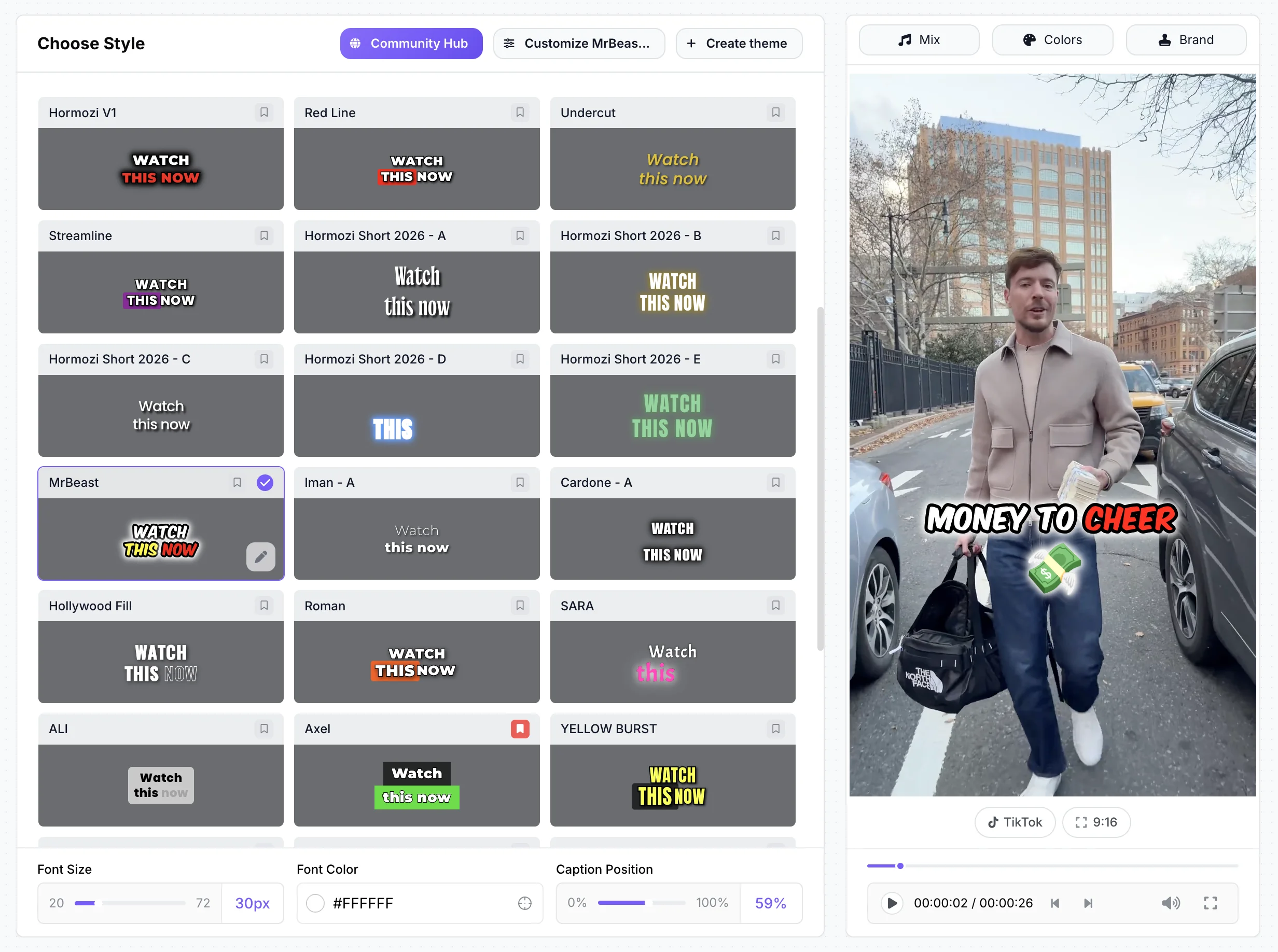
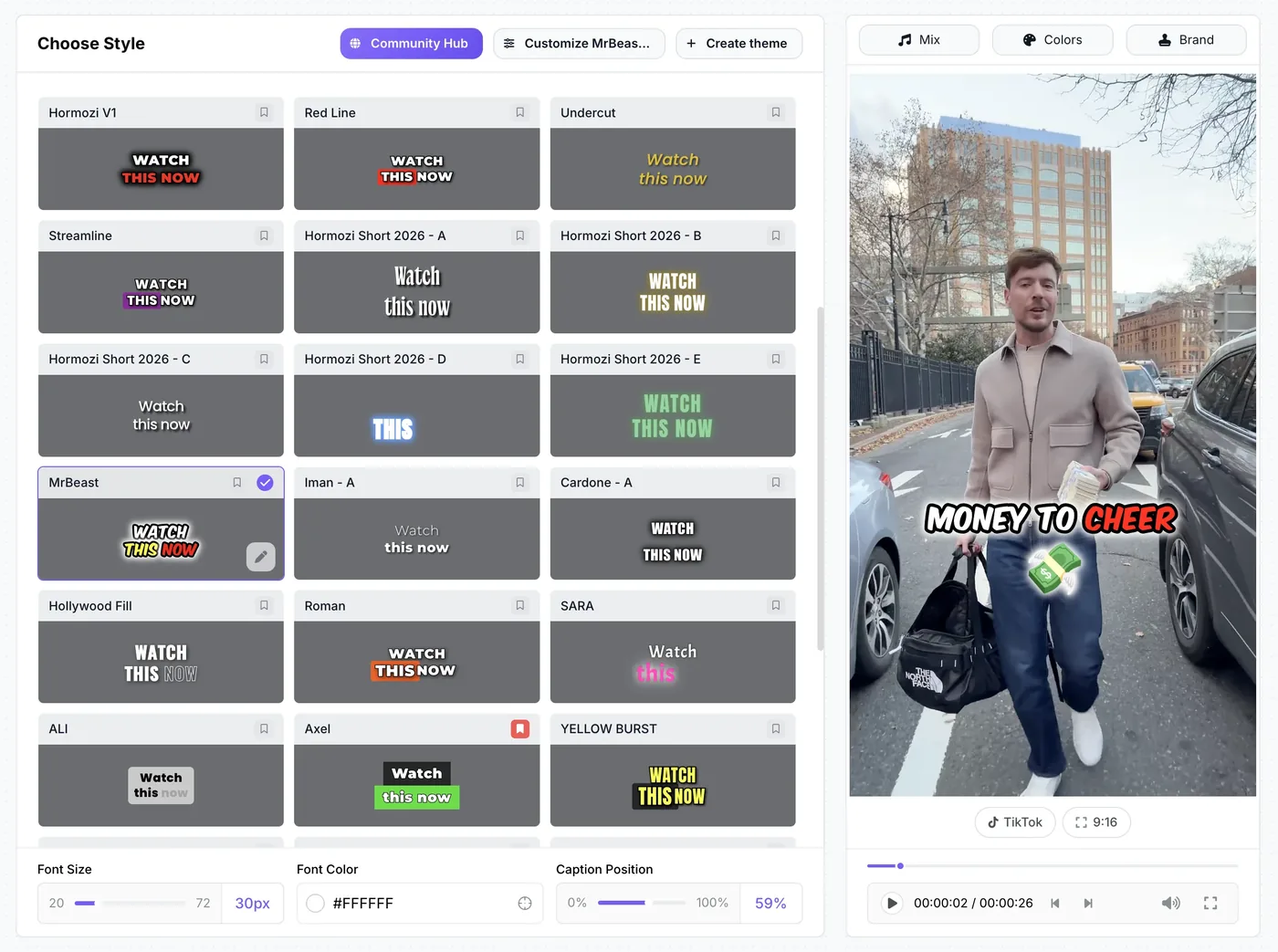
StoryCut is a web-based AI editor for short vertical videos. Upload a video and word-by-word captions start on their own, in 49 languages, with 26 ready-made styles including 6 Hormozi-style presets. On Pro, zoom, sound effects on key words, clean audio, AI music, voice dubbing and eye contact correction (10 videos a month) are one click each. AI clips take an upload of 2 to 150 minutes, or a YouTube link, and return 3 to 12 vertical clips with captions, a virality score and reframing around the active speaker.
Opus Clip
Web + mobile • AI clipping
Opus Clip turns long videos into short clips. Its AI finds the moments, gives each clip a Virality Score and reframes it, with object tracking on Pro. It adds animated captions in 20+ languages, brand templates, and filler and silence removal, and Pro adds auto-placed sound effects, more AI B-roll, voice dubbing in 25 languages, a scheduler and XML export to Premiere and DaVinci. Clips can be posted to YouTube Shorts, TikTok and Instagram. There are iOS and Android apps and an API. One credit is one minute of uploaded video.
Turn one long video into styled shorts, free
StoryCut vs Opus Clip: feature comparison
| Feature | StoryCut | Opus Clip |
|---|---|---|
| Primary Use Case | Styled captions and effects for short videos | Finding clips in long videos |
| AI Clipping | Yes3–12 clips per video, every plan | Yesthe core product |
| Virality Score | Yes0–100 per clip | YesStarter and up |
| Auto Reframe | Yesfollows faces and the active speaker | Yesobject tracking on Pro |
| AI Captions | Yes49 languages + auto-detect | Yes20+ languages |
| Templates | 26 caption styles, incl. 6 Hormozi-style | Caption presets (Karaoke, Beasty, Mozi…) |
| Sound Effects | YesAI-placed on key words (Pro) | YesAuto SFX (Pro) |
| Eye Contact Fix | YesPro (10/mo) and Business, free 20 s preview | No |
| Auto Zoom | YesAI-picked moments (Pro) | Not listed on its site |
| Clean Audio | YesElevenLabs voice isolation (Pro) | Yesspeech enhancement (Pro) |
| Video Translation | Yes33 languages + voice clone (Pro) | Yes25 languages + voice clone (Pro) |
| Social Publishing | Nodownload and post | Yesauto-post (Starter), scheduler (Pro) |
| API | Yespaid plans, with webhooks | Yeslimited on Pro, full on Business |
| Max Resolution | 4K 60fps (Business) | 4K (Pro and Business) |
| Platform | Web (desktop and mobile browsers) | Web, iOS and Android apps |
| Public ratings | None yet (founded 2025) | Trustpilot 4.0 (501), iOS 4.85 (7.4K) |
Checked on October 3, 2026 from each product’s public pages. Sources: Opus Clip pricing, Opus credits, Opus Auto SFX, Opus dubbing, Opus caption languages, Opus API (llms.txt), OpusClip on the App Store, Opus Clip on Trustpilot, StoryCut pricing.
Pros and cons
StoryCut
- More caption styling: 26 styles, 60+ animations and 160+ fonts
- Sound effects, zoom, transitions, music and clean audio in one editor
- AI eye contact correction (Pro and Business), with a free preview
- AI clips with virality scores and active-speaker reframing on every plan
- Monthly or yearly billing on every paid plan
- Clip finding is one feature, not the core product: up to 12 clips per video
- AI clips have a monthly quota (1 long video on Free, 10 on Starter)
- No posting or scheduling to social platforms yet
- No mobile apps
- Newer and smaller, with no third-party reviews yet
Opus Clip
- Clip detection is the core product, with prompt-based clipping on Pro
- Auto-posting from Starter and a scheduler on Pro
- iOS and Android apps (4.85 on the App Store)
- Auto SFX, AI B-roll and dubbing in 25 languages on Pro
- API on Pro (limited) and Business
- XML export to Premiere and DaVinci on Pro
- No AI eye contact correction
- Free plan is watermarked, has no editing, and clips can’t be exported after 3 days
- Starter is monthly only and has no Auto SFX or dubbing
- 1 credit = 1 minute of uploaded video, so long videos use credits quickly
- Fewer caption languages (20+)
Price comparison: StoryCut vs Opus Clip
StoryCut- 3 videos at a time
- 720p export with watermark
- Videos up to 4 min
- AI captions, caption styles and transitions
- 1 long video per month into AI clips
- 20 videos at a time
- 1080p export, no watermark
- Videos up to 7 min
- AI captions, caption styles and transitions
- 10 long videos per month into AI clips
- StoryCut API and webhooks
- 50 videos at a time
- 2K export, no watermark
- Videos up to 10 min
- AI eye contact (10 videos/month), auto sound effects, magic zoom, silence removal, clean audio, AI music, dubbing
- 50 long videos per month into AI clips
- StoryCut API and webhooks
- 100 videos at a time
- 4K 60fps export, no watermark
- Videos up to 30 min
- Everything in Pro + unlimited AI eye contact + priority rendering
- 5 team members
- 100 long videos per month into AI clips
- StoryCut API and webhooks
Opus Clip- 60 credits per month (1 credit = 1 min of video)
- Watermark, no editing
- Clips can’t be exported after 3 days
- 150 credits per month
- No watermark, Virality Score
- Auto-post to Shorts, TikTok and Reels
- Filler and silence removal
- 300 credits per month
- 2 seats per pack
- Auto SFX, AI B-roll, dubbing
- 4K, scheduler, limited API
Checked on October 3, 2026 from each product’s public pages. Sources: Opus Clip pricing, Opus free trial, StoryCut pricing.
Which should you choose?
Pick Opus Clip if your main job is turning long videos into lots of clips and getting them posted: it finds the moments, scores them, reframes them and publishes them, from the web or its mobile apps. Pick StoryCut if you care most about how each short looks: caption styles like the Hormozi presets, sound effects placed on key words, zooms, transitions, music and eye contact correction. StoryCut also turns long videos into 3 to 12 clips with virality scores and active-speaker reframing, so you may not need a separate clipping tool. If you clip in volume every day and want scheduling, Opus is built for that.




FAQ
Frequently Asked Questions
Clip it, caption it, style it, in one place
Upload your video. Get back a scroll-stopper with viral captions, cinematic transitions, auto zoom, and clean audio. The same tools top creators use to explode views.
AI clips, 26 caption styles and one-click effects. Free plan with no credit card. Paid plans from $7/mo billed yearly.
- Join 10,000+ creators
- No credit card required
You Might Also Like



AI Clip Generator: Turn Long Videos Into Shorts
Paste a YouTube link or upload a video from 2 to 150 minutes. The AI reads the transcript, picks 3 to 12 moments, scores each one, reframes it to 9:16 around faces and the active speaker, and adds animated captions.
Opus Clip Alternatives in 2026: 7 Clip Makers Compared
Opus Clip is strong at finding clips in long videos. If you want a cheaper plan, a free test without a watermark, or more editing once the clip is cut, here is how seven tools compare. Prices checked on each tool’s website on October 3, 2026. StoryCut is our product.
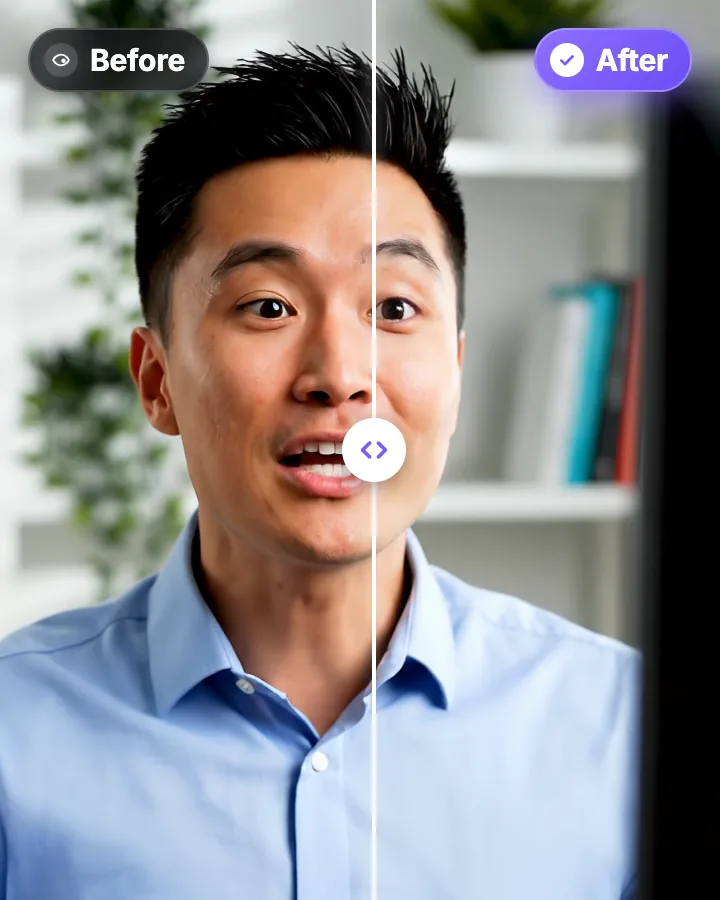
AI Eye Contact and Gaze Correction for Recorded Videos
Read a script, checked your notes or watched yourself on screen? Upload the video and the AI points your gaze back at the lens in every frame, keeping your resolution, frame rate and audio. Try it free: watch the first 20 seconds of your own video fixed.

AI video editor for creators who want viral content without the editing grind.
Features
All FeaturesAI CaptionsHormozi CaptionsMrBeast CaptionsAdd Subtitles to VideoSubtitle GeneratorAI Video EditorAI Clip GeneratorYouTube to ShortsChatGPT & Claude ConnectorVideo Clipping APIEye Contact FixMagic ZoomTransitionsClean AudioAI MusicSound EffectsAI Auto EditRemove SilenceAI ThumbnailsBrand KitsCommunity StylesAI Video TranslatorFree Tools
Video Hook GeneratorTikTok CaptionsInstagram CaptionsYouTube TitlesTikTok HashtagsVideo Script GeneratorAI Video IdeasContent CalendarTikTok TranscriptVideo to TextFree SRT GeneratorSubtitle TranslatorFree TeleprompterWords to MinutesSRT to VTT ConverterTikTok Safe ZoneFree Sound EffectsAll 40 Tools →Use Cases
TikTok CreatorsYouTube ShortsInstagram ReelsPodcastersClippersAgencies & TeamsLinkedIn VideosTeleprompter Eye ContactPremiere Pro Eye ContactDaVinci Resolve Eye ContactFinal Cut Pro Eye ContactLoom Eye Contact