 VS
VS
Submagic vs Opus Clip: Caption Styler or Clip Finder?
Submagic styles captions on short videos you have already cut. Opus Clip finds the best moments in long videos and turns them into clips. Here is what each one costs in 2026, what the price leaves out, and which one fits your workflow, with every price checked on October 3, 2026. We make StoryCut, a third option, and we say where it fits and where it doesn’t.
- We make StoryCut
- Free plan, no credit card
- Paid plans from $7/mo billed yearly
Submagic vs Opus Clip: the short answer
- Verdict
- They do different jobs. Pick Submagic if your videos are already cut and short (up to 2 minutes on Starter, 5 on Pro) and you want styled, animated captions, a large template library and eye contact correction on Pro. Pick Opus Clip if you start from long videos, podcasts or streams and want the best moments found, scored and reframed for you.
- Submagic price (2026)
- Starter $19/mo or $12/mo billed yearly (15 videos a month, up to 2 min each, 1080p). Pro $39 or $23 (40 videos, up to 5 min, 2K, eye contact). Business $69 or $41 (100 videos, up to 30 min, 4K 60fps). Prices are per member. Long video to clips (Magic Clips) is a $19/mo add-on for 10 uploads.
- Opus Clip price (2026)
- Free: 60 credits a month, watermarked. Starter $15/mo, monthly only (150 credits). Pro $29/mo or $14.50/mo billed yearly, per pack (300 credits, 2 seats). Business: custom pricing. 1 credit = 1 minute of source video.
- Running both
- Many creators find clips in Opus Clip and caption them in Submagic. Submagic Starter plus Opus Clip Starter costs $34/mo on monthly billing. Submagic Starter ($12) plus Opus Clip Pro ($14.50) costs $26.50/mo on yearly billing.
- One tool for both (ours)
- StoryCut finds clips in long videos and styles captions in the same web app, from $7/mo billed yearly. It is newer and smaller than both, with no mobile app, no API and no social posting.
Submagic vs Opus Clip at a glance (with StoryCut)
| Feature | Submagic | Opus Clip |  StoryCut StoryCut |
|---|---|---|---|
| Main job | Animated captions on short videos | Finding clips in long videos | Captions plus clips from long videos |
| Entry paid plan | Starter $19/mo, $12/mo yearly | Starter $15/mo, monthly only | Starter $9/mo, $7/mo yearly |
| Free plan | Trial: 3 short videos, watermark | 60 credits/mo, watermark | 3 videos at a time, 720p, watermark |
| How usage is counted | Videos per month (3 credits each) | Credits: 1 per minute of source video | Videos at a time + long videos per month |
| Max video length | 2 / 5 / 30 min (Starter to Business) | Uploads up to 10 h | 4 / 7 / 10 / 30 min (Free to Business) |
| AI Clipping | YesMagic Clips add-on ($19/mo) | Yescore product (ClipAnything) | Yesevery plan (1 to 100 a month) |
| Virality Score | Yesin Magic Clips | Yes0–99 (Starter and Pro) | Yes0–100 on every clip |
| AI Captions | Yes100+ languages (48+ on some pages) | Yes20+ languages (25 listed) | Yes49 languages + auto-detect |
| Templates | 35+ styles, incl. Hormozi 1–5 | Presets (Karaoke, Beasty, Mozi…) | 26 styles, incl. 6 Hormozi-style |
| Sound Effects | Limited(by hand: 10 sounds + uploads) | YesAuto SFX (Pro and Business) | YesAI-placed on key words (Pro) |
| Eye Contact Fix | YesPro and Business | No | YesPro (10/mo) and Business, 1 free try |
| Video Translation | Translated captions; voice translation per its help center (Sept 2026) | Yesdubbing in 25 languages (Pro) | Yesdubbing in 33 languages (Pro) |
| Auto Zoom | YesPro and Business | Not listed | YesMagic Zoom (Pro) |
| Silence Removal | Yesplus filler words (Pro) | Yesplus fillers (from Starter) | Yessilence only (Pro) |
| B-Roll Suggestions | Yesstock (Starter), Storyblocks (Pro) | YesAI and stock B-roll | YesPro |
| Max Resolution | 4K 60fps (Business) | 4K on Pro, from a 4K source only | 4K 60fps (Business) |
| Mobile app | Noweb only | YesiOS; limited Android | Noweb (desktop and mobile browsers) |
| Social Publishing | Yes6 networks (Pro and up) | Yesfrom Starter | Nodownload and post |
| API | Yesevery plan (10–100 min/mo) | Limitedon Pro, full on Business | No |
| Team Collaboration | Yeseach member pays a seat | Yes2 seats per Pro pack (max 4) | Yes5 members on Business |
| Trustpilot | 4.5 (844 reviews) | 4.0 (501 reviews) | Noreviews yet (founded 2025) |
Checked on October 3, 2026 from each product’s public pages. Sources: Submagic pricing, Submagic AI captions, Submagic Magic Clips, Submagic sound effects, Submagic AI translator, Opus Clip pricing, Opus Clip Auto SFX, Opus Clip credits, Opus Clip 4K, Opus Clip languages, Opus Clip dubbing, Submagic on Trustpilot, Opus Clip on Trustpilot, StoryCut pricing.
Pricing in 2026, plan by plan
The two tools meter usage in different ways, which matters more than the headline price.
Submagic counts videos. One video costs 3 credits, so Starter’s 45 credits make 15 videos a month, Pro’s 120 make 40 and Business’s 300 make 100. Each plan also caps how long a video can be: 2 minutes on Starter, 5 on Pro and 30 on Business. Prices are per member, and every plan can be billed yearly, which Submagic says saves up to 41%.
Opus Clip counts minutes of source video. One credit is one minute of the video you upload (anything under a minute rounds up to 1 credit), so a 60-minute podcast costs 60 credits however many clips you keep. Free gives 60 credits a month, Starter 150 and each Pro pack 300. Starter is sold monthly only; Pro is $29/mo or $14.50/mo billed yearly ($174 a year) per pack, and you can stack up to 15 packs. Business is custom-priced and adds the full API and priority processing.
Submagic vs Opus Clip pricing (October 2026)
Submagic- 3 short videos
- Exports have a watermark
- 15 videos per month (45 credits)
- Videos up to 2 min
- 1080p, 30fps, no watermark
- Standard caption templates, free stock B-roll
- 40 videos per month (120 credits)
- Videos up to 5 min, up to 2K
- Eye contact, auto zoom, clean audio, filler removal
- Storyblocks B-roll, social publishing
- 100 videos per month (300 credits)
- Videos up to 30 min
- Up to 4K, 60fps
- API: 100 min per month
Opus Clip- 60 credits a month (1 credit = 1 min of video)
- Watermark, up to 1080p
- No editing; clips expire after 3 days
- 9:16 only
- 150 credits a month
- No watermark, Virality Score
- Animated captions, editor, 1 brand template
- Auto-post to YouTube Shorts, TikTok and Reels
- 300 credits a month per pack
- 2 seats per pack (up to 4 users)
- Auto SFX, AI B-roll, dubbing in 25 languages
- 9:16, 1:1 and 16:9, scheduler, XML export
- Limited API access
Checked on October 3, 2026 from each product’s public pages. Sources: Submagic pricing, Opus Clip pricing, Opus Clip free trial.
What the price doesn’t include
| Catch | Submagic | Opus Clip |
|---|---|---|
| Length limits | 2 min (Starter), 5 min (Pro), 30 min (Business) | Uploads up to 10 h; credits per source minute |
| Long video to clips | Magic Clips add-on: $19/mo for 10 uploads | Included; 1 credit per source minute |
| Team seats | Each member needs a paid seat | 2 seats per Pro pack, up to 4 users |
| Free plan | Trial of 3 short videos, watermarked | Watermarked; clips not exportable after 3 days |
| Yearly billing | Every plan (save up to 41%) | Pro only; Starter is monthly only |
| 4K | Business only (60fps) | Pro: only from a true 4K source |
| Eye contact | Pro and Business only | Not offered |
| Translation | Translated captions; voice translation is new and its plans aren’t published | Subtitles translate into English only |
| Refunds | Not offered (help center) | NoNo; Pro credits back in 14 days if unused |
| Mobile app | None (web only) | iOS; Android has no editor or posting |
| Storage | Not stated on the pricing page | Free 3 days, Starter 29 days, Pro 100 GB |
Checked on October 3, 2026 from each product’s public pages. Sources: Submagic pricing, Submagic refund policy, Opus Clip pricing, Opus Clip 4K, Opus Clip languages, Opus Clip terms.
Captions and caption styles
Submagic is a caption tool first. It has 35+ caption styles, with standard templates on Starter and premium themes on Pro and Business, including themes named Hormozi 1 to 5. Keyword highlights, emojis and word-by-word animation are built in, and AI Auto Edit can add captions, B-roll, transitions and zooms in one step. Submagic’s language count changes from page to page (48+, 100+ and 123), and it says its captions reach 98.8% accuracy under optimal conditions.
Opus Clip adds animated captions to every clip, with emojis and a keyword highlighter, and presets such as Karaoke, Beasty, Deep Diver, Mozi and Popline. None is officially named after Hormozi. Brand templates save your fonts and colors (1 on Starter, 2 on Pro). Its help center lists 25 caption languages, 20 of them in beta.
If the look of your captions is what you are paying for, Submagic gives you more choice. If captions only need to be clean and readable on clips, Opus Clip’s are enough. StoryCut sits in between: 26 built-in styles, including 6 Hormozi-style presets and a MrBeast-style one, in 49 languages.
Turning long videos into clips: ClipAnything vs Magic Clips
| Feature | Opus Clip | Submagic |
|---|---|---|
| Price | Included in every plan (uses credits) | $19/mo add-on for 10 uploads |
| Longest input | Up to 10 hours | Not clearly stated |
| Sources | Upload, YouTube, Drive, Vimeo, Zoom and more | YouTube link, upload or Google Drive |
| Clip length | Presets from under 1 min to 15 min | 15 s to 5 min (API settings) |
| Clips per video | Varies with length and settings | 20+ per video |
| Virality Score | Yes0–99 (Starter and Pro) | Yes |
| Processing time | Usually 20–40 min | Usually 10–25 min |
| Prompt to clip | YesPro and up | Not listed |
| Auto Reframe | YesYes; object tracking on Pro | Yesface tracking on by default (API) |
| Failed jobs | Credits refunded automatically | Not stated |
Checked on October 3, 2026 from each product’s public pages. Sources: Opus Clip pricing, Opus Clip uploads, Submagic Magic Clips, Submagic Magic Clips API.
Editing extras: B-roll, zoom, silence and filler removal, sound effects, music, dubbing, eye contact
B-roll: Submagic includes free stock B-roll on Starter, Storyblocks B-roll and audio on Pro, and movie clips on Business; AI-generated B-roll uses credits. Opus Clip has AI image and stock B-roll from Starter, and Pro adds up to 50 AI image clips a day, unlimited stock and AI video B-roll.
Zoom: Submagic adds AI auto zooms on Pro and Business. We found no automatic zoom on Opus Clip’s pages.
Silence and filler words: both remove them. Submagic does it on Pro and Business (silences, bad takes and filler words). Opus Clip removes fillers and pauses from Starter, with bad-take removal on Pro.
Sound effects: this is a clear difference. Opus Clip’s Auto SFX (Pro and Business) places sound effects on your timeline automatically, and you can also generate one from a prompt. In Submagic you add sound effects by hand, line by line, from a library of 10 sounds or your own uploads; B-roll can bring its own audio.
Music: Submagic has a background music library on every plan. Opus Clip adds music on Pro.
Dubbing: Opus Clip Pro dubs your voice into 25 languages with a voice clone (10 credits per minute). Submagic translates captions, and its help center (September 29, 2026) says it now translates the voice too, without saying which plans include it.
Eye contact: Submagic has AI eye contact correction on Pro and Business. Opus Clip has none, so if you read a script on camera, Submagic is the one that can fix your gaze.
Export quality, formats and apps
Submagic exports 1080p at 30fps on Starter, up to 2K on Pro and up to 4K at 60fps on Business. It supports 9:16, 16:9, 1:1 and 4:5, accepts MP4 and MOV files up to 4K and 3,000 MB, and runs in the browser only: its help center says there is no native iOS or Android app, though you can upload from a phone browser.
Opus Clip exports up to 1080p with a watermark on Free. On Pro it can download in 4K, but only when the source is a true 3840×2160 video; posting and scheduling in 4K are on Business. Free and Starter export 9:16 only, while Pro adds 1:1 and 16:9 (the editor also offers 4:5), plus XML export to Premiere Pro and DaVinci Resolve. Exports stay available for 3 days on Free and 30 days on Starter, with no limit on Pro. Opus Clip has an iPhone app rated 4.85 from 7,417 ratings, and a more limited Android app (Android 12 or later, 8 countries, English only, no editor and no posting).
Publishing, teams and API
Submagic can publish and schedule to 6 networks (YouTube, TikTok, Instagram, Facebook, LinkedIn and X) from Pro, with 1 profile per platform on Pro and 3 on Business. Prices are per member: the plan table lists up to 3 users on Pro and unlimited users on Business, but each member needs their own paid seat. Every plan includes API minutes (10 a month on Starter and Pro, 100 on Business), and extra API packs start at $57/mo for 250 minutes.
Opus Clip auto-posts to YouTube Shorts, TikTok and Instagram Reels from Starter. Pro adds LinkedIn, Facebook Pages and a scheduler that includes X, with up to 6 social accounts. Each Pro pack includes 2 seats, up to 4 users, and seats aren’t sold separately. Pro has limited API access (editing and scheduler APIs, an MCP server and Zapier); the full API is on Business.
What users complain about
Submagic has 4.5 stars on Trustpilot from 844 reviews (86% five stars, 7% one star). Billing is the biggest theme in its 1-star reviews, and its help center confirms it does not offer refunds. Reviewers write that it "took €339.48 from me without proper notification of the subscription renewal" (July 2026) and "ignored my cancellation request and billed me back in January 2026" (January 2026). Other complaints cover bugs ("video and audio are out of sync during editing", January 2026) and slow support ("Response times are extremely slow", June 2026). The praise is consistent too: time saved, transcription quality and the style library.
Opus Clip has 4.0 stars on Trustpilot from 501 reviews, with 20% one star. Its complaints are also mostly about billing and cancellation, including charges after cancelling (September 2026), plus projects that disappear about 3 days after a plan lapses. Praise centres on how well it picks clips and on its iPhone app.
We could not check Reddit for this page, so these themes come from Trustpilot only (checked October 3, 2026).
Which should you choose?
| Your situation | Pick | Why |
|---|---|---|
| Podcaster with 60-minute episodes | Opus Clip Pro | 300 credits = 300 source minutes per pack |
| Coach posting 60-second talking heads | Submagic Starter or Pro | Caption styles; eye contact on Pro |
| Agency with 5 editors | Submagic Business or Opus Clip Business | Submagic Pro lists 3 users; Opus Clip Pro stops at 4 |
| Tight budget | Opus Clip Free or Submagic Starter | Opus Free: 60 credits/mo; Submagic: $12/mo yearly |
| Posting in several languages | Opus Clip Pro | Voice dubbing in 25 languages; Submagic: subtitles |
| Reading a script on camera | Submagic Pro | Eye contact correction; Opus Clip has none |
| Clipping long videos and styling captions | Both, or one tool that does both | Both: $26.50/mo yearly (Starter + Pro) |
Checked on October 3, 2026 from each product’s public pages. Sources: Submagic pricing, Opus Clip pricing.
Where StoryCut fits (a third option)
Disclosure: we make StoryCut, so read this section with that in mind.
StoryCut does both jobs in one web app. Paste a YouTube link or upload a video from 2 minutes to 2.5 hours long (YouTube links up to 2 hours), and AI Clips returns 3 to 12 clips, each with a 0–100 virality score, reframed to 9:16 around faces and the active speaker, with captions already on. Every plan includes it: 1 long video a month on Free, 10 on Starter, 50 on Pro and 100 on Business. It counts long videos, not minutes, so a 2-hour episode uses one of them.
For captions, StoryCut has 26 built-in styles, including 6 Hormozi-style presets and a MrBeast-style one, in 49 languages. Pro ($14/mo billed yearly, $19/mo monthly) adds sound effects placed on 4 to 8 key words, magic zoom, silence removal, clean audio, AI music, voice dubbing in 33 languages and eye contact correction (10 videos a month). Business ($39/mo billed yearly) adds unlimited eye contact, 4K at 60fps and 5 team members, and every account can fix eye contact once for free.
For the podcaster in the table above, four 60-minute episodes a month would use 4 of the 10 long videos on StoryCut Starter ($7/mo billed yearly), or 240 of the 300 credits in one Opus Clip Pro pack.
Where it is weaker: Opus Clip’s clip finder has more controls (clip-length presets, prompt-to-clip, 10-hour inputs), Submagic’s Magic Clips returns 20+ clips per video where StoryCut returns up to 12, and Submagic has more caption templates and an AI Auto Edit that adds B-roll and transitions, which StoryCut’s Auto Edit doesn’t. StoryCut has no mobile app, no API and no posting or scheduling, its free plan exports 720p with a watermark, and it is newer, with no third-party reviews yet.
Try clips and captions in one place, free
Submagic vs Opus Clip: pros and cons
Submagic
- Caption-first: 35+ styles, including Hormozi 1–5 themes
- AI Auto Edit adds captions, B-roll, transitions and zooms in one step
- Eye contact, auto zoom, clean audio and filler-word removal on Pro
- Yearly billing on every plan (save up to 41%)
- Publishing to 6 networks from Pro; API minutes on every plan
- Well reviewed: 4.5 on Trustpilot from 844 reviews
- Videos capped at 2 min on Starter and 5 min on Pro
- Long video to clips is a $19/mo add-on
- Sound effects are added by hand from 10 sounds or uploads
- Voice translation is new and its plans aren’t published
- Seats billed per member, and no refunds
- No mobile app
Opus Clip
- Clip finding is the core product, with a Virality Score and prompt-to-clip (Pro)
- Uploads up to 10 hours; credits refunded if a job fails
- Auto SFX, AI B-roll and voice dubbing in 25 languages on Pro
- iPhone app (4.85 from 7,417 ratings) and auto-posting from Starter
- A free plan that refills every month (60 credits)
- XML export to Premiere and DaVinci, Zapier and MCP on Pro
- No eye contact correction
- Free plan and Pro trial are watermarked; free clips expire after 3 days
- Starter is monthly only and exports 9:16 only
- Credits are charged per source minute, so long uploads use them fast
- Subtitles translate into English only; 20 of 25 caption languages are in beta
- Limited Android app; 4K on Pro only from a 4K source

FAQ
Frequently Asked Questions
Want clips and captions without two subscriptions?
Upload your video. Get back a scroll-stopper with viral captions, cinematic transitions, auto zoom, and clean audio. The same tools top creators use to explode views.
StoryCut turns long videos into captioned clips and styles your short videos in one web app. Free plan with no credit card. Paid plans from $7/mo billed yearly.
- Join 10,000+ creators
- No credit card required

You Might Also Like


AI Clip Generator: Turn Long Videos Into Shorts
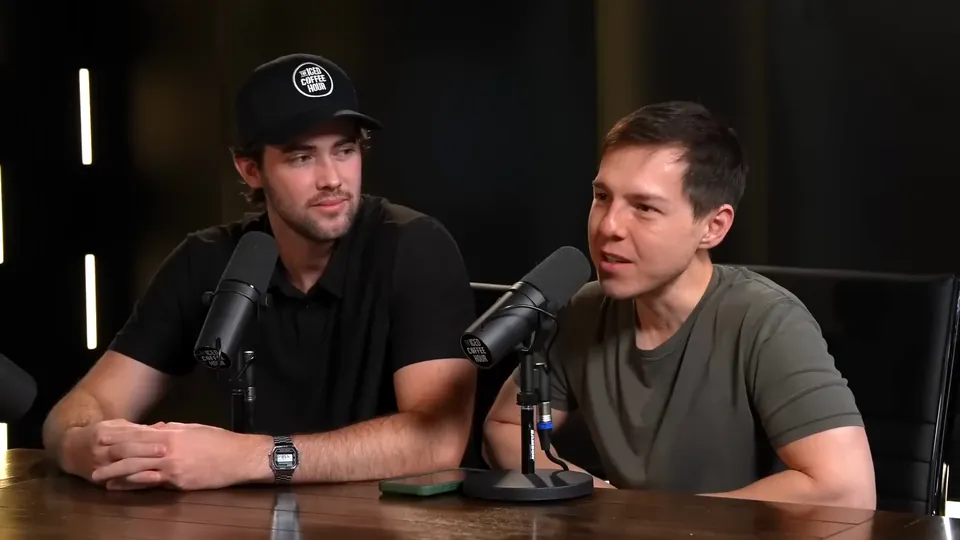
Paste a YouTube link or upload a video from 2 to 150 minutes. The AI reads the transcript, picks 3 to 12 moments, scores each one, reframes it to 9:16 around faces and the active speaker, and adds animated captions.

Hormozi Style Captions, Generated for You
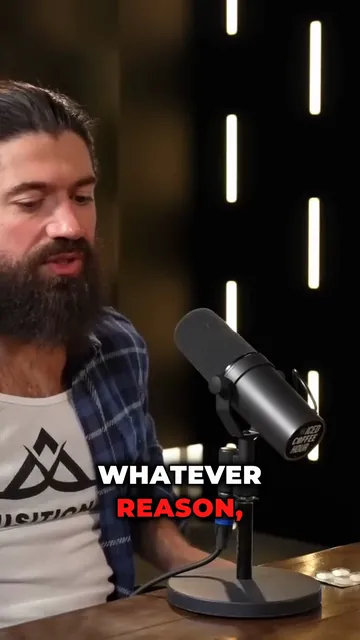
Bold uppercase words, two or three at a time, the key word in color and a quick pop-in. Upload a video and StoryCut transcribes it and animates the captions in the Hormozi style.
Auto SFX: Add Sound Effects to Your Video Automatically
StoryCut reads your transcript, picks the 4 to 8 words that deserve a sound and places a matching whoosh, pop or ding on each one, timed to the word. No library to dig through, no timeline to drag.
AI Eye Contact and Gaze Correction for Recorded Videos
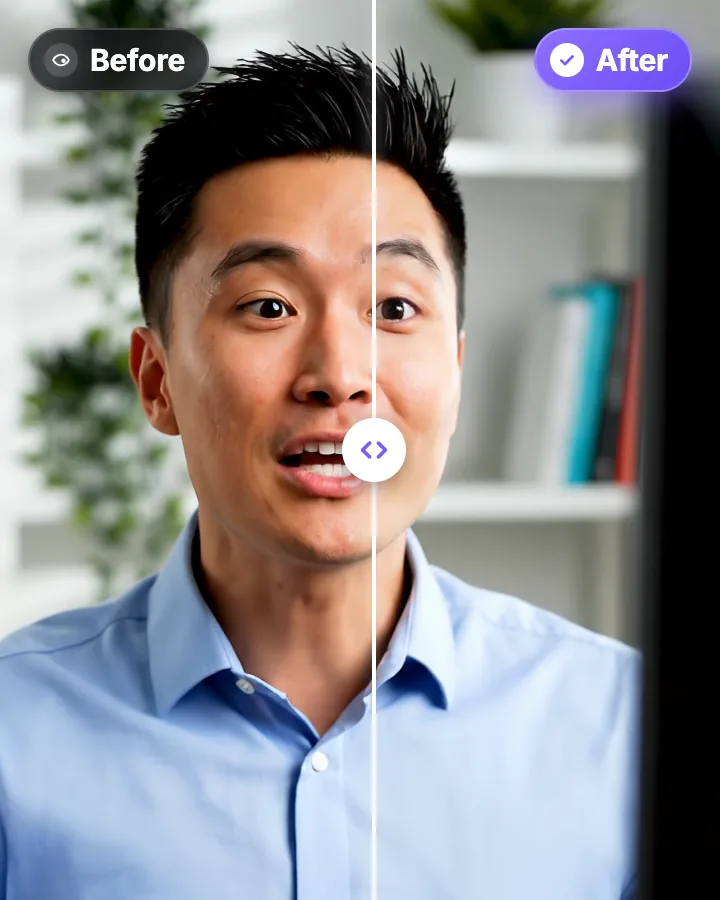
Read a script, checked your notes or watched yourself on screen? Upload the video and the AI points your gaze back at the lens in every frame, keeping your resolution, frame rate and audio. Your first video is free.

AI video editor for creators who want viral content without the editing grind.
Features
All FeaturesAI CaptionsHormozi CaptionsMrBeast CaptionsAdd Subtitles to VideoSubtitle GeneratorAI Video EditorAI Clip GeneratorYouTube to ShortsEye Contact FixMagic ZoomTransitionsClean AudioAI MusicSound EffectsAI Auto EditRemove SilenceAI ThumbnailsBrand KitsCommunity StylesAI Video TranslatorFree Tools
Video Hook GeneratorTikTok CaptionsInstagram CaptionsYouTube TitlesTikTok HashtagsVideo Script GeneratorAI Video IdeasContent CalendarTikTok TranscriptVideo to TextFree SRT GeneratorSubtitle TranslatorFree TeleprompterWords to MinutesSRT to VTT ConverterTikTok Safe ZoneFree Sound EffectsAll 40 Tools →Use Cases
TikTok CreatorsYouTube ShortsInstagram ReelsPodcastersClippersAgencies & TeamsLinkedIn VideosTeleprompter Eye ContactPremiere Pro Eye ContactDaVinci Resolve Eye ContactFinal Cut Pro Eye ContactLoom Eye Contact