 VS
VS
Captions App Alternatives in 2026: 6 Tools Compared
Captions (now by Mirage) is a strong iPhone app. If you edit in a browser, on Android or Windows, or you’re tired of counting credits, here is how six alternatives compare. Prices checked on each tool’s website on October 3, 2026. StoryCut is our product.
- Free plan, no credit card
- Free exports are 720p with a watermark






Captions alternatives: the short answer
- Short answer
- Captions works best in its iPhone app. If you edit in a browser or on Android or Windows, look at StoryCut (captions, auto sound effects and dubbing in the browser), CapCut (free full editor on every platform), VEED (general browser editor), Submagic (template captions on the web), Descript (edit by transcript on desktop) or Opus Clip (clips from long videos).
- Captions’ prices
- Free: 60–200 credits for the life of the account. Basic: $9.99/mo, 200 credits (sold, but not shown on the pricing page; $64.99/yr on iOS). Max: $24.99/mo, 500 credits. Frontier: $69.99/mo, 1,400 credits. Yearly prices for Max and Frontier aren’t published.
- Platform gaps
- Eye contact, AI Zoom and AI Trim are in the iOS app, not in the new web app. Android only gets the reduced Captions Lite, and there is no Windows app.
- Credits
- AI features use credits, which are spent even if you never export. Standard plans can’t buy top-ups; unused credits roll over up to 3 times the monthly amount.
- StoryCut
- Runs in desktop and mobile browsers, with no credits. Captions in 49 languages and 26 styles start on their own; Pro ($14/mo billed yearly) adds AI-placed sound effects, voice dubbing in 33 languages and eye contact (10 videos a month), with 1 free eye contact try on every account.
Why do people look for a Captions app alternative?
Captions is a polished app, rated 4.7 from 38,220 App Store ratings, and much of its best work happens on the iPhone. That is also why people look elsewhere. Its features change by platform: eye contact, AI Zoom and AI Trim are in the iOS app but not in the new web app, Android only gets the reduced Captions Lite, and there is no Windows app. Pricing runs on credits that are spent even when you don’t export and can’t be topped up on standard plans, and the free plan’s credits never refresh. The cheapest plan, Basic at $9.99/mo, isn’t shown on the pricing page, which leads with Max at $24.99/mo. AI Edit works on up to 1 minute of video on the web and 2 minutes on iOS, and translated captions and dubbing stop at 5 minutes. What Captions does well is real: AI Edit, Lipdub and AI avatars go further than most caption tools.
Captions vs 6 alternatives at a glance
| Tool | Entry paid plan | Free plan | Works on | Eye contact | Auto sound effects | Voice dubbing |
|---|---|---|---|---|---|---|
| Captions | Basic: $9.99/mo (Max $24.99/mo) | Yes60–200 lifetime credits | iOS, macOS, web; Android (Lite) | YesiOS app (not the new web app) | Prompt-made AI Sounds (Max) | Yes31 languages + Lipdub |
| StoryCut | Starter: $7/mo yearly, $9/mo monthly | Yes3 videos at a time, 720p, watermark | Web, desktop and mobile browsers | Yesin the browser (1 free, $9 for 5, or Pro) | YesAI-placed on key words (Pro) | Yes33 languages, voice cloning (Pro) |
| Submagic | Starter: $12/mo yearly, $19/mo monthly | Trial: 3 short videos, watermark | Web (no mobile app) | YesPro and up | Nomanual library | Nosubtitle translation only |
| CapCut | Pro: $179.99/yr or $19.99/mo (varies) | Yesfree editor; Pro assets add a watermark | iOS, Android, Windows, Mac, web | Yesmobile app | AI sound effects tool (mobile) | YesAI video translator (lip-sync) |
| VEED | Creator: $9.67/mo yearly, $20/mo monthly | Yes720p, watermark | Web, iOS | YesCreator or Pro (pages differ) | Nomanual | Yes29 languages (Pro) |
| Descript | Hobbyist: $16/mo yearly, $24/mo monthly | Yes60 min/month, 720p, watermark | Mac, Windows, web (no mobile) | Yeslimited on Free, full from Hobbyist (credits) | Nolibrary + AI generation | Yes30 languages |
| Opus Clip | Starter: $15/mo, monthly only | Yes60 credits/month, watermark | Web, iOS, Android | No | YesAuto SFX on Pro | Yes25 languages (Pro) |
Checked on October 3, 2026 from each product’s public pages. Sources: Captions pricing, Captions plans, Captions feature availability, Captions credit usage, Submagic pricing, Submagic translator, CapCut Standard vs Pro, CapCut AI eye contact, CapCut video translator, VEED pricing, Descript pricing, Opus Clip pricing.
The alternatives, one by one
StoryCut
Best for: Captions-style editing in any browser, without credits
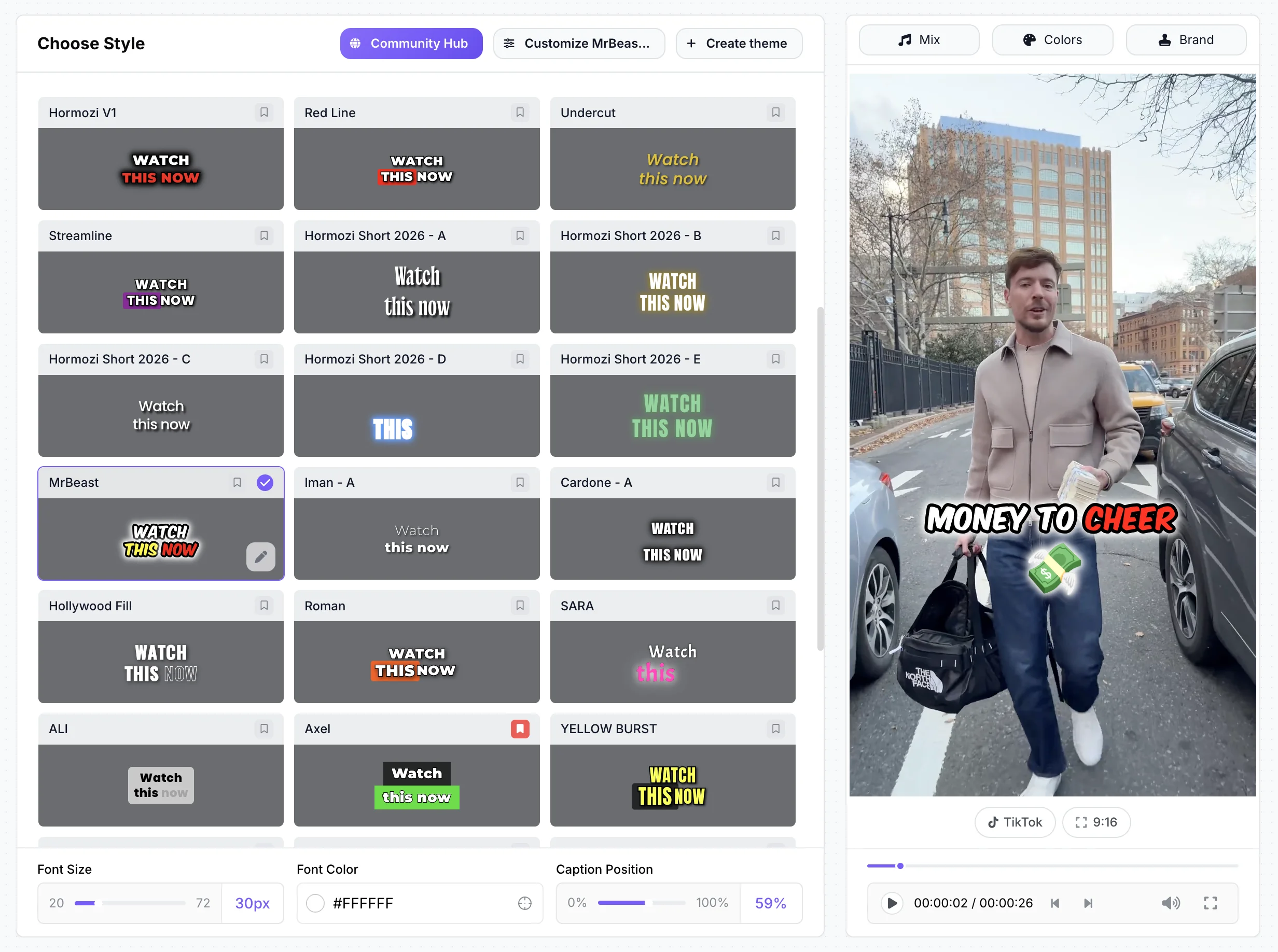
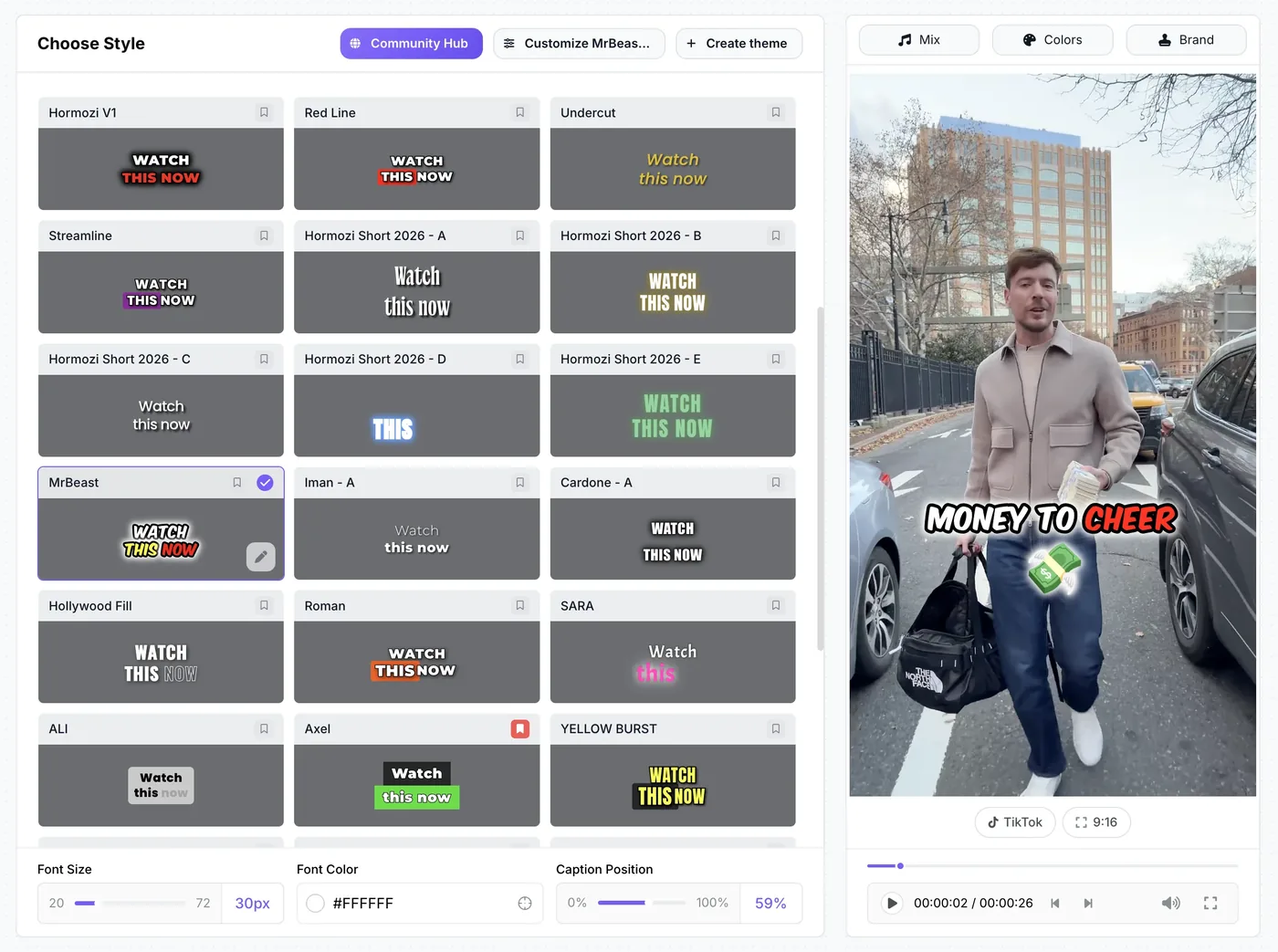
StoryCut runs in the browser on desktop and phone, with the same features everywhere. Captions start on their own after upload, in 49 languages and 26 styles, including 6 Hormozi-style presets and a MrBeast-style one. Pro ($14/mo billed yearly) adds AI-placed sound effects, magic zoom, clean audio, AI music, voice dubbing with voice cloning in 33 languages and eye contact correction (10 videos a month), and every account can try eye contact once for free. There is no native app, and no AI avatars or lip-sync.

Submagic
Best for: fast template captions on the web
Submagic is a web caption tool with a large template library (including Hormozi 1–5 themes), plus auto zoom, clean audio and eye contact from Pro ($23/mo billed yearly). Starter ($12/mo billed yearly) caps videos at 2 minutes and 15 a month. It has no mobile app, its voice translation is new with no published plan details, and its help center says it doesn’t give refunds. It scores 4.5 on Trustpilot from 844 reviews.

CapCut
Best for: a free editor on Android and Windows
CapCut runs on iOS, Android, Windows, Mac and the web, and its full timeline editor is free. Its mobile app has eye contact and AI sound effects. Pro costs $19.99/mo or $179.99/yr after a 2026 price increase, prices vary by region, and Pro assets add a watermark for free users. You do more of the editing yourself.
VEED
Best for: a general browser editor with subtitles
VEED is a full editor in the browser with auto subtitles (unlimited on paid plans, within a fair-use cap), eye contact, AI B-roll and, from Pro ($21.42/mo billed yearly), voice-preserving dubbing in 29 languages. Creator costs $9.67/mo billed yearly ($20 monthly). Sound effects are added by hand, and the free plan exports 720p with a watermark.

Descript
Best for: longer videos edited like a document
Descript edits video through its transcript, in a desktop app for Mac and Windows or on the web. Eye contact, AI dubbing in 30 languages and clip creation start at Hobbyist ($16/mo billed yearly), with AI features paid in credits. It has no mobile app, and mobile browsers aren’t supported.

Opus Clip
Best for: clipping long videos on any device
Opus Clip turns long videos into scored clips, with web, iOS and Android apps. Pro ($14.50/mo billed yearly) adds auto sound effects, dubbing in 25 languages, 4K and a scheduler. It has no eye contact correction, and the free plan is watermarked.
Edit in your browser, with nothing to install
Pricing: StoryCut vs Captions
StoryCut- 3 videos at a time
- 720p export with watermark
- Videos up to 4 min
- AI captions, caption styles and transitions
- 1 long video per month into AI clips
- 20 videos at a time
- 1080p export, no watermark
- Videos up to 7 min
- AI captions, caption styles and transitions
- 10 long videos per month into AI clips
- 50 videos at a time
- 2K export, no watermark
- Videos up to 10 min
- AI eye contact (10 videos/month), auto sound effects, magic zoom, silence removal, clean audio, AI music, dubbing
- 50 long videos per month into AI clips
- 100 videos at a time
- 4K 60fps export, no watermark
- Videos up to 30 min
- Everything in Pro + unlimited AI eye contact + priority rendering
- 5 team members
- 100 long videos per month into AI clips
Captions- 60–200 credits for the life of the account
- 1 caption template
- Exports using paid AI features are watermarked
- 200 credits/month
- Eye contact in the iOS app
- 500 credits/month
- 2 seats
- AI Sounds and Clips (up to 3 h input)
- Dubbing in 31 languages + Lipdub
- 100+ caption templates
- 1,400 credits/month
- 3 seats
Checked on October 3, 2026 from each product’s public pages. Sources: Captions pricing, Captions plans, Captions on the App Store.
StoryCut vs Captions: pros and cons
StoryCut
- Same features on every device: it runs in the browser, including on Android and Windows
- No credits: plans set videos at a time and video length, and features aren’t charged per use
- Sound effects placed for you on key words (Pro)
- Voice dubbing with voice cloning in 33 languages, on videos up to 10 minutes (Pro)
- Eye contact works in the browser (Pro and Business, 1 free try on every account)
- 6 Hormozi-style caption presets
- No native iPhone or Android app
- No AI avatars, lip-sync dubbing or prompt-to-video
- Eye contact on a plan starts at Pro ($14/mo billed yearly), above Captions Basic ($9.99/mo on iOS)
- Free plan exports 720p with a watermark
- Newer and smaller, with no third-party reviews yet
Captions
- Polished iPhone app: 4.7 stars from 38,220 App Store ratings
- Deep generative AI: AI Edit, Lipdub, AI twins, prompt to video
- Eye contact from the Basic plan in the iOS app
- Clips from videos up to 3 hours (Max)
- Unused credits roll over, up to 3 times the monthly amount
- Credits are spent even if you don’t export, and standard plans can’t top up
- Eye contact, AI Zoom and AI Trim are missing from the new web app
- Android gets only Captions Lite; no Windows app
- AI Edit is limited to 1 minute on the web and 2 minutes on iOS
- Free credits are for the lifetime of the account
Should you switch from Captions?
Stay with Captions if you edit mostly on an iPhone and use its generative features, like AI Edit, Lipdub and AI twins: no tool here matches that set. Switch if you edit on Windows, Android or in a browser and want the same tools everywhere, if your credits run out before the month does, or if your videos are longer than AI Edit’s 1–2 minutes. For a browser workflow with captions, sound effects and dubbing, try StoryCut. For a free hands-on editor on Android or Windows, try CapCut. For long recordings you want to edit by transcript, try Descript.
Results
Why Creators Choose StoryCut Over Captions AI
More features, more control, and no app download required.
FAQ
Frequently Asked Questions
Try a Browser-Based Captions Alternative
Upload your video. Get back a scroll-stopper with viral captions, cinematic transitions, auto zoom, and clean audio. The same tools top creators use to explode views.
Upload from your desktop or phone browser and captions start on their own. Free plan with no credit card; paid plans start at $7/mo billed yearly.
- Join 10,000+ creators
- No credit card required
You Might Also Like
StoryCut vs Captions AI: Phone App or Web Editor?
Captions, now made by Mirage, is a phone-first AI editor that runs on credits. StoryCut is a web editor with plan-based limits. Here is how they compare on price, eye contact, sound effects and more in 2026.
AI Eye Contact and Gaze Correction for Recorded Videos
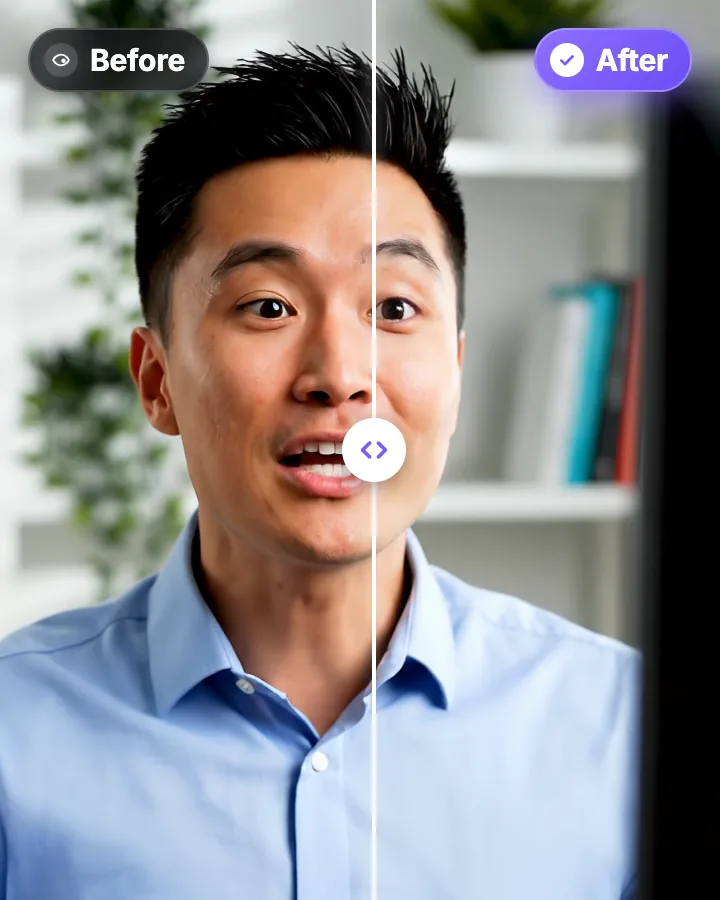
Read a script, checked your notes or watched yourself on screen? Upload the video and the AI points your gaze back at the lens in every frame, keeping your resolution, frame rate and audio. Your first video is free.

Video Translator: Translate and Dub Your Videos with AI
Translate a video’s captions into 33 languages, English included, or dub the voice too, in a clone of your own voice or a stock male or female voice. Turn it on when you upload, and the translated video opens ready to edit.

AI video editor for creators who want viral content without the editing grind.
Features
All FeaturesAI CaptionsHormozi CaptionsMrBeast CaptionsAdd Subtitles to VideoSubtitle GeneratorAI Video EditorAI Clip GeneratorYouTube to ShortsEye Contact FixMagic ZoomTransitionsClean AudioAI MusicSound EffectsAI Auto EditRemove SilenceAI ThumbnailsBrand KitsCommunity StylesAI Video TranslatorFree Tools
Video Hook GeneratorTikTok CaptionsInstagram CaptionsYouTube TitlesTikTok HashtagsVideo Script GeneratorAI Video IdeasContent CalendarTikTok TranscriptVideo to TextFree SRT GeneratorSubtitle TranslatorFree TeleprompterWords to MinutesSRT to VTT ConverterTikTok Safe ZoneFree Sound EffectsAll 40 Tools →Use Cases
TikTok CreatorsYouTube ShortsInstagram ReelsPodcastersClippersAgencies & TeamsLinkedIn VideosTeleprompter Eye ContactPremiere Pro Eye ContactDaVinci Resolve Eye ContactFinal Cut Pro Eye ContactLoom Eye Contact