The Best AI Video Editors for Talking-Head Videos in 2026
For videos you filmed yourself: a person talking to the camera, from a webcam, a phone or a studio, not an AI avatar. We compared seven editors on what a talking-head video needs: captions, cutting the pauses, filler words, eye contact and price. Prices checked on each tool’s own pages on October 9, 2026. StoryCut publishes this page and is one of the tools listed.
- Free plan
- No credit card
- Paid plans from $7/mo billed yearly






Talking-head video editors: the short answer
- Short answer
- To caption and finish a talking video quickly in the browser, StoryCut. To edit by transcript, Descript. For short captioned clips with B-roll, Submagic. If you record remote interviews, Riverside. For a full browser timeline, VEED or Kapwing. On an iPhone, Captions.
- What matters
- Captions that start on their own, cutting the pauses, removing filler words, eye contact for scripted takes, clean audio, and an export without a watermark at the length you need.
- Watch the length limits
- Submagic caps videos at 2 minutes on Starter and 5 on Pro. StoryCut allows 4 minutes on Free, 10 on Pro and 30 on Business.
- Disclosure
- StoryCut publishes this page. Competitor facts come from each vendor’s pricing and help pages, linked under the table. StoryCut has no filler-word removal and its Auto Edit adds no B-roll; where another tool fits better, we say so.
7 talking-head video editors compared
| Editor | Best for | Cuts silences | Removes filler words | Eye contact | Cheapest paid plan | Where it runs |
|---|---|---|---|---|---|---|
| StoryCut | Captioning and finishing a talking video fast | YesPro (Remove Silence, Auto Edit) | No | Yes1 free video, then $9 for 5 or Pro | Starter $9/mo, or $7/mo billed yearly | Any browser, including phones |
| Descript | Editing by transcript, podcasts | Yes(Shorten Word Gaps) | Yes | Yeson AI credits | Hobbyist $24/mo, or $16/mo billed yearly | Mac and Windows app, browser |
| Submagic | Short captioned clips with B-roll | YesPro | YesPro | YesPro (videos up to 5 min) | Starter $19/mo, or $12/mo billed yearly | Browser |
| Riverside | Recording and editing remote interviews | YesPro | YesPro | Pro, only on tracks recorded in Riverside | Pro $29/mo, or $24/mo billed yearly | Browser, Mac app, phone apps |
| VEED | A full editor in the browser | YesCreator | YesCreator | YesCreator (one free use) | Creator $20/mo, or $9.67/mo billed yearly | Browser |
| Kapwing | Teams editing together in the browser | YesPro (Smart Cut) | — | YesPro (30 credits a minute) | Pro $24/mo, or $16/mo billed yearly | Browser |
| Captions | Editing on an iPhone | — | — | Yesin the apps (Basic), not on the web | Basic $9.99/mo | iPhone and Android apps, desktop app, web |
Checked on October 9, 2026 from each product’s public pages. Sources: StoryCut pricing, Descript pricing, Submagic pricing, Riverside pricing, Riverside: Fix gaze for natural eye contact, VEED pricing, VEED: Eye Contact, Kapwing pricing, Kapwing: AI Eye Contact, Captions plans, Captions feature availability.
The ranking
1. StoryCut: best for finishing a talking video in one pass
Captions start on their own once the upload finishes. On Pro, Auto Edit cuts the pauses and adds sound effects, zooms and music in one click, and eye contact covers 10 videos a month. No filler-word removal, and Auto Edit adds no B-roll. Starter from $7/mo, Pro from $14/mo billed yearly. It is our product.
2. Descript: best for editing by transcript
Delete words in the transcript to cut the video, remove filler words, shorten gaps, clean the sound with Studio Sound and apply Eye Contact on AI credits. A desktop app with a learning curve. Hobbyist is $24 a month, or $16 billed yearly, with 400 AI credits.
3. Submagic: best for short captioned clips
A large caption template library, B-roll, zooms, and on Pro, silence and filler-word removal and eye contact. Videos are capped at 2 minutes on Starter and 5 on Pro. Pro is $39 a month, or $23 billed yearly, per member.
4. Riverside: best if you also record there
A recording studio with text-based editing. Pro includes AI B-roll, eye contact and silence and filler-word removal, but eye contact only works on tracks recorded in Riverside in a browser. Pro is $29 a month, or $24 billed yearly.
5. VEED: best full editor in the browser
Timeline editing, subtitles, stock media and AI tools, including eye contact and filler-word removal, on Creator. Creator exports up to 1080p; 4K needs Pro. Creator is $20 a month, or $9.67 billed yearly, per user.
6. Kapwing: best for teams editing together
A shared workspace with comments and real-time collaboration, Smart Cut for silences, and eye contact at 30 credits a minute on Pro. Pro is $24 a month, or $16 billed yearly, per member.
7. Captions: best for editing on an iPhone
A phone-first editor with a teleprompter camera, captions and AI Eye Contact in the iPhone app on Basic, $9.99 a month. Eye contact isn’t in Captions on Web.
How we ranked them
We only looked at editors for footage you filmed yourself, not tools that generate an AI presenter from a script. Each editor was checked on the jobs a talking-head video needs: captions, cutting pauses, filler words, eye contact, audio clean-up, length limits, and the price of the plan that does all of it. A dash means the vendor doesn’t publish it or we couldn’t verify it. Prices are in US dollars, before tax, and some vendors charge less in other countries.
Not in the list: CapCut, a free editor on every platform whose eye contact tool depends on your app, region and device, and Opus Clip, which turns long videos into clips and has no eye contact.
Where StoryCut fits, and where it doesn’t
StoryCut is built for one job: a video of you talking, made ready to post. Upload it and the captions are generated for you. On Pro, Auto Edit cuts every pause over 0.5 seconds and adds sound effects on key words, zooms and background music, and you keep or remove each one. Eye contact and clean audio are one click each, and Pro also dubs your voice into other languages. Free and Starter accounts get 2 Auto Edit previews.
What it doesn’t do: there is no filler-word or bad-take removal, Auto Edit adds no B-roll (StoryCut’s separate B-roll tool generates AI images, not stock footage), and there is no transcript editing, no mobile app, no API and no posting to social networks. If you need those, Descript, Submagic or Riverside fit better.
Captioned, tightened and looking at the lens: try it on your own video
More for talking-head videos



FAQ
Frequently Asked Questions
Edit Your Next Talking-Head Video in Minutes
Upload your video. Get back a scroll-stopper with viral captions, cinematic transitions, auto zoom, and clean audio. The same tools top creators use to explode views.
Upload a video and the captions start on their own. Free plan with no credit card. Paid plans from $7/mo billed yearly.
- Join 10,000+ creators
- No credit card required

You Might Also Like
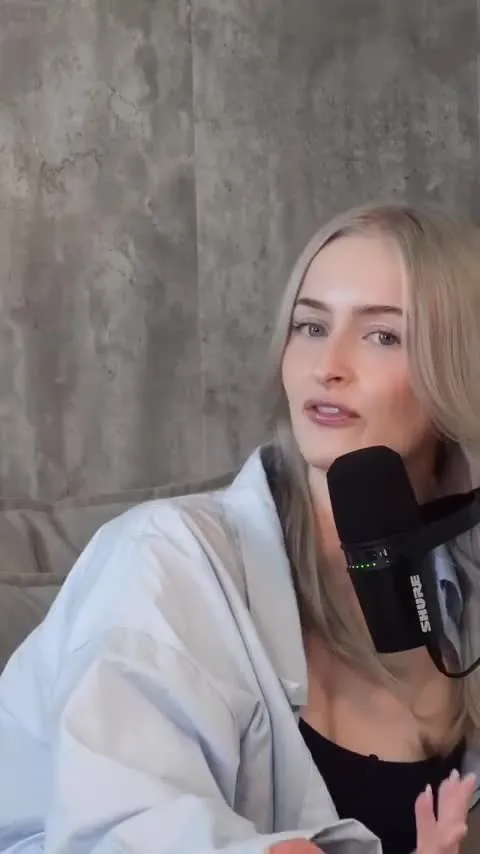
Auto-Edit Your Talking-Head Videos in One Click
For videos you filmed yourself. Once your captions are ready, Auto Edit cuts the silences, places sound effects on your key words, zooms in on the key moments and composes background music. Then you keep or remove each one.
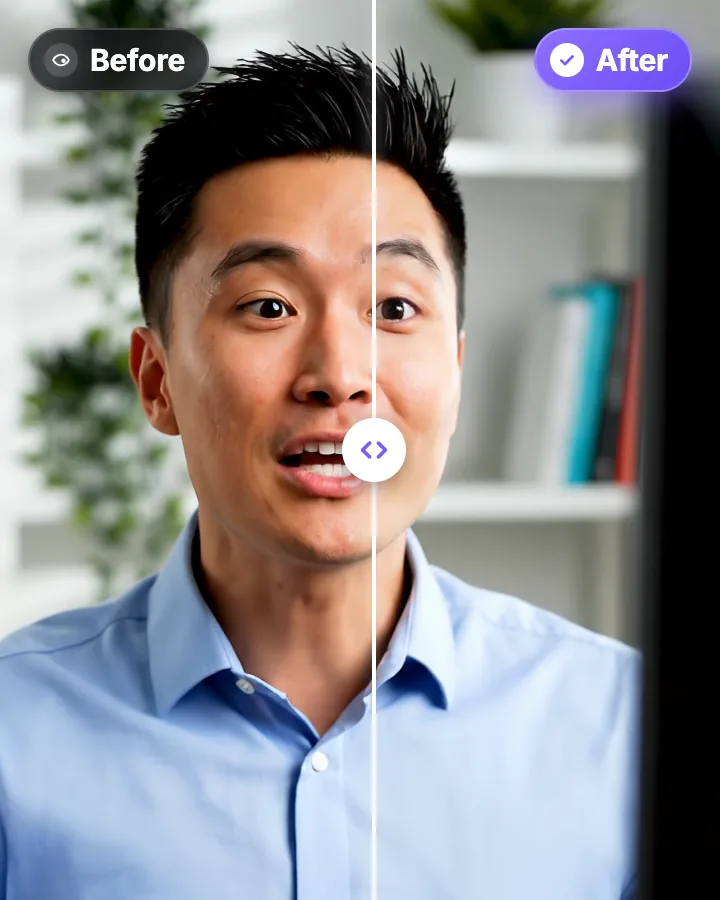
AI Eye Contact and Gaze Correction for Recorded Videos
Read a script, checked your notes or watched yourself on screen? Upload the video and the AI points your gaze back at the lens in every frame, keeping your resolution, frame rate and audio. Your first video is free.

Remove Silences From Your Video Automatically
StoryCut finds every pause longer than half a second between your words, cuts it out of the video and moves your captions to match. One click, and you can switch back to the original at any time.

AI video editor for creators who want viral content without the editing grind.
Features
All FeaturesAI CaptionsHormozi CaptionsMrBeast CaptionsAdd Subtitles to VideoSubtitle GeneratorAI Video EditorAI Clip GeneratorYouTube to ShortsEye Contact FixMagic ZoomTransitionsClean AudioAI MusicSound EffectsAI Auto EditRemove SilenceAI ThumbnailsBrand KitsCommunity StylesAI Video TranslatorFree Tools
Video Hook GeneratorTikTok CaptionsInstagram CaptionsYouTube TitlesTikTok HashtagsVideo Script GeneratorAI Video IdeasContent CalendarTikTok TranscriptVideo to TextFree SRT GeneratorSubtitle TranslatorFree TeleprompterWords to MinutesSRT to VTT ConverterTikTok Safe ZoneFree Sound EffectsAll 40 Tools →Use Cases
TikTok CreatorsYouTube ShortsInstagram ReelsPodcastersClippersAgencies & TeamsLinkedIn VideosTeleprompter Eye ContactPremiere Pro Eye ContactDaVinci Resolve Eye ContactFinal Cut Pro Eye ContactLoom Eye Contact