 VS
VS
StoryCut vs CapCut: Manual Editing or Automatic Captions?
CapCut gives you a free, full timeline editor with a huge toolbox. StoryCut gives you captions as soon as your upload finishes and effects in one click. Here is how they compare on price and features in 2026.
- Free plan
- No credit card
- Paid plans from $7/mo billed yearly
StoryCut vs CapCut: the short answer
- Verdict
- CapCut is the better pick if you want to edit by hand: it is a free, full timeline editor on phone, desktop and web, with a huge library of templates and effects. StoryCut is the better pick if you want the editing done for you: upload a video, captions appear automatically, then click Auto Edit to cut the silences and add sound effects, zooms and music at once, or add each effect in one click.
- CapCut price (2026)
- The editor is free. Pro is $19.99/mo or $179.99/yr (about $15/mo) in the US after the 2026 price increase. A cheaper Standard plan shows up in the iOS app at about $9.99/mo. CapCut says prices vary by region, device and promotions.
- StoryCut price
- Free plan: 720p with a watermark, videos up to 4 min. Starter $9/mo or $7/mo billed yearly (1080p, up to 7 min). Pro $19/mo or $14/mo (2K, up to 10 min, eye contact 10/mo). Business $49/mo or $39/mo (4K 60fps, up to 30 min, unlimited eye contact).
- Best for CapCut
- People who enjoy editing, want full creative control and templates, and need a mobile or desktop app.
- Best for StoryCut
- Talking-head creators who want styled captions, sound effects and zooms without building the edit on a timeline.
StoryCut
Web app • Upload and get captions
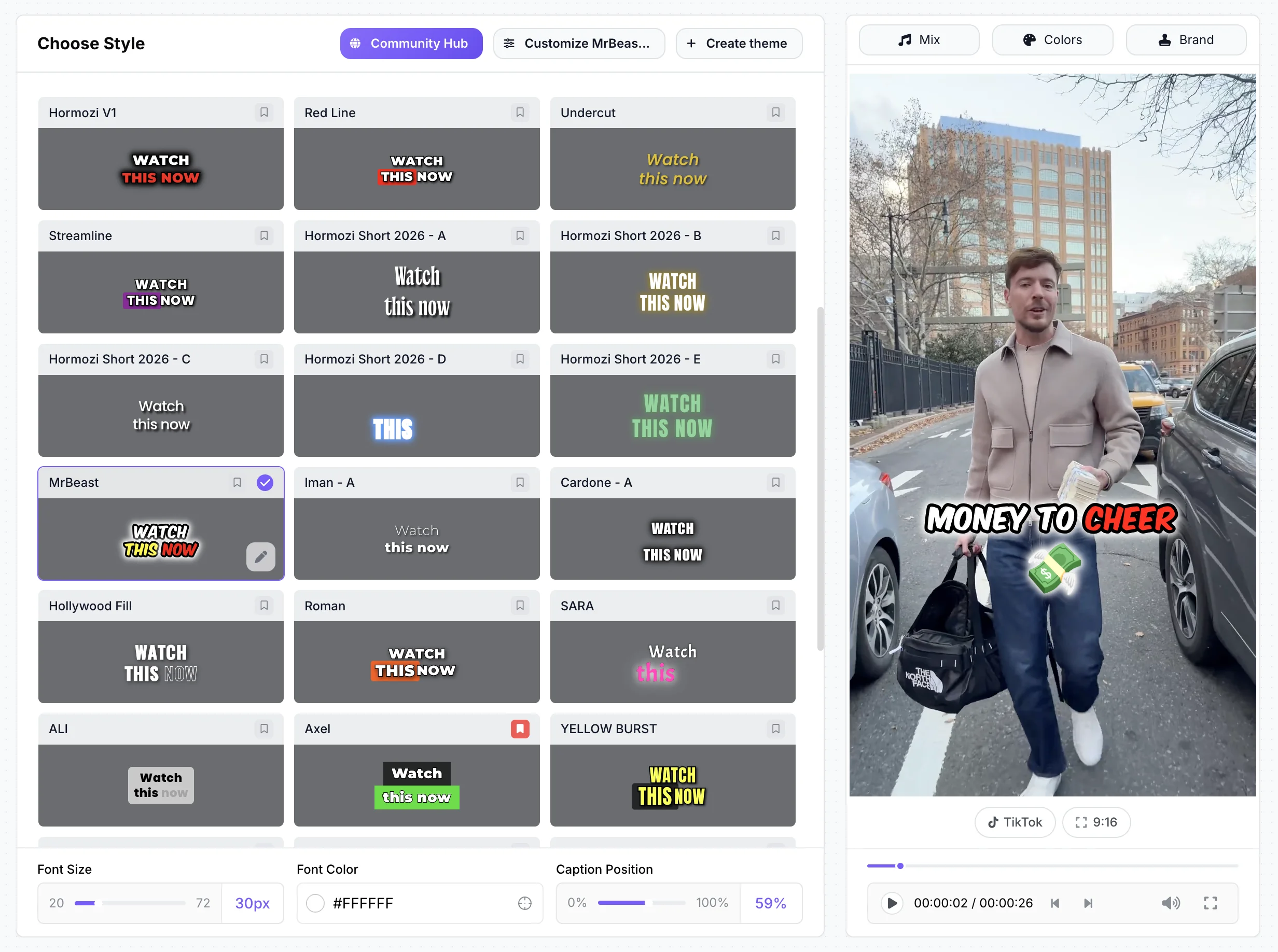
StoryCut is a web-based AI editor for short vertical videos. Upload a video and word-by-word captions start on their own, in 49 languages, with 26 ready-made styles including 6 Hormozi-style presets. There is no timeline to build: on Pro, zoom, sound effects on key words, clean audio and AI music are one click each, and 51 transitions are placed by AI on every plan. It also turns long videos into short clips and corrects eye contact. It runs in desktop and mobile browsers, with nothing to install.
CapCut
Apps + web • Full timeline editor
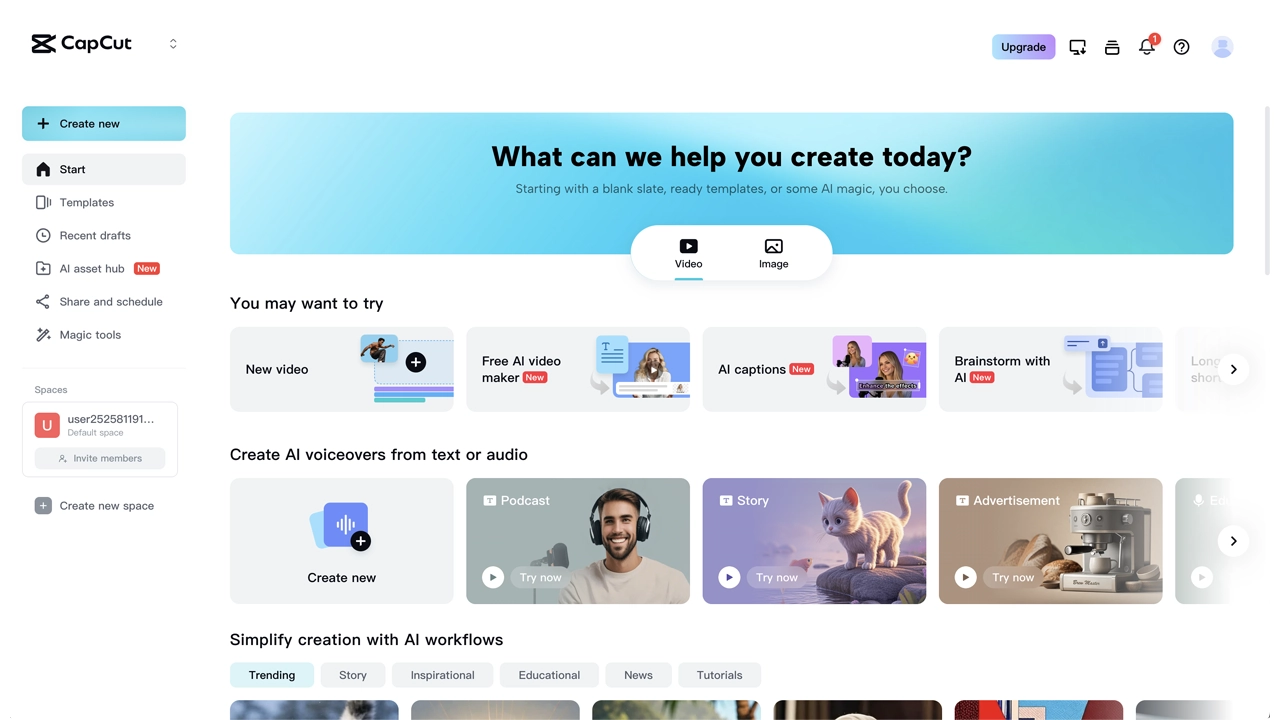
CapCut is a full video editor from ByteDance, the company behind TikTok. It runs on iPhone, iPad, Android, Windows, Mac and the web, and the core timeline editor is free. You get a huge library of templates and effects, auto captions, filler-word removal on desktop, a long-video-to-shorts tool, and AI tools such as AI sound effects and eye contact in the mobile app. Pro unlocks premium assets, 4K 60fps and HDR export, 1,200 AI credits a month and 1 TB of cloud storage. You place and adjust everything yourself on a multi-track timeline.
Skip the timeline: upload a video and get captions automatically
StoryCut vs CapCut: feature comparison
| Feature | StoryCut | CapCut |
|---|---|---|
| Editing Approach | Captions on upload, then Auto Edit or one click per effect | Manual multi-track timeline |
| AI Captions | Yes49 languages, start on upload | Yesauto captions |
| Templates | 26 caption styles, incl. 6 Hormozi-style | Huge library, many items Pro-only |
| Sound Effects | YesAI-placed on key words (Pro) | YesAI sound effects (mobile) + library |
| Eye Contact Fix | YesPro (10/mo) and Business, 1 free try | Yesin the mobile app |
| Auto Zoom | YesAI-picked moments (Pro) | Not listed (zoom by hand) |
| Transitions | Yes51 overlays placed by AI | Yeslarge library, placed by hand |
| Filler Word Removal | No(silence removal on Pro) | Yeson desktop |
| AI Clipping | Yesincluded in every plan | Yeslong video to shorts |
| Max Resolution | 4K 60fps (Business) | 4K 60fps and HDR (Pro) |
| Free Plan | Yes3 videos at a time, 720p, watermark | Yesfull editor (Pro assets add a watermark) |
| Price | Free, paid from $7/mo (yearly) | Free, Pro $19.99/mo or $179.99/yr |
| Platform | Web (desktop and mobile browsers) | iOS, Android, Windows, Mac and web |
| Public ratings | None yet (founded 2025) | App Store 4.6 (1.1M ratings) |
Checked on October 3, 2026 from each product’s public pages. Sources: CapCut Pro price, CapCut Standard vs Pro, CapCut watermark help, CapCut AI eye contact, CapCut AI sound effects, CapCut filler words, CapCut long video to short, CapCut on the App Store, StoryCut pricing.
Pros and cons
StoryCut
- Captions start automatically when your upload finishes
- No timeline to learn: zoom, sound effects, clean audio and music are one click each (Pro)
- Sound effects placed on your key words for you
- 26 ready-made caption styles, including 6 Hormozi-style presets
- AI clips from long videos, with virality scores, on every plan
- Published prices: Pro is $14/mo billed yearly
- Not a full editor: no manual cutting, multi-track layers or keyframes
- Far fewer templates and effects than CapCut
- Web only: no mobile or desktop app
- Free plan exports 720p with a watermark
- Newer and smaller, with no third-party reviews yet
CapCut
- Full multi-track timeline editor, free
- Apps for iPhone, iPad, Android, Windows and Mac, plus a web editor
- Huge library of templates and effects
- AI sound effects and eye contact in the mobile app
- 4K 60fps and HDR export on Pro
- 4.6 on the App Store from over 1.1 million ratings
- You build the edit yourself, which takes time to learn
- Annual Pro rose from about $77.99 to $179.99 in 2026 (Newsweek)
- Prices vary by region, device and promotions
- Many templates and effects need Pro, and using them adds a watermark on the free plan
- Its terms give CapCut a perpetual, sub-licensable license to content you upload
Price comparison: StoryCut vs CapCut
StoryCut- 3 videos at a time
- 720p export with watermark
- Videos up to 4 min
- AI captions, caption styles and transitions
- 1 long video per month into AI clips
- 20 videos at a time
- 1080p export, no watermark
- Videos up to 7 min
- AI captions, caption styles and transitions
- 10 long videos per month into AI clips
- 50 videos at a time
- 2K export, no watermark
- Videos up to 10 min
- AI eye contact (10 videos/month), auto sound effects, magic zoom, silence removal, clean audio, AI music, dubbing
- 50 long videos per month into AI clips
- 100 videos at a time
- 4K 60fps export, no watermark
- Videos up to 30 min
- Everything in Pro + unlimited AI eye contact + priority rendering
- 5 team members
- 100 long videos per month into AI clips
CapCut- Timeline editor on every platform
- Using Pro assets adds a watermark
- 4K and 60fps locked on web and desktop
- Export up to 1080p
- Less cloud storage than Pro
- 4K 60fps and HDR export
- 1,200 AI credits per month
- 1 TB cloud storage
- Premium templates and effects
Checked on October 3, 2026 from each product’s public pages. Sources: CapCut Pro price, CapCut subscription pricing, CapCut Standard vs Pro, Newsweek on the 2026 price increase, StoryCut pricing.
Which should you choose?
Pick CapCut if you like editing and want full control over every cut, layer, keyframe and effect, on your phone or your computer, for free. Pick StoryCut if you mostly film yourself talking and want the edit done for you: captions appear on their own after the upload, and zoom, sound effects, music, clean audio and transitions are one click each. You can also use both: CapCut for creative, hands-on edits, StoryCut for fast captioned talking-head videos. Before you pay for CapCut Pro, check the price shown in your own account, since CapCut says it varies by region, device and promotion, and read its terms on how uploaded content can be used.




FAQ
Frequently Asked Questions
Get captions without building a timeline
Upload your video. Get back a scroll-stopper with viral captions, cinematic transitions, auto zoom, and clean audio. The same tools top creators use to explode views.
Upload a video and captions start on their own. Free plan with no credit card. Paid plans from $7/mo billed yearly.
- Join 10,000+ creators
- No credit card required
You Might Also Like

The TikTok Video Editor That Does Your Captions for You
A TikTok video editor that runs in your browser. Upload a talking video and word-by-word captions start on their own. Pick one of 26 styles, add zoom, sound effects and music in one click each (Pro), and download a 9:16 MP4 ready for TikTok.

Hormozi Style Captions, Generated for You
Bold uppercase words, two or three at a time, the key word in color and a quick pop-in. Upload a video and StoryCut transcribes it and animates the captions in the Hormozi style.
Auto SFX: Add Sound Effects to Your Video Automatically
StoryCut reads your transcript, picks the 4 to 8 words that deserve a sound and places a matching whoosh, pop or ding on each one, timed to the word. No library to dig through, no timeline to drag.

AI video editor for creators who want viral content without the editing grind.
Features
All FeaturesAI CaptionsHormozi CaptionsMrBeast CaptionsAdd Subtitles to VideoSubtitle GeneratorAI Video EditorAI Clip GeneratorYouTube to ShortsEye Contact FixMagic ZoomTransitionsClean AudioAI MusicSound EffectsAI Auto EditRemove SilenceAI ThumbnailsBrand KitsCommunity StylesAI Video TranslatorFree Tools
Video Hook GeneratorTikTok CaptionsInstagram CaptionsYouTube TitlesTikTok HashtagsVideo Script GeneratorAI Video IdeasContent CalendarTikTok TranscriptVideo to TextFree SRT GeneratorSubtitle TranslatorFree TeleprompterWords to MinutesSRT to VTT ConverterTikTok Safe ZoneFree Sound EffectsAll 40 Tools →Use Cases
TikTok CreatorsYouTube ShortsInstagram ReelsPodcastersClippersAgencies & TeamsLinkedIn VideosTeleprompter Eye ContactPremiere Pro Eye ContactDaVinci Resolve Eye ContactFinal Cut Pro Eye ContactLoom Eye Contact