AI Clip Generator: Turn Long Videos Into Shorts
Upload a podcast, webinar or interview, or paste a YouTube link. The AI reads the whole transcript, picks the 3 to 12 moments that stand on their own, gives each a virality score from 0 to 100, keeps the person speaking in frame with face tracking and adds animated captions and a headline. Tell it what to look for, or let it choose.
- Free: 1 video a month, any 30 min of it
- YouTube link or upload
- No credit card
Videos of 2 minutes or more, from YouTube, Twitch, Kick, Google Drive or Dropbox. Sign up free, no card, and the AI starts on your video. The free plan includes 1 long video a month. Each clip comes with captions, ready for Shorts, TikTok and Reels.
StoryCut AI clips at a glance
- What it does
Finds the moments in a long video that stand on their own and turns them into 3 to 12 vertical clips for Shorts, TikTok and Reels, each with a 0–100 virality score.
- Free plan
- 1 long video a month, and the AI uses any 30 minutes of it: the first 30, or a part you pick. Exports are 720p with a watermark. No credit card.
- Paid plans
- Video a month: Starter 3 hours (up to 10 videos), Pro 10 hours (up to 30 videos), Business 30 hours (up to 60 videos). A run counts the minutes of video it processes, and each video is used in full. Exports without a watermark: Starter 1080p, Pro 2K, Business 4K 60fps. From $7/mo billed yearly.
- Each clip gets
- Word-by-word captions in the style you pick, 9:16 framing that follows the person speaking (a split screen when two people matter), a virality score and a headline on its first seconds. On Pro and up, your edit style adds zooms, sound effects, music and B-roll.
- Auto import
- Connect a YouTube channel and each new video becomes clips by itself, with your saved settings: Starter 1 channel, Pro 3 channels, Business 10 channels. Not on Free.
- What to look for
- Optional: tell the AI the moments you want (“the money tips”, “the story about Paris”) and it puts those first, and pick the part of the video to take clips from. Save your settings as the default for every run.
- Clip length
- Auto (15–80 s), short (under 30 s), medium (30–59 s) or long (60–89 s).
- Input
- A YouTube link, a Twitch or Kick past broadcast, a Google Drive or Dropbox share link, or an upload (MP4, MOV, AVI, MKV or WebM), 2 minutes long or more. A run takes up to 150 minutes of a video (30 on Free): from a longer one, its first 150 minutes or any part you pick.
- Processing time
- Usually 10 to 15 minutes a video, sometimes up to half an hour. You get an email, and a browser notification if you allow it, when the clips are ready.
- Languages
- Transcripts and captions in 49 languages. The AI detects the spoken language, or you pick it.
New for AI clips, and the plan that has each
Every clip already comes with captions, a score and speaker framing. These are the latest additions.
Your edit style on every clip (Pro and up)
Pick one of 18 edit styles once. Every clip of a run gets zooms and sound effects at your style’s amounts and one AI music track shared by the whole video, during the run or afterwards in one tap. One tap takes it all off again, and the previews play it as the export will.
Auto import from your channel (Starter and up)
Connect your YouTube channel once. Each new video longer than the minimum you pick (3 minutes by default) becomes clips by itself, with your saved settings, and counts toward your plan’s hours of video a month. Starter 1 channel, Pro 3 channels, Business 10 channels.
B-roll cutaways (Pro and up)
When your edit style has B-roll, the 3 best clips of a run get full-screen cutaways: a matching stock video clip, or an AI image when no clip fits. Nothing see-through over the speaker’s face, and you can swap any of them in the editor.
Auto headline (every plan)
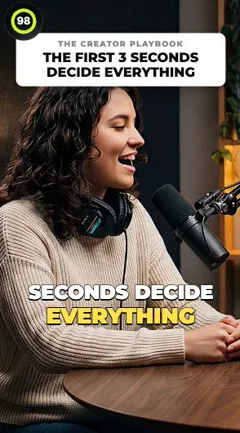
Each clip opens with a short headline on its first seconds (3 to 4, its reading time), written from what is said, in a look that fits the video (31 to choose from). It sits below the apps’ buttons and never covers the speaker’s eyes.
Clean up speech (Pro and up)
For the videos you upload to edit, not AI clips: it finds filler words, repeated words, retakes and false starts, lets you hear each cut, then removes the ones you keep in one go. Filler words are found in English videos.
API and AI assistants
Start runs from your own code with the REST API and webhooks (Starter and up), or ask ChatGPT or Claude to make your clips through the StoryCut MCP connector (every plan).
More on each new feature
What each plan gives you for AI clips
| What you get | Free | Starter | Pro | Business |
|---|---|---|---|---|
| Price | $0, no credit card | $9/mo, or $7/mo billed yearly | $19/mo, or $14/mo billed yearly | $49/mo, or $39/mo billed yearly |
| Video a month | 1 long video | 3 hours (up to 10 videos) | 10 hours (up to 30 videos) | 30 hours (up to 60 videos) |
| Part of each video used | Any 30 min you pick | The whole video | The whole video | The whole video |
| Export | 720p, watermark | 1080p, no watermark | 2K, no watermark | 4K 60fps, no watermark |
| Score, captions, speaker framing, headline | Yes | Yes | Yes | Yes |
| Auto import from YouTube channels | No | 1 channel | 3 channels | 10 channels |
| Edit style on every clip: zooms, sound effects, music | No | No | Yes | Yes |
| B-roll on the best clips | No | No | Yes | Yes |
| Eye contact correction | One free 20 s preview | One free 20 s preview | 10 videos a month | Unlimited |
| API and webhooks | No | Yes | Yes | Yes |
Pro adds your edit style, B-roll and 10 hours of video a month
One Long Video. Up to 12 Shorts.
Drop a YouTube URL or upload a podcast, webinar or long-form video. The AI reads the whole transcript and picks moments with a strong opening and a complete thought, aiming for about one clip per two minutes of video. No more scrubbing through hours of footage by hand.
Captions and Reframing, Already Applied
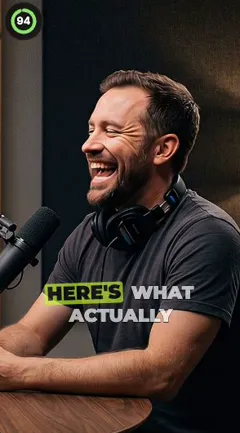
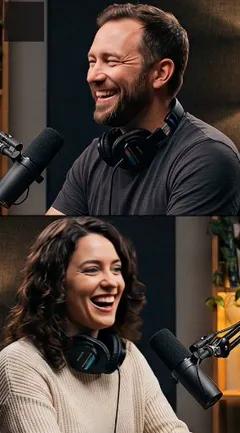
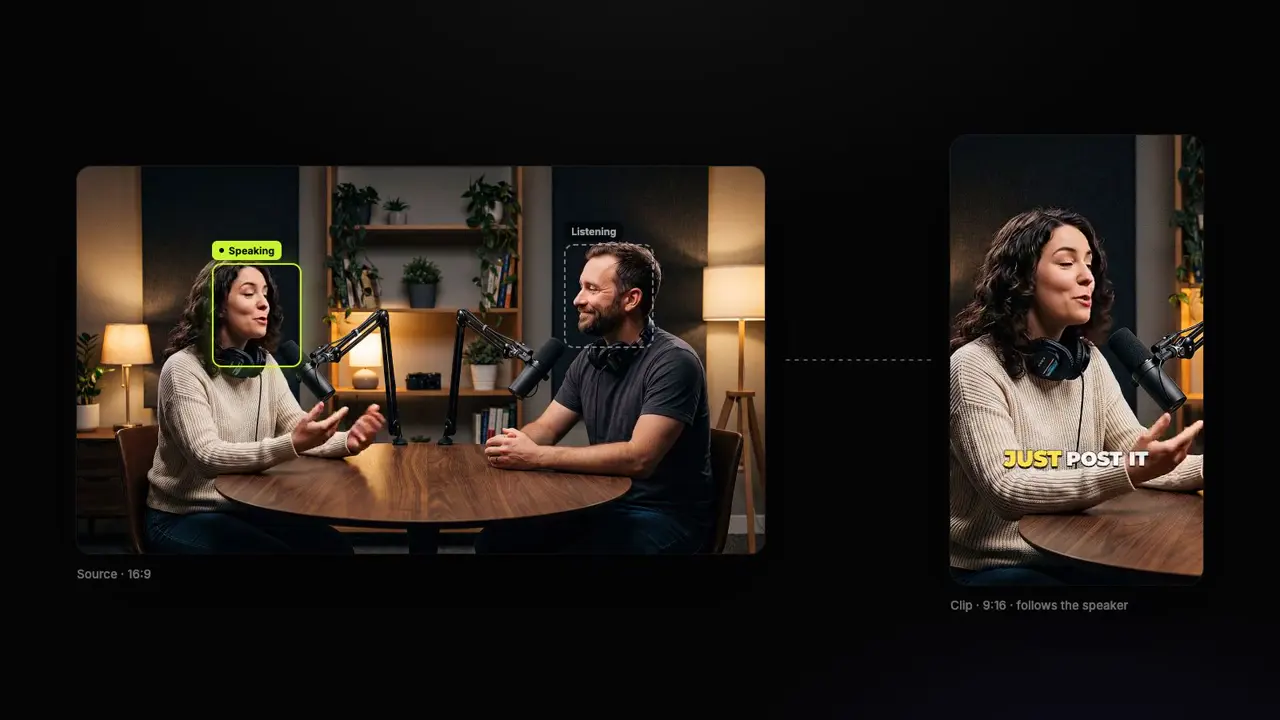
Every clip gets animated word-by-word captions in the style you picked, with highlighted words and emojis. It is also reframed from horizontal to 9:16: the crop follows faces and the active speaker, switches to a split layout when two people matter, and letterboxes shots with no face.
Tweak Anything in the Editor
Each clip opens in the full editor. Change the caption style, fix words, and add magic zoom, sound effects, music or clean audio (Pro). Export up to 4K 60fps on Business; paid plans have no watermark.
From Long Video to Shorts in 3 Steps
No timeline editing needed.
- 1
Paste a Link or Upload
Paste a YouTube, Twitch, Kick, Google Drive or Dropbox link, or upload an MP4, MOV, AVI, MKV or WebM file of 2 minutes or more (a run uses up to 150). Pick the language, clip length and caption style.
- 2
AI Finds and Formats the Clips
The AI reads the transcript, picks 3 to 12 moments and scores each one, then reframes and captions them.
- 3
Review and Export
Sort by score, open any clip to adjust it, and export 9:16 MP4s for TikTok, Reels and Shorts.
More Than Just Clipping
Virality score per clip
A 0–100 score built from four parts: hook, story, emotion and shareability. Sort by best score to start with the strongest clips.
Creator caption styles
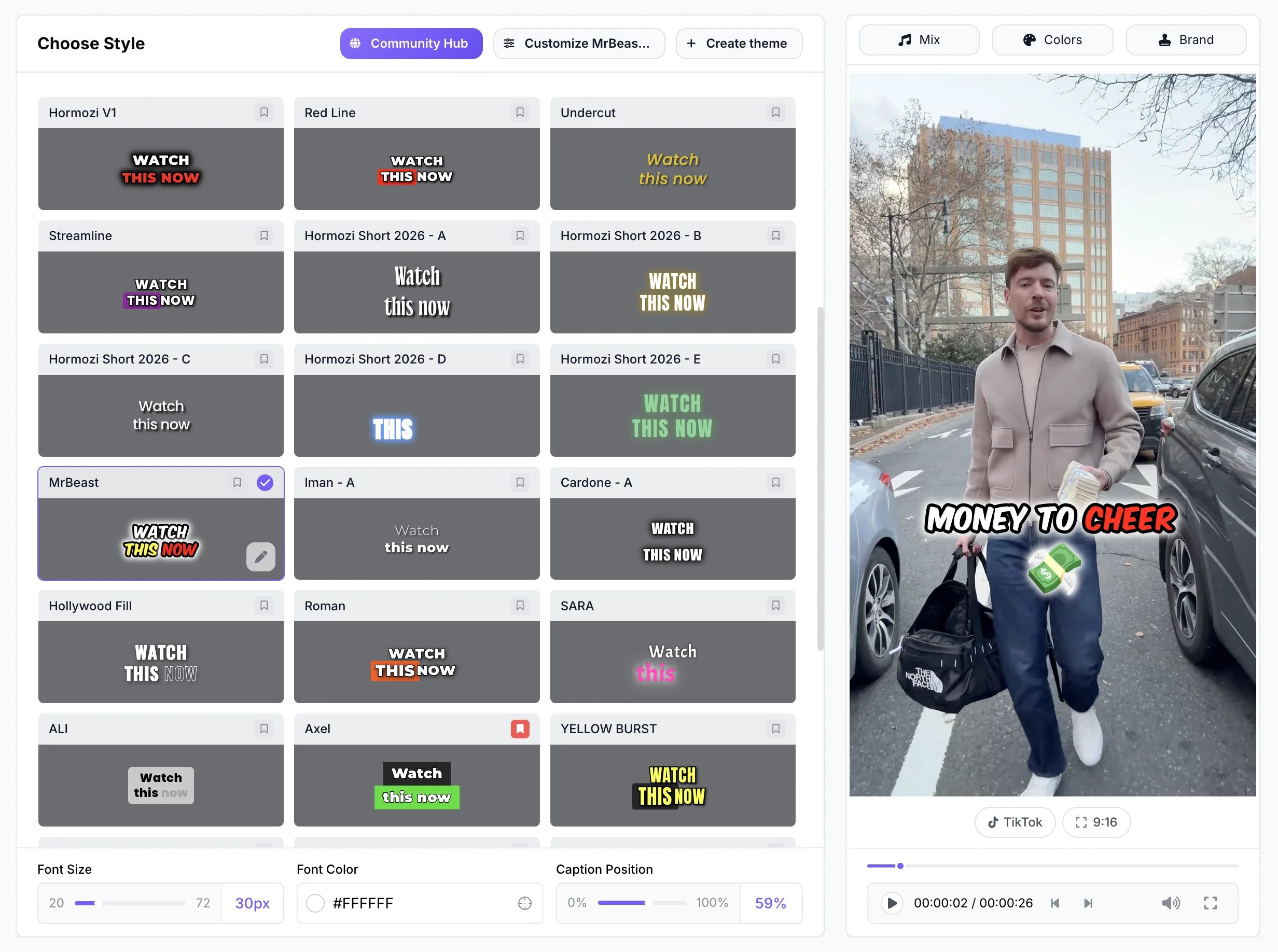
Word-level captions in 49 languages, in any of the 1,000+ styles, including 6 Hormozi-style presets.
Speaker-aware reframing
Active speaker detection keeps the person talking in the frame. You can turn face tracking off before you start.
Finish in the editor
Switch a clip’s caption style, or add magic zoom, sound effects, AI music or clean audio (Pro).
Pick the moments
Describe what to look for and choose the part of the video to use. The AI puts your topic first and fills the rest with the best moments.
One long video in. Up to 12 Shorts out.
Podcasters, YouTubers, Coaches and Agencies
Podcasters turn an episode into a set of social clips. YouTubers cut Shorts from every upload. Coaches pull key lessons out of webinars. Agencies repurpose client videos, with 30 hours of video a month (up to 60 videos) on Business. If your bottleneck is turning long content into short-form, start here.
Comparing AI clip generators?


Frequently Asked Questions
What is an AI clip generator?
A tool that turns a long video into short clips for you. It analyzes a podcast, webinar or YouTube video, picks the moments that stand on their own, and exports them as vertical clips with captions for TikTok, Reels and Shorts.
How does StoryCut decide which moments to clip?
It reads the transcript. The AI goes through the full timestamped transcript, picks moments with a strong opening and a complete thought, and scores each clip from 0 to 100 on hook, story, emotion and shareability. Faces are used for reframing, not for picking moments.
Can I import a video by pasting a YouTube link?
Yes. Paste a YouTube URL, a Twitch or Kick past broadcast, or a Google Drive or Dropbox share link, or upload a file (MP4, MOV, AVI, MKV or WebM). The video must be at least 2 minutes long, and a run uses up to 150 minutes of it: from a longer video, its first 150 minutes or any part you pick.
How many clips will I get from one video?
Between 3 and 12. The AI aims for about one clip per two minutes of source video, so a 10-minute video gives about 5 clips and a 30-minute video up to 12.
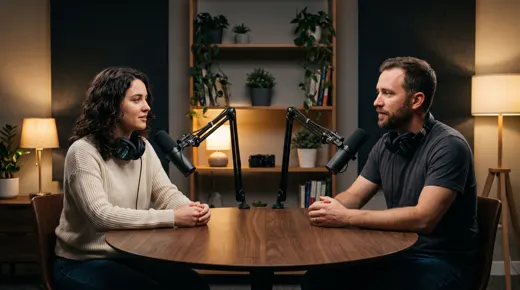
Does it work for a podcast with two people?
Yes. Face tracking follows whoever is speaking, so the 9:16 crop moves to the active speaker. When both people matter and they sit too far apart for one vertical crop, the clip switches to a split screen with one person above the other, and shots with no face are letterboxed. Leave face tracking on when you start. Captions include both voices but don’t label who is speaking.
Can I tell the AI which moments I want?
Yes. Under More options, write what to look for in your own words, and it puts those moments first, then fills the rest with the best other moments. You can also limit the clips to a part of the video, like minutes 10 to 25, and save your settings as the default.
Can StoryCut clip my YouTube channel automatically?
Yes, on paid plans. In Settings, open Auto import and connect your channel.
Each new video you publish that is longer than the minimum you pick (3 minutes by default) becomes clips by itself, with the clip length, caption style and edit style you saved, and counts toward your plan’s hours of video a month.
Channels per plan: Starter 1, Pro 3, Business 10. On the free plan, paste each link yourself.
Can I add zooms, sound effects and music to all the clips at once?
Yes, on Pro and Business. Switch on “Add my edit style to every clip” before the run, or click “Add to all clips” on the clips page afterwards: every clip gets zooms and sound effects at your edit style’s amounts, one AI music track shared by the whole video, and B-roll on the 3 best clips if your style has it. “Remove effects” takes it all off again.
Do the clips get a title on screen?
Yes. Each clip gets a short headline on its first 3 to 4 seconds (its reading time), written from what is said in it, in one of 31 looks: StoryCut picks the one that fits the video, or you choose it before the run. It is placed so it never covers the speaker’s eyes, and you can edit or remove it in the editor’s Hook Title panel (Pro), or turn headlines off before the run.
Are captions added to clips automatically?
Yes. Every clip gets word-by-word captions in the style you choose before you start, in the video’s language (49 languages supported). You can change the style or fix any word afterwards.
How much does the AI clip generator cost?
It’s included in every plan. Free: 1 long video a month, and the AI uses any 30 minutes of it: the first 30, or a part you pick. Exports are 720p with a watermark.
No credit card. Starter ($7/mo billed yearly): 3 hours of video a month (up to 10 videos), each video used in full, 1080p without a watermark, auto import from 1 channel and the API.
Pro ($14/mo billed yearly): 10 hours of video (up to 30 videos), 2K, 3 channels, your edit style on every clip (zooms, sound effects, music), B-roll on the best clips, Clean up speech for your own videos and eye contact on 10 videos a month.
Business ($39/mo billed yearly): 30 hours of video (up to 60 videos), 4K 60fps, 10 channels, unlimited eye contact and 5 team members.
What formats can I export?
Clips are made for vertical 9:16 video and export as MP4: 720p on Free, 1080p on Starter, 2K on Pro and 4K 60fps on Business.
Your Long Videos Already Hold Your Next Shorts
Upload your video. Get back a scroll-stopper with viral captions, cinematic transitions, auto zoom, and clean audio. The same tools top creators use to explode views.
Paste a link or upload a video and get up to 12 captioned, vertical clips, each with a virality score. 1 long video a month free (any 30 minutes of it).
- Join 10,000+ creators
- No credit card required
You Might Also Like
Turn a Podcast Episode Into Up to 12 Short Clips
Upload the full episode or paste its YouTube link. AI clips reads the transcript, picks the strongest moments, reframes them to 9:16 around whoever is speaking and adds captions. Then polish each clip in the editor.

Edit YouTube Shorts, or Cut Them From Your Long Videos
Caption a Short you filmed, or paste the link to a long YouTube video and let AI clips pick up to 12 moments, reframed to 9:16 with captions. Clean audio, zoom and an AI cover are one click each on Pro.
The Best AI Clipping Tools in 2026
Paste a long video, get the moments worth posting: that is the job. Here are 11 AI clipping tools side by side, ranked on how they find and frame the moments, which videos they take, what 10 hours of clipping a month costs, and what you can do with the clips after. Our pick for most creators: StoryCut.

AI video editor for creators who want viral content without the editing grind.
Features
All FeaturesAI CaptionsHormozi CaptionsMrBeast CaptionsAdd Subtitles to VideoSubtitle GeneratorAI Video EditorAI Clip GeneratorYouTube to ShortsYouTube Auto ImportAI HeadlinesChatGPT & Claude ConnectorVideo Clipping APIEye Contact FixMagic ZoomTransitionsClean AudioAI MusicSound EffectsAI Auto EditEdit StylesAI B-RollGTA 6 Clip MakerTwitch & Kick Clip MakerTwitch Highlight FinderRemove SilenceRemove Filler WordsAI ThumbnailsBrand KitsCommunity StylesAI Video TranslatorFree Tools
Video Hook GeneratorTikTok CaptionsInstagram CaptionsYouTube TitlesTikTok HashtagsVideo Script GeneratorAI Video IdeasContent CalendarTikTok TranscriptVideo to TextFree SRT GeneratorSubtitle TranslatorFree TeleprompterWords to MinutesSRT to VTT ConverterTikTok Safe ZoneFree Sound EffectsAll 40 Tools →Use Cases
TikTok CreatorsYouTube ShortsInstagram ReelsPodcastersClippersGTA RP ClipsGTA 6 Shorts with AIClip GTA 6 with ClaudeAgencies & TeamsLinkedIn VideosTeleprompter Eye ContactPremiere Pro Eye ContactDaVinci Resolve Eye ContactFinal Cut Pro Eye ContactLoom Eye Contact