Auto Subtitle Generator for Any Video
StoryCut’s AI listens to your video, writes down every word with its timing and turns it into subtitles you can edit. Burn them into the video in a clean or animated style, or download an SRT file.
- Free plan: 3 videos at a time, up to 4 min
- SRT download
- No credit card
StoryCut’s subtitle generator: key facts
- What it does
- Transcribes the speech in your video with timing for every word and turns it into editable subtitles, automatically, as soon as the upload finishes.
- Speech recognition
- Deepgram Nova-3, in 49 languages, or automatic language detection.
- Output
- An MP4 with the subtitles burned in, in one of 26 built-in styles or your own, and an SRT file you can download. No VTT export.
- Free plan
- 3 videos at a time, up to 4 minutes each, 720p export with a watermark. SRT download included. No credit card.
- Works on
- Any modern browser on a computer or a phone. Nothing to install (there is no native app).
- Paid plans
- Starter $7/mo billed yearly: 1080p, no watermark, videos up to 7 minutes. Pro $14/mo billed yearly: adds subtitle translation into 33 languages and AI dubbing.
How an AI subtitle generator works
An auto subtitle generator does three jobs. First, a speech recognition model turns the audio into text and records when each word starts and ends. Second, the words are grouped into short lines that are easy to read, each with a start and an end time. Third, those lines are either drawn onto the video (burned in) or saved as a subtitle file.
In StoryCut, the first two steps run on their own when your upload finishes. You then review the text, because no speech model gets every name, brand term or mumbled word right, and choose how the subtitles look. Because every word has its own timing, StoryCut can also animate or highlight each word as it is spoken, the look short-form creators use on TikTok, Reels and Shorts.
Burned-in subtitles vs an SRT file
Burned-in subtitles (also called hardcoded or open captions) become part of the picture. They show on every platform and every phone, including when the video is reposted, and they can use any font, color and animation. The downside: viewers can’t turn them off or switch their language.
An SRT file (closed captions) is a separate text file with numbered lines and timecodes. You upload it next to the video on YouTube, a course platform or a video player, and viewers switch it on or off. It always looks like the player’s default subtitles.
StoryCut gives you both from the same project. Export the MP4 in the style you picked, and choose Download SRT in the editor menu. The SRT download works on every plan, including Free, and as a plain text file it has no watermark.
What you get
Starts on its own
No button to press: transcription begins when the upload finishes. Videos without speech still open and export, just without subtitles.
49 languages
English, Spanish, Portuguese, French, German, Hindi, Tamil, Bengali, Urdu, Arabic, Indonesian, Japanese and more, or auto-detect. Translate into 33 languages on Pro.
Styled your way
From plain white subtitles to Hormozi- and MrBeast-style animated captions, in 26 built-in styles. Change the font (166 to choose from), colors, size, position and words per line, fix any word, and save your look as a custom style.
SRT download
Download the subtitles as an SRT file for YouTube or any player, or copy the text to your clipboard.
How It Works
How to generate subtitles automatically
Upload, review, export.
- 01
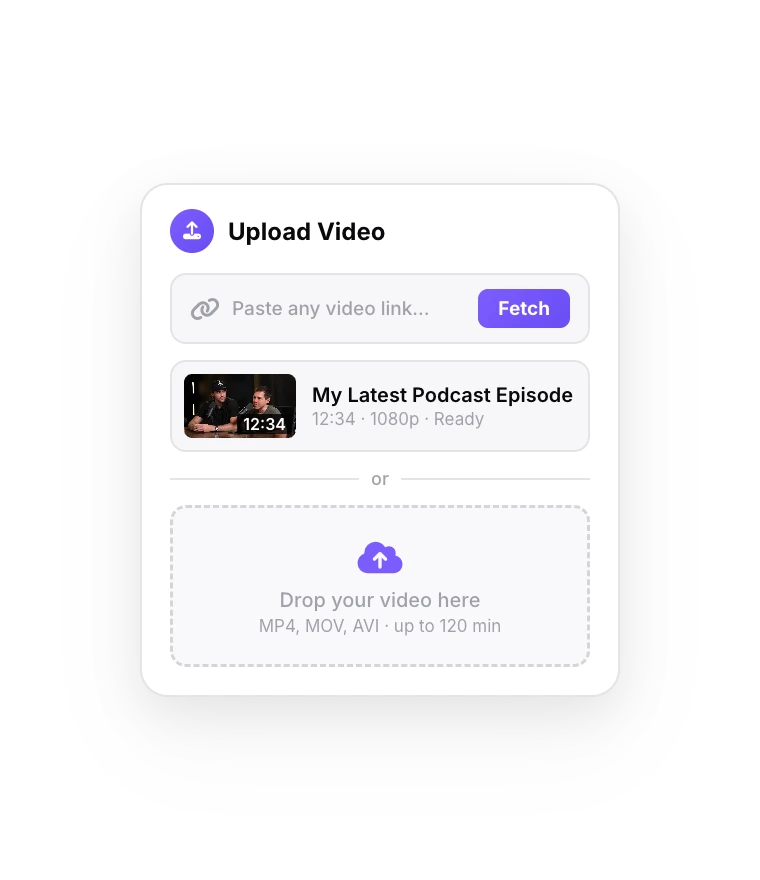
Upload your video
MP4, MOV, WebM, AVI or MKV. Subtitles start generating as soon as the upload finishes.
- 02
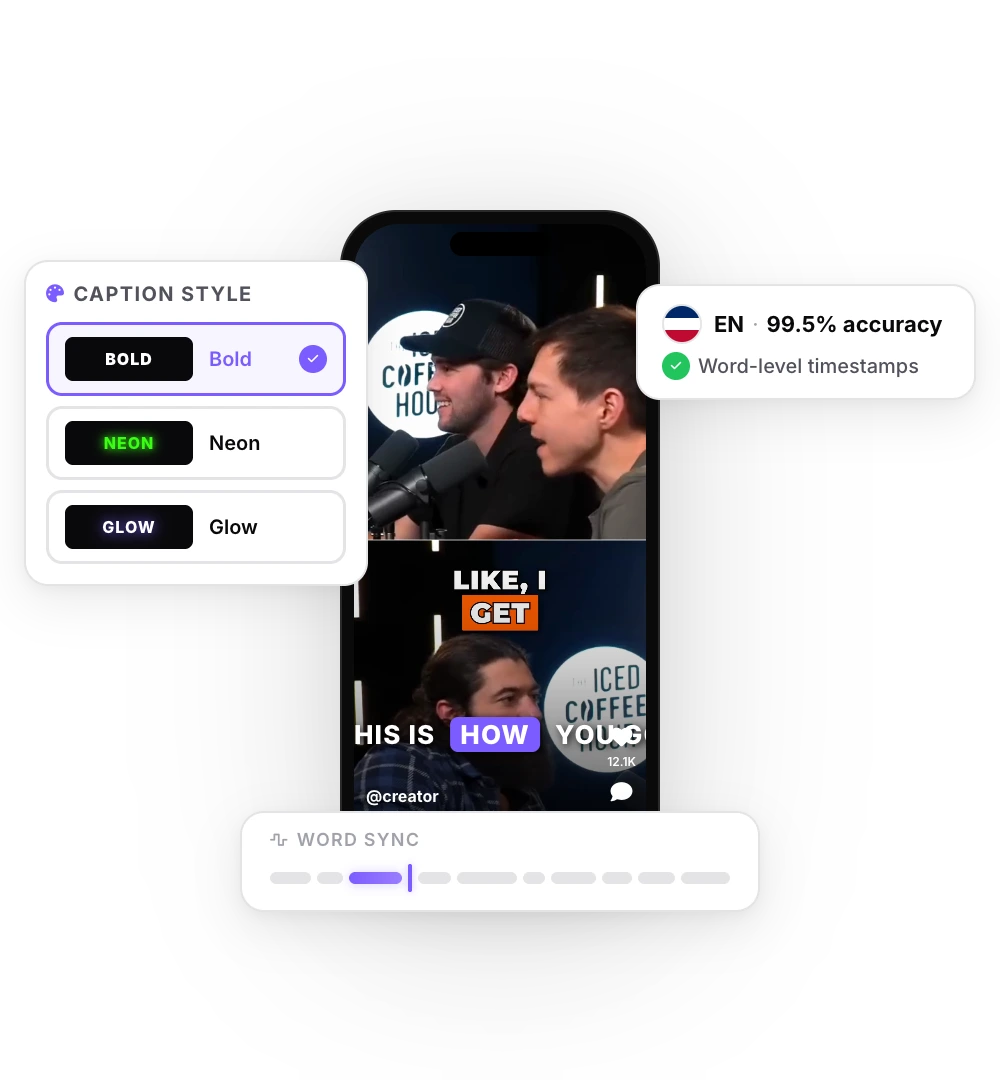
Review and style
Read through the subtitles, fix any word and pick a style, from plain to animated word by word.
- 03
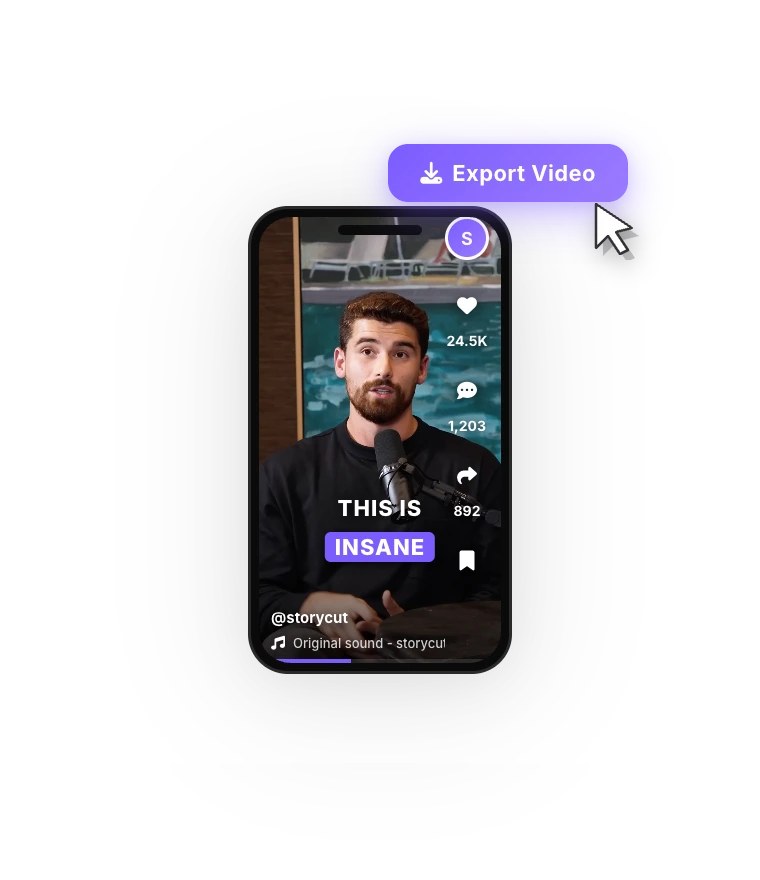
Export the MP4 or the SRT
Export the video with burned-in subtitles, or download the SRT file to upload next to your video.
Free subtitle generators compared
| Feature |  StoryCut StoryCut | VEED | Kapwing |
|---|---|---|---|
| Free subtitle allowance | 3 videos at a time, up to 4 min each | 10 min of auto subtitles per month | 10 credits in total (1 per min of subtitles) |
| Free export | 720p with watermark | 720p with watermark | 720p with watermark, up to 4 min |
| Cheapest plan without watermark | Starter, $7/mo billed yearly | Creator, $9.67/mo billed yearly | Pro, $16/mo billed yearly |
| Monthly price of that plan | $9/mo billed monthly | $20/mo billed monthly | $24/mo billed monthly |
Checked on October 3, 2026 from each product’s public pages. Sources: StoryCut pricing, VEED pricing, Kapwing pricing.
Which subtitle generator should you use?
VEED and Kapwing are full browser editors with far more tools than subtitles, and Kapwing transcribes more language variants (155) than StoryCut (49). On their paid plans, VEED includes unlimited auto subtitles (with a 50-hour monthly fair-use cap) and Kapwing exports 4K videos up to 120 minutes long. If you need a general-purpose editor, they are good picks.
StoryCut is built around subtitles for short-form video: they start without a click, the 26 built-in styles animate word by word, and the free plan covers whole videos up to 4 minutes rather than a monthly allowance of minutes. If you mostly post talking videos to TikTok, Reels and Shorts, that’s the job it does best.
Upload a video and get your subtitles without pressing a button.
FAQ
Frequently Asked Questions
Generate Subtitles for Your Next Video
Upload your video. Get back a scroll-stopper with viral captions, cinematic transitions, auto zoom, and clean audio. The same tools top creators use to explode views.
Automatic subtitles in 49 languages, styled or plain, with an SRT download. Free plan, no credit card.
- Join 10,000+ creators
- No credit card required

You Might Also Like

Add Subtitles to Video Automatically
Upload an MP4, MOV or WebM and StoryCut transcribes the speech word by word, then lays out timed subtitles you can edit and style. Export the video with the subtitles burned in, or download them as an SRT file.

Add Animated Captions to Any Video
Upload a video and StoryCut adds animated, word-level captions automatically, with 99.5% accuracy across 50+ languages. Pick a style, fix any word, export. No editing skills needed.
Video Translator: Translate and Dub Your Videos with AI
Translate a video’s captions into 33 languages, English included, or dub the voice too, in a clone of your own voice or a stock male or female voice. Turn it on when you upload, and the translated video opens ready to edit.

AI video editor for creators who want viral content without the editing grind.
Features
All FeaturesAI CaptionsHormozi CaptionsMrBeast CaptionsAdd Subtitles to VideoSubtitle GeneratorAI Video EditorAI Clip GeneratorYouTube to ShortsEye Contact FixMagic ZoomTransitionsClean AudioAI MusicSound EffectsAI Auto EditRemove SilenceAI ThumbnailsBrand KitsCommunity StylesAI Video TranslatorFree Tools
Video Hook GeneratorTikTok CaptionsInstagram CaptionsYouTube TitlesTikTok HashtagsVideo Script GeneratorAI Video IdeasContent CalendarTikTok TranscriptVideo to TextFree SRT GeneratorSubtitle TranslatorFree TeleprompterWords to MinutesSRT to VTT ConverterTikTok Safe ZoneFree Sound EffectsAll 40 Tools →Use Cases
TikTok CreatorsYouTube ShortsInstagram ReelsPodcastersClippersAgencies & TeamsLinkedIn VideosTeleprompter Eye ContactPremiere Pro Eye ContactDaVinci Resolve Eye ContactFinal Cut Pro Eye ContactLoom Eye Contact