The AI Clipping Tool for Clippers
Paste a YouTube link or upload a stream VOD or podcast. StoryCut finds the moments worth posting, cuts them to 9:16 around whoever is speaking and adds captions, so you spend your time posting clips instead of scrubbing footage.
- 1 long video a month free
- YouTube link or upload
- No credit card
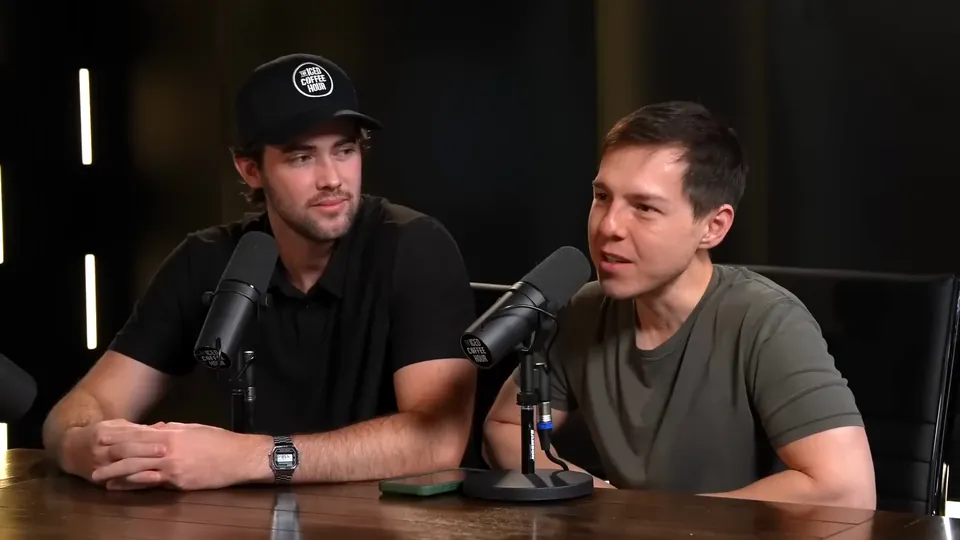
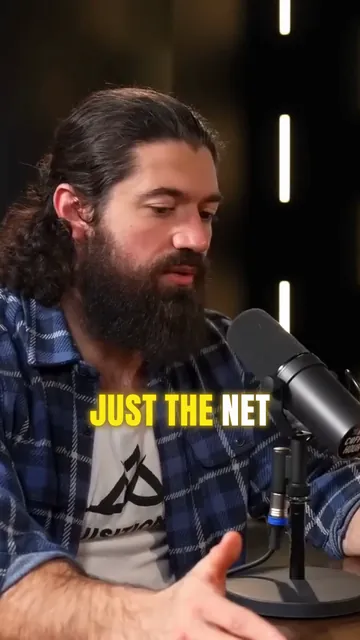
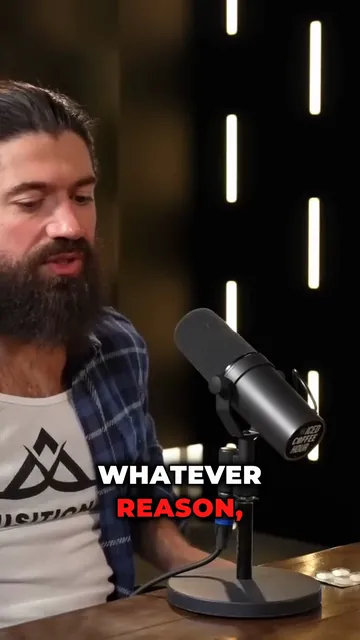
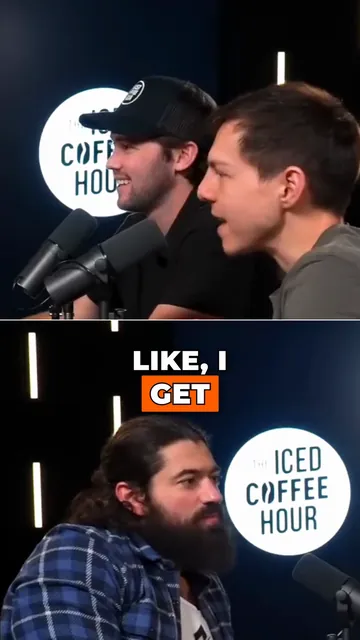
StoryCut for clippers: key facts
- What it does
- AI clips turns one long video into 3 to 12 vertical clips, each with captions, a title and a 0–100 virality score so you post the strongest ones first.
- Input
- A YouTube link (up to 120 minutes) or an upload of a stream VOD, podcast or long video in MP4, MOV, AVI, MKV or WebM (2 to 150 minutes).
- Speed
- About 5 minutes per hour of video: the median run on a 58-minute video took under 4 minutes (50 runs, October 2026).
- Reframing
- Every clip is cut to 9:16 around faces and the active speaker, with a split layout when two people matter.
- Volume
- Long videos per month: Free 1, Starter 10, Pro 50, Business 100. Each one gives 3 to 12 clips.
- Price
- Free: 720p exports with a watermark. Starter: $7/mo billed yearly, 1080p, no watermark. Pro: $14/mo billed yearly, adds sound effects, magic zoom and music.
What a clipper needs from a clipping tool
Clipping pays per view, so the job is volume and speed: find the moments that stand on their own, cut them before everyone else does, and make each clip worth watching to the end. StoryCut reads the whole transcript of a stream, podcast or interview, picks moments with a strong opening and a complete thought, and scores each one. Then it does the slow part of the edit for you: the vertical crop that follows the speaker and animated word-by-word captions in the style you picked. Open any clip in the editor to change a word, add a hook title, a zoom on the punchline, a sound effect or music, then export the MP4 for TikTok, Reels, Shorts or X.
Edits that make a clip yours
Platforms reward clips that add something to the original. YouTube said in October 2026 that channels re-uploading other people’s videos without significant changes get less distribution in Shorts, and its monetization rules exclude repetitive, mass-produced content. Captions in your own style, a hook title, zooms on the key line, sound effects and a cut that keeps only the best moment are the kind of changes that turn a re-upload into your clip. StoryCut adds the captions and the reframing to every clip, and the rest in a click in the editor.
How It Works
How to clip a stream or podcast with StoryCut
From a long video to clips ready to post, in your browser.
- 01
Paste the link or upload the VOD
Paste a YouTube link, or download the stream VOD and upload it (2 to 150 minutes). Pick a clip length: auto, under 30 s, 30–59 s or 60–89 s.
- 02
Get scored clips
In a few minutes you get 3 to 12 vertical clips with captions, sorted by virality score. Watch the best ones first.
- 03
Make each clip yours, then post
Change the caption style, add a hook title, a zoom or a sound effect, then export the MP4. Add the campaign’s required tag when you post.
How clipping campaigns pay
| Term | What it looks like | Example |
|---|---|---|
| Rate per 1,000 views | Most campaigns pay about $0.50 to $2; a few pay much more | Polymarket paid $0.50 and MLB $1 per 1,000 views; one AI startup paid $25 (NPR) |
| Cap per clip | A maximum per video, and a minimum view count before it pays | An AI video brand on Content Rewards: $2 per 1,000 views, $1 minimum and $500 maximum per video |
| Streamer programs | Some streamers pay their own clippers | N3on paid $1.4M to 303 clippers in five weeks, about $40–50 per 100,000 views (Tubefilter) |
| Rules | The brand approves clips; most ask for a tag such as #ad and an audience in given countries | Paid clips need #ad or the platform’s paid-promotion label |
Checked on October 11, 2026 from each product’s public pages. Sources: NPR: The clipping economy (May 2026), Tubefilter: N3on’s clipping program (Apr 2026), Content Rewards: example campaign listing, YouTube: paid product placements and endorsements.

FAQ
Frequently Asked Questions
Clip Your Next Stream in Minutes
Upload your video. Get back a scroll-stopper with viral captions, cinematic transitions, auto zoom, and clean audio. The same tools top creators use to explode views.
Paste a link or upload the VOD and get up to 12 captioned, vertical clips. 1 long video a month free, no credit card.
- Join 10,000+ creators
- No credit card required

You Might Also Like
AI Clip Generator: Turn Long Videos Into Shorts
Paste a YouTube link or upload a video from 2 to 150 minutes. The AI reads the transcript, picks 3 to 12 moments, scores each one, reframes it to 9:16 around faces and the active speaker, and adds animated captions.
Turn a Podcast Episode Into Up to 12 Short Clips
Upload the full episode or paste its YouTube link. AI clips reads the transcript, picks the strongest moments, reframes them to 9:16 around whoever is speaking and adds captions. Then polish each clip in the editor.

Edit YouTube Shorts, or Cut Them From Your Long Videos
Caption a Short you filmed, or paste the link to a long YouTube video and let AI clips pick up to 12 moments, reframed to 9:16 with captions. Clean audio, zoom and an AI cover are one click each on Pro.

AI video editor for creators who want viral content without the editing grind.
Features
All FeaturesAI CaptionsHormozi CaptionsMrBeast CaptionsAdd Subtitles to VideoSubtitle GeneratorAI Video EditorAI Clip GeneratorYouTube to ShortsEye Contact FixMagic ZoomTransitionsClean AudioAI MusicSound EffectsAI Auto EditRemove SilenceAI ThumbnailsBrand KitsCommunity StylesAI Video TranslatorFree Tools
Video Hook GeneratorTikTok CaptionsInstagram CaptionsYouTube TitlesTikTok HashtagsVideo Script GeneratorAI Video IdeasContent CalendarTikTok TranscriptVideo to TextFree SRT GeneratorSubtitle TranslatorFree TeleprompterWords to MinutesSRT to VTT ConverterTikTok Safe ZoneFree Sound EffectsAll 40 Tools →Use Cases
TikTok CreatorsYouTube ShortsInstagram ReelsPodcastersClippersAgencies & TeamsLinkedIn VideosTeleprompter Eye ContactPremiere Pro Eye ContactDaVinci Resolve Eye ContactFinal Cut Pro Eye ContactLoom Eye Contact