 Eye Contact
Descript Eye Contact: Price, Limits and a Cheaper Alternative
Descript’s Eye Contact is an effect inside its editor: limited on the free plan, full from Hobbyist, paid with AI credits. Here is what it needs, why it sometimes doesn’t work, and how to correct eye contact without a subscription. Checked on Descript’s pages on October 9, 2026. StoryCut is our product.
- 1 free video
- Then 5 for $9, one-time
- No watermark
Descript Eye Contact: the short answer
- Which plan
- A limited try on the free plan, which comes with 100 AI credits once and exports 720p with a watermark. For regular use, Hobbyist and up: $24 a month, or $16 a month billed yearly, with 400 AI credits a month. The effect spends AI credits.
- What it needs
- One clear face in the frame, upright (not sideways) footage, constant frame rate video and a network connection, per Descript’s help center.
- How you apply it
- In the scene editor, select the video layer, open Effects in the hover menu and choose Eye Contact, or toggle it from the Properties panel.
- What it skips
- Parts where the speaker looks far from the camera, turns their head or leaves the frame.
- If you only need eye contact
- StoryCut sells it on its own: 1 free video up to 4 minutes, then 5 videos for $9 one-time (up to 10 minutes each), with no subscription.
Descript Eye Contact vs StoryCut
| What you get | Descript |  StoryCut StoryCut |
|---|---|---|
| Cheapest way to get it | Free plan for a limited try; Hobbyist $24/mo, or $16/mo billed yearly | $9 one-time for 5 videos |
| Free option | Limited: 100 one-time AI credits, 720p with a watermark | Yes1 video up to 4 min, no watermark |
| How usage is counted | AI credits, shared with Underlord and other AI tools | One credit per video |
| Subscription needed | Yes | Nopack credits never expire |
| Faces | One clear face | One main face works best |
| Footage | Constant frame rate; re-encode variable frame rate video | MP4, MOV, AVI, MKV or WebM |
| Output | Applied in your Descript project | H.264 MP4, same resolution (up to 4K), frame rate and audio |
| Where it runs | Mac and Windows app, browser | Any browser, including phones |
| Also included | Transcript editing, Studio Sound, Underlord | Captions editor; Pro adds sound effects, zoom and clean audio |
Checked on October 9, 2026 from each product’s public pages. Sources: Descript: Eye Contact, Descript pricing, StoryCut pricing.
Why is Descript Eye Contact not working?
Descript’s help center lists the usual causes. More than one person in the frame: the effect is made for single-person footage. Variable frame rate video, which phones and screen recorders often produce: re-encode it to a constant frame rate and import it again. Sideways footage, or no network connection while the effect processes. And when the speaker looks far away, turns their head or moves out of frame, Descript leaves that section uncorrected on purpose.
If you can’t apply it at all, check your plan: Eye Contact sits on Hobbyist and above, and it draws on the same monthly AI credits as Underlord and Studio Sound.
When Descript is the better choice
If you already edit in Descript, its Eye Contact is the easy option: it is applied to the layer in your project, so there is no export and re-import. Podcasters and long-form YouTubers who use Descript for transcript editing, Studio Sound and Underlord get eye contact as one more effect on a plan they already pay for.
When a standalone fix makes more sense
If you don’t edit in Descript, a subscription and a desktop editor are a lot to take on for one effect. StoryCut corrects the file itself: upload the recording, download a corrected MP4 with the same resolution, frame rate, length and audio, and use it anywhere. You pay per video ($1.80 each in the pack) instead of per month, and credits don’t expire.
It also works if you do use Descript. Correct the raw recording in StoryCut first, then start your Descript project from the corrected file: your transcript, cuts and Studio Sound are built on footage that already looks into the lens, and your AI credits go to other tools.
More on Descript and eye contact
Descript pricing 2026ReadAI eye contact correctionTry it freeBest eye contact correction software (2026)ReadNVIDIA Broadcast eye contact alternativeReadTeleprompter eye contactRead Captions eye contact on web and AndroidReadFix eye contact in Premiere Pro footageRead
 CapCut eye contact on PC, Mac and webReadFix eye contact in DaVinci Resolve footageReadFix eye contact in Final Cut Pro and iMovieReadDoes Canva have eye contact correction?ReadLoom eye contactReadBIGVU pricing and AI eye contactReadRiverside eye contact: what it can’t fixReadVEED eye contact: price and limitsReadKapwing eye contact: credits and cost per minuteRead
 Submagic pricing and AI eye contactReadElgato Prompter alternativeRead
FAQ
Frequently Asked Questions
Fix Eye Contact Without a Subscription
Upload your video. Get back a scroll-stopper with viral captions, cinematic transitions, auto zoom, and clean audio. The same tools top creators use to explode views.
Upload your recording, compare before and after, download the MP4. 1 free video, then 5 for $9 one-time.
- Join 10,000+ creators
- No credit card required

You Might Also Like
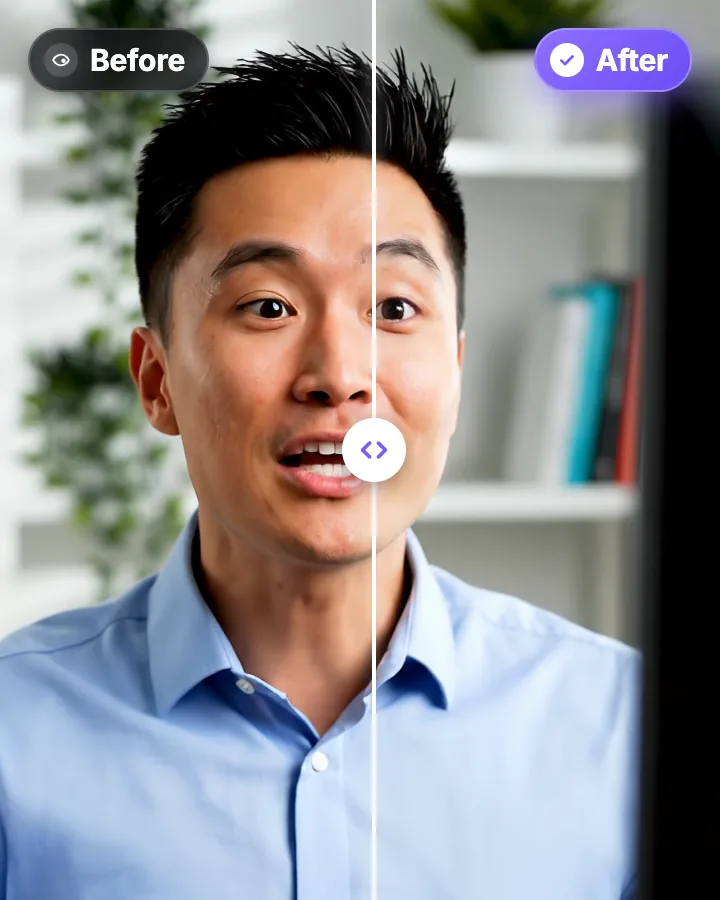
AI Eye Contact and Gaze Correction for Recorded Videos
Read a script, checked your notes or watched yourself on screen? Upload the video and the AI points your gaze back at the lens in every frame, keeping your resolution, frame rate and audio. Your first video is free.
Descript Pricing 2026: Plans, AI Credits and What You Actually Get
Every Descript plan, with monthly and yearly prices, media minutes, AI credits, top-ups, seats and refunds, checked on Descript’s pricing page and help center on October 3, 2026.
Best AI Eye Contact Correction Software in 2026, Compared
Which tools fix eye contact in a video you already recorded, which only work on a live webcam, and what each one costs. Checked on each vendor’s own pages on October 8, 2026. StoryCut publishes this page and is one of the tools listed.

AI video editor for creators who want viral content without the editing grind.
Features
All FeaturesAI CaptionsHormozi CaptionsMrBeast CaptionsAdd Subtitles to VideoSubtitle GeneratorAI Video EditorAI Clip GeneratorYouTube to ShortsEye Contact FixMagic ZoomTransitionsClean AudioAI MusicSound EffectsAI Auto EditRemove SilenceAI ThumbnailsBrand KitsCommunity StylesAI Video TranslatorFree Tools
Video Hook GeneratorTikTok CaptionsInstagram CaptionsYouTube TitlesTikTok HashtagsVideo Script GeneratorAI Video IdeasContent CalendarTikTok TranscriptVideo to TextFree SRT GeneratorSubtitle TranslatorFree TeleprompterWords to MinutesSRT to VTT ConverterTikTok Safe ZoneFree Sound EffectsAll 40 Tools →Use Cases
TikTok CreatorsYouTube ShortsInstagram ReelsPodcastersClippersAgencies & TeamsLinkedIn VideosTeleprompter Eye ContactPremiere Pro Eye ContactDaVinci Resolve Eye ContactFinal Cut Pro Eye ContactLoom Eye Contact