 VS
VS
Descript Alternatives in 2026: 7 Tools for Shorter, Simpler Edits
Descript is excellent at editing long recordings by editing the transcript. If its AI credits run out, you need to edit on a phone, or most of what you make is short vertical video, here is how seven alternatives compare. Prices checked on each tool’s website on October 3, 2026. StoryCut is our product.
- Free plan, no credit card
- Free exports are 720p with a watermark






Descript alternatives: the short answer
- Short answer
- Nothing here beats Descript at editing long recordings by transcript, so pick by the job instead. Short vertical videos with captions, sound effects and zooms placed for you: StoryCut. A free editor that works on phones: CapCut. A browser editor with subtitles and dubbing: VEED. A team editor in the browser with long exports: Kapwing. Clips from long recordings: Opus Clip.
- Descript’s prices
- Free: 60 media minutes a month, 720p with a watermark. Hobbyist $24/mo or $16/mo billed yearly (10 hours a month, 400 AI credits). Creator $35 or $24 (30 hours, 800 credits, 4K). Business $65 or $50 (40 hours, 1,500 credits). Prices are per person.
- Not in those prices
- Underlord (Descript’s AI co-editor), Studio Sound, eye contact and filler-word removal spend AI credits, and Descript says Underlord’s cost varies per request. Hobbyist can’t buy top-ups, and unused credits and media minutes don’t roll over.
- Where Descript wins
- Editing video by editing text, filler-word and retake removal, eye contact (limited on Free) and AI dubbing in 30 languages from Hobbyist, 4K from Creator, and desktop apps for Mac and Windows.
- StoryCut
- Built for short talking videos, not long-form editing. Captions start on their own in 49 languages and 26 styles; Pro ($14/mo billed yearly) adds sound effects on key words, magic zoom, silence removal and voice dubbing in 33 languages, with no AI credits. Works in mobile browsers.
Why do people look for a Descript alternative?
The usual reasons are credits, devices and fit. Descript’s AI tools, including Underlord, Studio Sound, eye contact and filler-word removal, spend AI credits, and Descript’s help center says Underlord’s cost varies from one request to the next, so it is hard to know how far 400 credits on Hobbyist will go. Hobbyist can’t buy top-ups, and unused credits and media minutes don’t roll over. Descript runs on Mac, Windows and in Chrome, Edge or Opera, but it has no mobile app, and its help center says mobile browsers and iPads aren’t supported for editing. And Descript is built for long recordings: we found no Hormozi-style caption preset, sound effects come from a library or a prompt rather than being placed for you, and zooms happen only if you ask Underlord for them. If you make podcasts, interviews or tutorials, those trade-offs are often worth it. If you make 60-second talking videos for TikTok and Reels, a tool built for that is usually faster.
Is CapCut better than Descript?
For short social videos and phone editing, usually yes; for long recordings, no. CapCut is a free multi-track editor on iOS, Android, Windows, Mac and the web, with a huge template library, plus AI sound effects and eye contact in its mobile app. Pro costs $19.99/mo or $179.99/yr after a 2026 price rise, and Pro templates add a watermark on the free plan. Descript has no mobile app, but it is better at long-form work: you cut the video by deleting words from the transcript, remove filler words and retakes, and get eye contact and dubbing in 30 languages from Hobbyist ($16/mo billed yearly). Choose CapCut if you edit on a phone or want templates for free. Choose Descript for podcasts, interviews and tutorials you edit at a desk. If you want neither a timeline nor a transcript editor, StoryCut adds captions on its own and places effects in one click, for short talking videos.
Descript vs 7 alternatives at a glance
| Tool | Entry paid plan | Free plan | Filler/silence removal | Eye contact | Voice dubbing | Works on |
|---|---|---|---|---|---|---|
| Descript | Hobbyist: $16/mo yearly, $24/mo monthly | Yes60 min/month, 720p, watermark | Yesfillers, gaps and retakes | Yeslimited on Free, full from Hobbyist (credits) | Yes30 languages | Mac, Windows, web (no mobile) |
| StoryCut | Starter: $7/mo yearly, $9/mo monthly | Yes720p, watermark, videos up to 4 min | Limited(silences only, Pro) | YesPro (10/mo) and Business, 1 free try | Yes33 languages, voice cloning (Pro) | Web (desktop and mobile browsers) |
| CapCut | Pro: $179.99/yr or $19.99/mo (varies) | Yesfree editor; Pro assets add a watermark | Yesfiller words (desktop) | Yesmobile app | Yesvideo translator with lip-sync | iOS, Android, Windows, Mac, web |
| VEED | Creator: $9.67/mo yearly, $20/mo monthly | Yes720p, watermark | YesMagic Cut, fillers, silences | YesCreator or Pro (pages differ) | Yes29 languages (Pro) | Web, iOS |
| Kapwing | Pro: $16/mo yearly, $24/mo monthly | Yes10 lifetime credits, 720p, watermark | YesSmart Cut for silences (paid) | Yes30 credits per minute | Yes40+ languages | Web |
| Opus Clip | Starter: $15/mo, monthly only | Yes60 credits/month, watermark | Yesfillers and pauses (Starter+) | No | Yes25 languages (Pro) | Web, iOS, Android |
| Captions | Basic: $9.99/mo (Max $24.99/mo) | Yes60–200 lifetime credits | YesAI Trim (iOS) | YesiOS app (not the new web app) | Yes31 languages + Lipdub | iOS, macOS, web; Android (Lite) |
| Submagic | Starter: $12/mo yearly, $19/mo monthly | Trial: 3 short videos, watermark | YesPro and up | YesPro and up | Nosubtitle translation only | Web (no mobile app) |
Checked on October 3, 2026 from each product’s public pages. Sources: Descript pricing, Descript eye contact, Descript system requirements, CapCut Standard vs Pro, CapCut filler words, CapCut video translator, VEED pricing, VEED eye contact, Kapwing pricing, Kapwing credits, Opus Clip pricing, Opus Clip speech cleanup, Opus Clip dubbing, Captions pricing, Captions feature availability, Submagic pricing, Submagic translator.
The alternatives, one by one
StoryCut
Best for: short talking videos for TikTok, Reels and Shorts
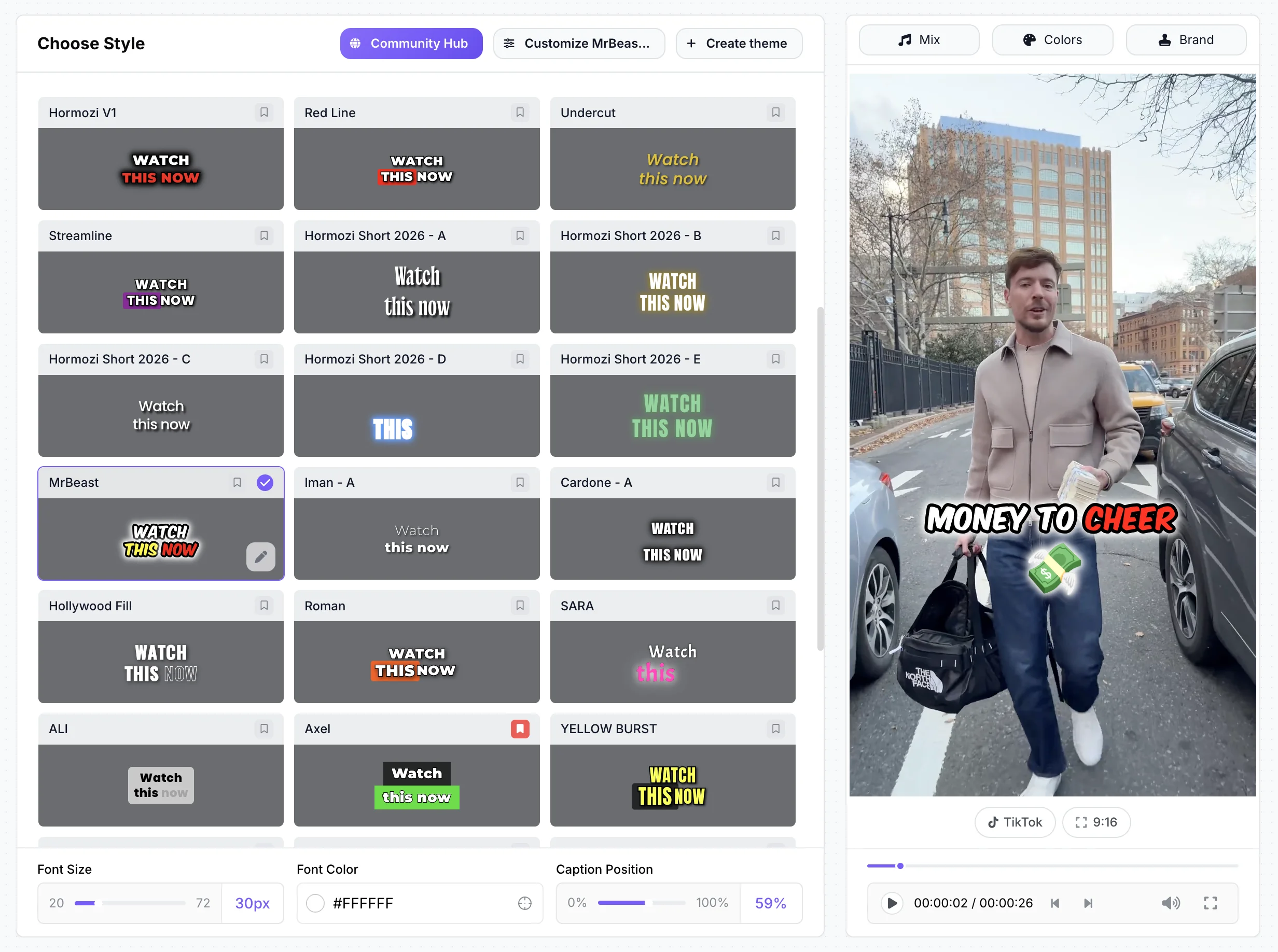
StoryCut does the short-form part of Descript’s job, without credits. Upload a video and captions start on their own, in 49 languages and 26 styles, including 6 Hormozi-style presets. Pro ($14/mo billed yearly) adds sound effects placed on key words, magic zoom, silence removal, clean audio (ElevenLabs voice isolation), AI music, voice dubbing with voice cloning in 33 languages and eye contact (10 videos a month), with 1 free eye contact try on every account. AI clips turn a 2–150 minute recording into 3–12 vertical clips. It has no transcript-based cutting, no filler-word removal, no multi-track timeline and no desktop app, and videos are capped at 10 minutes on Pro and 30 on Business.

CapCut
Best for: free editing on a phone
CapCut is a free multi-track editor on iOS, Android, Windows, Mac and the web, which covers Descript’s biggest gap: phones. Its desktop app can find filler words, and the mobile app has eye contact and AI sound effects. Pro costs $19.99/mo or $179.99/yr after a 2026 price rise, prices vary by region, and Pro assets add a watermark on the free plan.
VEED
Best for: a browser editor with subtitles and dubbing
VEED does much of what Descript does, in the browser: auto subtitles, Magic Cut, filler-word and silence removal, eye contact, AI B-roll and, from Pro, voice dubbing in 29 languages. Creator costs $9.67/mo billed yearly ($20 monthly). It has an iPhone app (we found no Android app), and AI features use monthly credits that don’t carry over.
Kapwing
Best for: team editing and long exports in the browser
Kapwing is a collaborative browser editor with a published credit price list. Pro ($16/mo billed yearly, the same as Descript Hobbyist) exports 4K videos up to 120 minutes, with 1,000 credits a month for subtitles (transcription in 155 language variants), dubbing in 40+ languages and eye contact; Smart Cut removes silences without credits. The free plan has 10 credits for the life of the account, and there is no trial and no refund.

Opus Clip
Best for: cutting long recordings into clips
If you use Descript mainly to cut podcasts into clips, Opus Clip does that job on its own: it finds clips, scores them for virality and can post them, on the web, iOS and Android. Starter is $15/mo (monthly only); Pro ($14.50/mo billed yearly) adds auto sound effects, dubbing in 25 languages and 4K. It has no eye contact correction, and credits are counted per minute of uploaded video.

Captions
Best for: AI editing on iPhone
Captions’ iPhone app (4.7 stars from over 38,000 App Store ratings) has AI Edit, AI Trim for pauses and "uhms", eye contact from Basic ($9.99/mo), dubbing in 31 languages with Lipdub, and AI avatars. It runs on credits that are spent even if you don’t export, and its new web app lacks eye contact and AI Trim.

Submagic
Best for: quick template captions on short clips
Submagic turns a short clip into a captioned one fast, with a large template library, and adds silence, filler-word and bad-take removal plus eye contact from Pro ($23/mo billed yearly). Videos are capped at 2 minutes on Starter and 5 on Pro, and its help center says it doesn’t give refunds.
Pricing: StoryCut vs Descript
StoryCut- 3 videos at a time
- 720p export with watermark
- Videos up to 4 min
- AI captions, caption styles and transitions
- 1 long video per month into AI clips
- 20 videos at a time
- 1080p export, no watermark
- Videos up to 7 min
- AI captions, caption styles and transitions
- 10 long videos per month into AI clips
- 50 videos at a time
- 2K export, no watermark
- Videos up to 10 min
- AI eye contact (10 videos/month), auto sound effects, magic zoom, silence removal, clean audio, AI music, dubbing
- 50 long videos per month into AI clips
- 100 videos at a time
- 4K 60fps export, no watermark
- Videos up to 30 min
- Everything in Pro + unlimited AI eye contact + priority rendering
- 5 team members
- 100 long videos per month into AI clips
Descript- 60 media minutes a month
- 100 AI credits (one time)
- 720p export with a watermark
- 10 hours of media a month
- 400 AI credits a month
- 1080p, no watermark
- No credit or media top-ups
- 30 hours of media a month
- 800 AI credits a month
- 4K export
- Top-ups available
- 40 hours of media a month
- 1,500 AI credits a month
- 4K export
Checked on October 3, 2026 from each product’s public pages. Sources: Descript pricing.
StoryCut vs Descript: pros and cons
StoryCut
- No AI credits: plans limit videos at a time and video length, not AI use
- Sound effects on key words and magic zoom on key moments, placed for you (Pro)
- 26 caption styles for short-form video, including 6 Hormozi-style presets
- Works in desktop and mobile browsers, with nothing to install
- Cheaper entry: Starter is $7/mo billed yearly vs $16/mo for Hobbyist
- AI clips from long recordings on every plan
- No editing by transcript: deleting caption text doesn’t cut the video
- No filler-word removal (Remove Silence on Pro cuts pauses only)
- Video length caps: 7 min on Starter, 10 on Pro, 30 on Business
- No desktop app, screen recorder or multi-track timeline
- Eye contact capped at 10 videos a month on Pro (unlimited on Business)
- Newer and smaller, with no third-party reviews yet
Descript
- Edit video by editing the transcript
- Filler-word, word-gap and retake removal
- Eye contact (limited on Free) and AI dubbing in 30 languages from Hobbyist
- Desktop apps for Mac and Windows, plus a web app
- 10 hours of media a month on Hobbyist; 4K from Creator
- AI credits run out, and Underlord’s cost varies per request
- No top-ups on Hobbyist; unused credits and minutes don’t roll over
- No mobile app, and mobile browsers aren’t supported
- Free plan exports 720p with a watermark
- Built for long-form: no auto-placed sound effects, zooms only by prompting Underlord
Turn a short recording into a captioned video in your browser
Should you switch from Descript?
Stay with Descript if you edit podcasts, interviews, courses or YouTube videos longer than 10 minutes, or if editing by transcript and removing filler words is how you work. No tool on this page replaces that. Switch, or add a second tool, if most of your output is short vertical video and you spend Descript credits on captions and effects that a short-form tool does in one click. StoryCut starts captions on its own and places sound effects and zooms for you, with no credits to track. Many podcasters keep Descript for the full episode and use a clip tool for the shorts: StoryCut’s AI clips, Opus Clip or Descript’s own clip feature. If you need to edit on a phone, CapCut and Captions have apps; Descript and StoryCut don’t, although StoryCut works in a phone’s browser.
FAQ
Frequently Asked Questions
Make Short Videos Without Counting Credits
Upload your video. Get back a scroll-stopper with viral captions, cinematic transitions, auto zoom, and clean audio. The same tools top creators use to explode views.
Upload a talking video and captions start on their own. Free plan with no credit card; paid plans start at $7/mo billed yearly.
- Join 10,000+ creators
- No credit card required

You Might Also Like
StoryCut vs Descript: Long-Form Editing or Short-Form Captions?
Descript lets you edit a video by editing its transcript, which suits podcasts and long videos. StoryCut is built for short vertical videos with animated captions and one-click effects. Here is how they compare in 2026.



Turn a Podcast Episode Into Up to 12 Short Clips
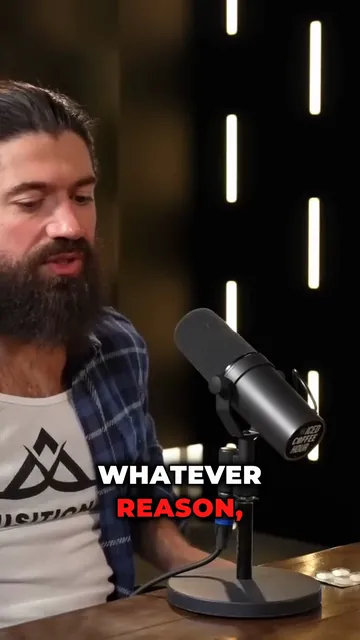
Upload the full episode or paste its YouTube link. AI clips reads the transcript, picks the strongest moments, reframes them to 9:16 around whoever is speaking and adds captions. Then polish each clip in the editor.
AI Clip Generator: Turn Long Videos Into Shorts
Paste a YouTube link or upload a video from 2 to 150 minutes. The AI reads the transcript, picks 3 to 12 moments, scores each one, reframes it to 9:16 around faces and the active speaker, and adds animated captions.

AI video editor for creators who want viral content without the editing grind.
Features
All FeaturesAI CaptionsHormozi CaptionsMrBeast CaptionsAdd Subtitles to VideoSubtitle GeneratorAI Video EditorAI Clip GeneratorYouTube to ShortsEye Contact FixMagic ZoomTransitionsClean AudioAI MusicSound EffectsAI Auto EditRemove SilenceAI ThumbnailsBrand KitsCommunity StylesAI Video TranslatorFree Tools
Video Hook GeneratorTikTok CaptionsInstagram CaptionsYouTube TitlesTikTok HashtagsVideo Script GeneratorAI Video IdeasContent CalendarTikTok TranscriptVideo to TextFree SRT GeneratorSubtitle TranslatorFree TeleprompterWords to MinutesSRT to VTT ConverterTikTok Safe ZoneFree Sound EffectsAll 40 Tools →Use Cases
TikTok CreatorsYouTube ShortsInstagram ReelsPodcastersClippersAgencies & TeamsLinkedIn VideosTeleprompter Eye ContactPremiere Pro Eye ContactDaVinci Resolve Eye ContactFinal Cut Pro Eye ContactLoom Eye Contact