Fix Eye Contact in Premiere Pro Footage, No Plugin Needed
Premiere Pro has no built-in eye contact correction. The workaround: correct the talking-head clip outside Premiere, then swap it back in. The corrected file keeps the same length, frame rate and audio, so your cuts stay where they are.
- 1 free video up to 4 min
- Nothing to install
- No watermark
Eye contact in Premiere Pro: key facts
- Built into Premiere Pro?
- No. An idea titled “Eye Contact Effect like nVidia Broadcast” has been open for voting on Adobe’s community forum since May 2023.
- Without a plugin
- Upload the original clip to StoryCut, download the corrected MP4, then use Replace Footage in Premiere’s Project panel so every cut of that clip uses the corrected file.
- What stays the same
- Length, frame rate, resolution (up to 4K) and the original audio, so the replaced clip lines up frame for frame.
- With a plugin
- CaptionX, a third-party Premiere Pro plugin for Windows and Mac, runs NVIDIA’s Maxine model inside the timeline: 2 free clips up to 2 minutes, then $13.95 a month (or $139 a year) for 30 minutes a month.
- StoryCut price
- 1 free video up to 4 minutes, then 5 videos for $9 one-time (up to 10 minutes each). Pro: 10 a month. Business: unlimited, up to 30 minutes each.
How It Works
The Premiere Pro eye contact round trip
A few minutes for a short clip, most of it waiting for the correction.
- 01
Find the source file
In the Project panel, right-click the talking-head clip and choose Reveal in Finder (or Reveal in Explorer). Correct this original, not an export of your edit, so every cut survives.
- 02
Split it if it’s long
Clips can run up to 4 minutes on the free try, 10 on the pack and Pro, 30 on Business. For a longer recording, export the A-roll in sections with File > Export > Media (H.264, Match Source).
- 03
Correct it in StoryCut
Upload the file in your browser. NVIDIA’s Maxine Eye Contact model redirects the gaze in every frame; download the corrected MP4 when it’s done.
- 04
Replace the footage
Right-click the original clip in the Project panel, choose Replace Footage and pick the corrected MP4. Your edits, effects and grade on that clip now use the corrected video.
- 05
Check sync and export
Scrub a few cuts. If your camera wrote a start timecode and the clip has shifted, set the same start with Clip > Modify > Timecode. Then export as usual.
Three ways to get eye contact correction into a Premiere edit
| What matters | StoryCut round trip | CaptionX plugin | NVIDIA Broadcast |
|---|---|---|---|
| Works on recorded clips | Yes | Yes | Nolive webcam only |
| Install | Nothing, runs in the browser | Premiere Pro plugin (Windows, Mac) | Windows app, needs an RTX 2060 or better |
| Model | NVIDIA Maxine Eye Contact | NVIDIA Maxine (per CaptionX) | NVIDIA Broadcast Eye Contact |
| Free option | Yes1 video up to 4 min | Yes2 clips up to 2 min | Yesfree app |
| Paid | $9 for 5 videos (up to 10 min each), or Pro | $13.95/mo or $139/yr for 30 min a month | Free |
| Price per minute | About $0.18 on the pack | About $0.39 to $0.47 | n/a |
| Stays inside Premiere | Noexport and replace | Yescorrected clip on the track above | n/a |
Checked on October 8, 2026 from each product’s public pages. Sources: Adobe community: Eye Contact Effect like nVidia Broadcast, CaptionX eye contact for Premiere Pro, CaptionX pricing, NVIDIA Broadcast, StoryCut pricing.
Keep the quality through the round trip
Upload the camera original when you can. StoryCut accepts MP4, MOV, AVI, MKV and WebM and returns an H.264 MP4 at the same resolution, up to 4K, so a 4K clip comes back as 4K. If you have to export from Premiere first, use Match Source with a high bitrate, so the correction starts from a clean picture.
Grade after the swap, or keep your grade on the clip: Replace Footage keeps the Lumetri and other effects applied to the clip, so they now sit on the corrected video. The audio is copied untouched, so a synced external recording or a multicam sequence stays in sync.
If you would rather not leave Premiere, the CaptionX plugin is the honest alternative: it places a corrected clip on the track above the original. It costs more per minute, and it needs to be installed on every editing machine.
Eye contact in After Effects and other Adobe apps
After Effects has no eye contact effect either. The request on Adobe’s community forum, “Eye Contact Effect like nVidia Broadcast”, was filed for Premiere Pro in May 2023 and is still open for voting, with no reply from Adobe.
The round trip works the same way in After Effects. Correct the original clip in StoryCut, then in the Project panel select the footage item, choose File > Replace Footage > File and pick the corrected MP4. Every composition that uses the clip switches to the corrected version, with your masks, tracking and effects kept, because the length and frame rate match.
Do it before heavy compositing when you can. Roto, face tracking and beauty work done on the original eyes won’t line up perfectly with the redrawn ones, so correct first and composite second.
More on eye contact correction
 Descript eye contact: price and limitsRead
 Captions eye contact on web and AndroidRead
 CapCut eye contact on PC, Mac and webReadFix eye contact in DaVinci Resolve footageReadFix eye contact in Final Cut Pro and iMovieReadDoes Canva have eye contact correction?ReadLoom eye contactReadBIGVU pricing and AI eye contactReadRiverside eye contact: what it can’t fixReadVEED eye contact: price and limitsReadKapwing eye contact: credits and cost per minuteRead
 Submagic pricing and AI eye contactReadElgato Prompter alternativeRead
FAQ
Frequently Asked Questions
Correct Your Talking-Head Clip Now
Upload your video. Get back a scroll-stopper with viral captions, cinematic transitions, auto zoom, and clean audio. The same tools top creators use to explode views.
Upload the original, download the corrected MP4, replace the footage in Premiere. 1 free video, nothing to install.
- Join 10,000+ creators
- No credit card required

You Might Also Like
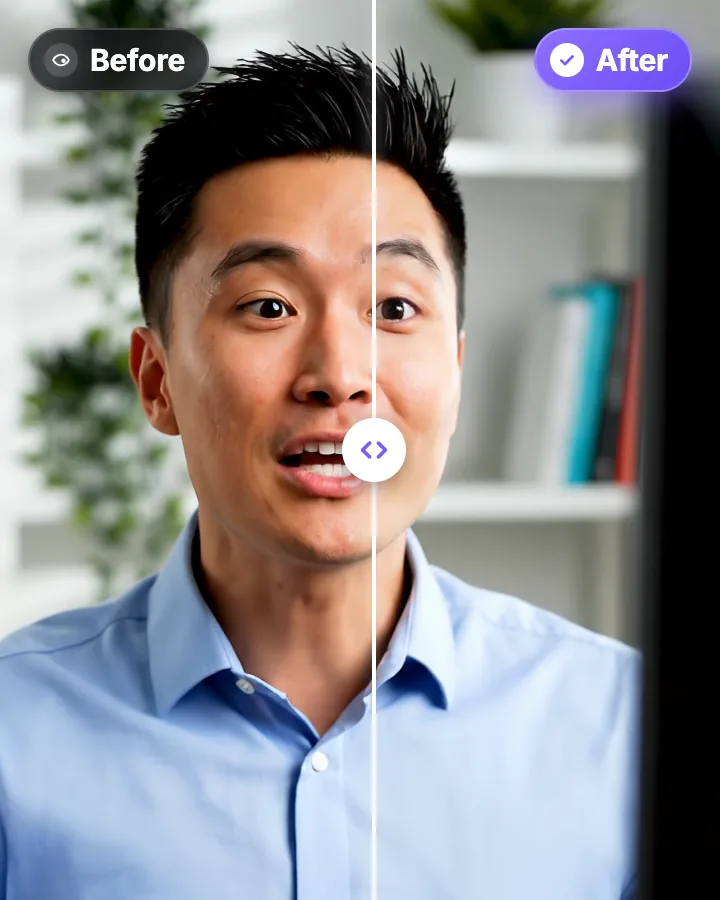
AI Eye Contact and Gaze Correction for Recorded Videos
Read a script, checked your notes or watched yourself on screen? Upload the video and the AI points your gaze back at the lens in every frame, keeping your resolution, frame rate and audio. Your first video is free.
Fix Eye Contact in DaVinci Resolve Footage, Free or Studio, No Plugin
DaVinci Resolve has no gaze correction, in the free version or in Studio. The workaround: correct the talking-head clip outside Resolve, then swap it back into your edit. The corrected file keeps the same length, frame rate and audio, so your cuts stay where they are.
Fix Eye Contact in Final Cut Pro and iMovie Footage on a Mac
Final Cut Pro and iMovie have no gaze correction, and NVIDIA Broadcast, the free live option, is Windows-only. On a Mac, correct the talking-head clip in Safari or Chrome, then bring it back into your project. The corrected file keeps the same length, frame rate and audio.

AI video editor for creators who want viral content without the editing grind.
Features
All FeaturesAI CaptionsHormozi CaptionsMrBeast CaptionsAdd Subtitles to VideoSubtitle GeneratorAI Video EditorAI Clip GeneratorYouTube to ShortsEye Contact FixMagic ZoomTransitionsClean AudioAI MusicSound EffectsAI Auto EditRemove SilenceAI ThumbnailsBrand KitsCommunity StylesAI Video TranslatorFree Tools
Video Hook GeneratorTikTok CaptionsInstagram CaptionsYouTube TitlesTikTok HashtagsVideo Script GeneratorAI Video IdeasContent CalendarTikTok TranscriptVideo to TextFree SRT GeneratorSubtitle TranslatorFree TeleprompterWords to MinutesSRT to VTT ConverterTikTok Safe ZoneFree Sound EffectsAll 40 Tools →Use Cases
TikTok CreatorsYouTube ShortsInstagram ReelsPodcastersClippersAgencies & TeamsLinkedIn VideosTeleprompter Eye ContactPremiere Pro Eye ContactDaVinci Resolve Eye ContactFinal Cut Pro Eye ContactLoom Eye Contact