 Eye Contact
Captions AI Eye Contact: Where It Works, and How to Get It in a Browser
Captions (by Mirage) offers AI Eye Contact in its apps, but not in Captions on Web. If you edit in a browser, on a Chromebook or on a work computer where you can’t install apps, here is the no-app route. Checked on Captions’ help center on October 8, 2026. StoryCut is our product.
- 1 free video
- No app to install
- No credit card
Captions AI Eye Contact: the short answer
- Where it works
- In the Captions iPhone app and the legacy desktop app, and in the Android app on the Lite plan. Captions’ own feature table marks AI Eye Contact as not available in Captions on Web.
- Price
- Basic, $9.99 a month, on iPhone and desktop. On Android, Lite at $4.99 a month includes it, but a Lite subscription only works on Android. It is not on the free plan.
- Length
- The iPhone editor takes videos up to 10 minutes.
- Captions’ own tips
- Look as close to the camera as you can, put your script slightly above or beside the lens rather than below it, and stay close enough that the whites of your eyes are visible.
- No-app option
- StoryCut corrects eye contact on uploaded videos in any browser, including Chrome on Android and on Chromebooks: 1 free video up to 4 minutes, then 5 for $9 one-time.
Captions vs StoryCut for eye contact, by device
| What you get | Captions |  StoryCut StoryCut |
|---|---|---|
| iPhone | Yesin the app (Basic) | Yesin Safari, no app |
| Android | Yesin the app (Lite, Android only) | Yesin Chrome, no app |
| Web browser | Nonot in Captions on Web | Yesany browser |
| Computer | Yeslegacy desktop app | Yesin the browser on Mac, Windows or Chromebook |
| Cheapest price | Lite $4.99/mo (Android) or Basic $9.99/mo | $9 one-time for 5 videos |
| Free option | Nonot on the free plan | Yes1 video up to 4 min, no watermark |
| Video length | Up to 10 min (iPhone editor) | 4 min free, 10 min pack and Pro, 30 min Business |
| Model | Not published | NVIDIA Maxine Eye Contact |
| Also on the plan | Teleprompter camera, denoise, zoom and more (Basic) | Captions editor; Pro adds sound effects, zoom and clean audio |
Checked on October 8, 2026 from each product’s public pages. Sources: Captions plans, Captions feature availability, Captions AI Eye Contact, StoryCut pricing.
Using Captions in a browser or on a Chromebook
Captions on Web is a different product from the phone app: Captions’ feature table lists AI Eye Contact, AI Zoom and AI Trim as iOS features that aren’t in the web version. So if you open a project in a browser, there is no eye contact button to press, and Chromebooks and locked-down work laptops can’t run the iPhone app at all.
The workaround is to correct the file before it reaches Captions. Upload the recording to StoryCut in your browser, download the corrected MP4 (same resolution, frame rate, length and audio), then import it into Captions for captions, AI Edit or anything else. On Android, you can also stay in the Captions app with the Lite plan, which includes AI Eye Contact.
Record it right, then fix what’s left
Captions’ advice for its own eye contact applies to any tool: the closer your eyes stay to the lens, the cleaner the correction. Captions’ camera and teleprompter, which help with that, are in its phone apps, not on the web.
If you film on an Android phone or a laptop, put the script in a narrow strip right at the top of the screen, as close to the camera as it goes, and step back from the device. Whatever drift is left, typically a few degrees when you read off a screen near the lens, is well inside the roughly 20° that StoryCut’s correction fully covers.
More on Captions and eye contact
Captions AI alternativesReadAI eye contact correctionTry it freeBest eye contact correction software (2026)ReadNVIDIA Broadcast eye contact alternativeReadTeleprompter eye contactRead Descript eye contact: price and limitsReadFix eye contact in Premiere Pro footageRead
 CapCut eye contact on PC, Mac and webReadFix eye contact in DaVinci Resolve footageReadFix eye contact in Final Cut Pro and iMovieReadDoes Canva have eye contact correction?ReadLoom eye contactReadBIGVU pricing and AI eye contactReadRiverside eye contact: what it can’t fixReadVEED eye contact: price and limitsReadKapwing eye contact: credits and cost per minuteRead
 Submagic pricing and AI eye contactReadElgato Prompter alternativeRead
FAQ
Frequently Asked Questions
Fix Your Eye Contact in the Browser
Upload your video. Get back a scroll-stopper with viral captions, cinematic transitions, auto zoom, and clean audio. The same tools top creators use to explode views.
No app, no card. Upload a video from your phone or computer and download it looking into the lens.
- Join 10,000+ creators
- No credit card required

You Might Also Like
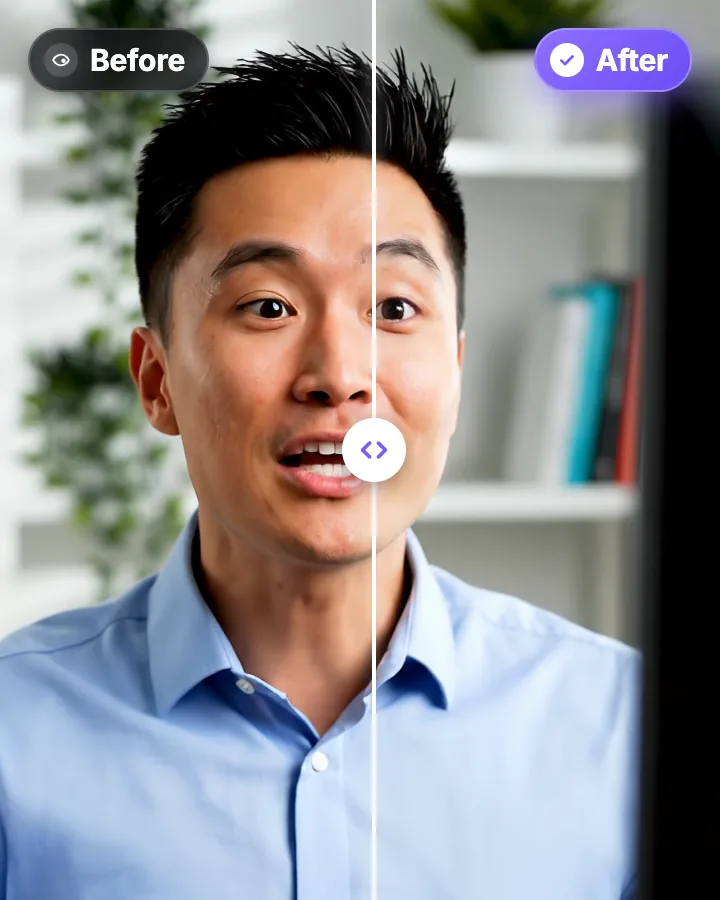
AI Eye Contact and Gaze Correction for Recorded Videos
Read a script, checked your notes or watched yourself on screen? Upload the video and the AI points your gaze back at the lens in every frame, keeping your resolution, frame rate and audio. Your first video is free.
StoryCut vs Captions AI: Phone App or Web Editor?
Captions, now made by Mirage, is a phone-first AI editor that runs on credits. StoryCut is a web editor with plan-based limits. Here is how they compare on price, eye contact, sound effects and more in 2026.
Best AI Eye Contact Correction Software in 2026, Compared
Which tools fix eye contact in a video you already recorded, which only work on a live webcam, and what each one costs. Checked on each vendor’s own pages on October 8, 2026. StoryCut publishes this page and is one of the tools listed.

AI video editor for creators who want viral content without the editing grind.
Features
All FeaturesAI CaptionsHormozi CaptionsMrBeast CaptionsAdd Subtitles to VideoSubtitle GeneratorAI Video EditorAI Clip GeneratorYouTube to ShortsEye Contact FixMagic ZoomTransitionsClean AudioAI MusicSound EffectsAI Auto EditRemove SilenceAI ThumbnailsBrand KitsCommunity StylesAI Video TranslatorFree Tools
Video Hook GeneratorTikTok CaptionsInstagram CaptionsYouTube TitlesTikTok HashtagsVideo Script GeneratorAI Video IdeasContent CalendarTikTok TranscriptVideo to TextFree SRT GeneratorSubtitle TranslatorFree TeleprompterWords to MinutesSRT to VTT ConverterTikTok Safe ZoneFree Sound EffectsAll 40 Tools →Use Cases
TikTok CreatorsYouTube ShortsInstagram ReelsPodcastersClippersAgencies & TeamsLinkedIn VideosTeleprompter Eye ContactPremiere Pro Eye ContactDaVinci Resolve Eye ContactFinal Cut Pro Eye ContactLoom Eye Contact