 VS
VS
StoryCut vs Captions AI: Phone App or Web Editor?
Captions, now made by Mirage, is a phone-first AI editor that runs on credits. StoryCut is a web editor with plan-based limits. Here is how they compare on price, eye contact, sound effects and more in 2026.
- Free plan
- Free eye contact preview
- No credit card
StoryCut vs Captions AI: the short answer
- Verdict
- Captions has the deeper generative AI toolset (AI Edit, Lipdub, AI twins) and a polished iPhone app. StoryCut is a web editor with plan limits instead of credits, places sound effects on key words automatically, and lets every account try eye contact correction for free in the browser, on the first 20 seconds of its own video.
- Captions price (2026)
- Free: 60 to 200 credits for the life of the account. Basic $9.99/mo (sold in the app, not shown on the pricing page). Max $24.99/mo with 500 credits. Frontier $69.99/mo with 1,400 credits. Captions says the prices on its pricing page are iOS prices.
- StoryCut price
- Free plan: 720p with a watermark, videos up to 4 min. Starter $9/mo or $7/mo billed yearly (1080p, up to 7 min). Pro $19/mo or $14/mo (2K, up to 10 min, eye contact 10/mo). Business $49/mo or $39/mo (4K 60fps, up to 30 min, unlimited eye contact).
- Best for Captions
- iPhone creators who want generative AI features such as AI Edit, AI twins and lip-synced dubbing, and are fine paying in credits.
- Best for StoryCut
- Creators who work in a browser, on a computer or a phone, and want predictable plan limits, sound effects placed for them and eye contact correction that runs on the web.
StoryCut
Web app • Plans, not credits
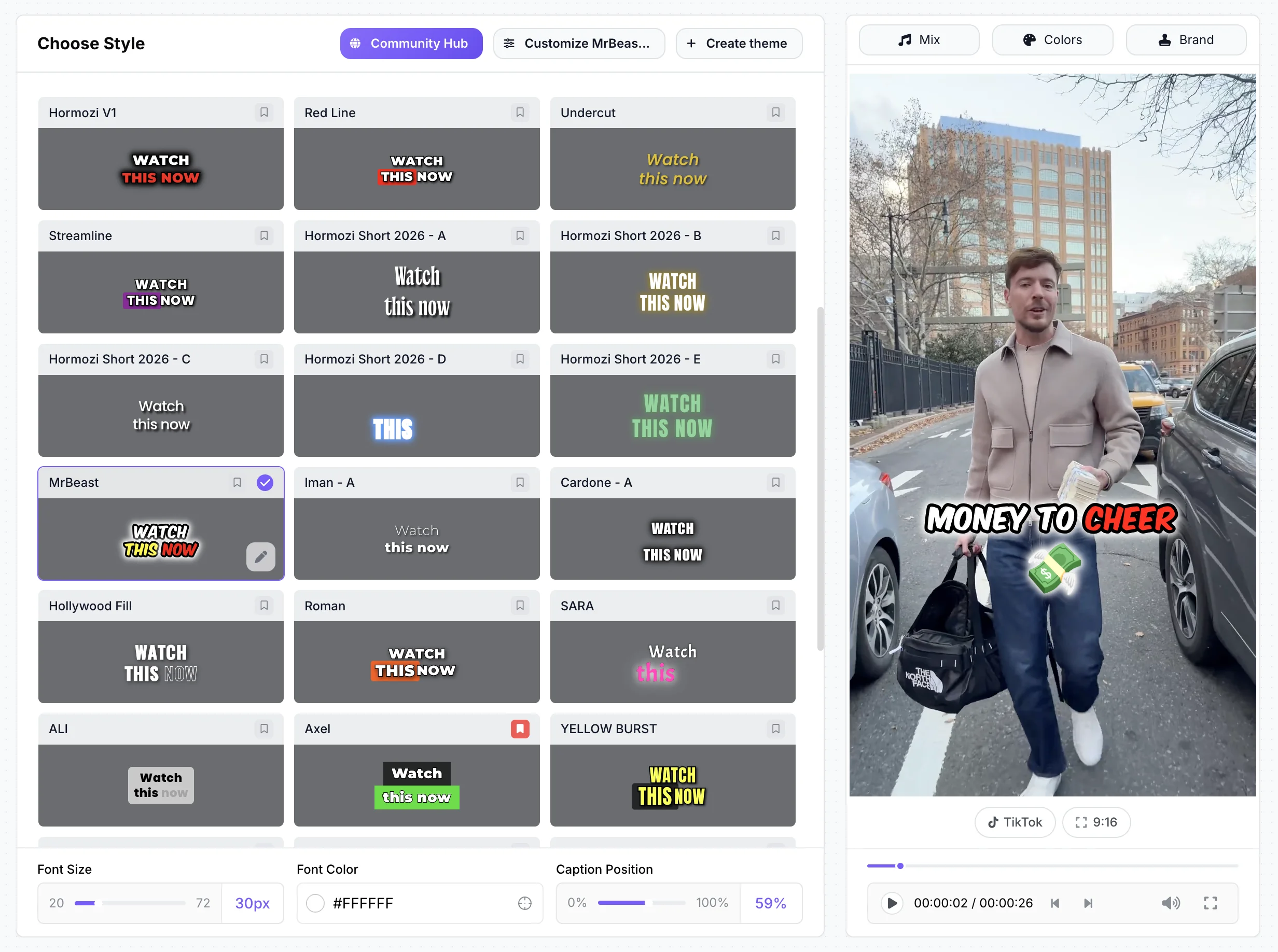
StoryCut is a web-based AI editor for short vertical videos. Upload a video and word-by-word captions start on their own, in 49 languages, with 26 ready-made styles including 6 Hormozi-style presets. On Pro, zoom, sound effects on key words, clean audio, AI music and voice dubbing are one click each. Eye contact correction (NVIDIA Maxine) keeps your resolution, frame rate and audio, and can be used on its own; every account gets a free 20-second preview. Each plan has fixed limits instead of a credit balance.
Captions AI
iPhone first • Generative AI on credits
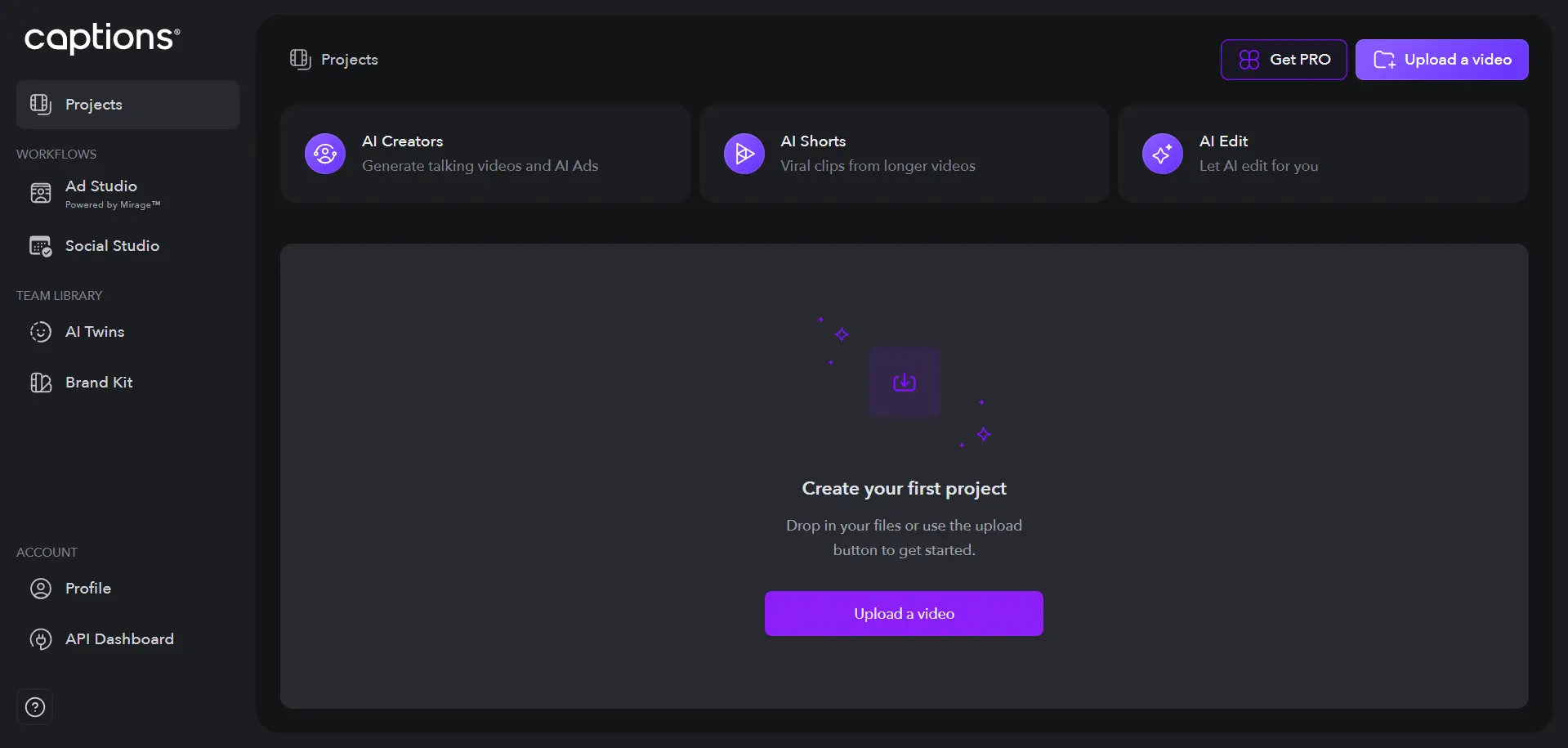
Captions is an AI video app made by Mirage (the company behind it rebranded from Captions to Mirage in 2025). It started on iPhone and now also runs on the web, on Mac and, as the reduced Captions Lite, on Android. It offers captions in 100+ languages, AI Edit, AI eye contact, AI Zoom and AI Trim in the iOS app, dubbing in 31 languages with Lipdub lip-sync, AI sound effects from a prompt, AI twins and a Clips tool for videos up to 3 hours. Most AI features spend credits.
Try eye contact correction free, in your browser
StoryCut vs Captions AI: feature comparison
| Feature | StoryCut | Captions AI |
|---|---|---|
| AI Captions | Yes49 languages + auto-detect | Yes100+ languages |
| Templates | 26 styles on every plan, incl. 6 Hormozi | 1 on Free, 100+ on Max |
| Eye Contact Fix | Yeson the web: free preview, $3.99 a video, $9 for 5, or Pro (10/mo) | YesBasic and up in the iOS app (not web) |
| Sound Effects | YesAI-placed on key words (Pro) | YesAI Sounds from a prompt (Max) |
| Auto Zoom | YesAI-picked moments (Pro) | YesAI Zoom (iOS only) |
| Silence Removal | YesPro | YesAI Trim cuts pauses and “uhms” (iOS) |
| Video Translation | Yes33 languages + voice clone (Pro) | Yes31 languages + Lipdub |
| AI Clipping | Yesevery plan (2–150 min videos) | YesClips on Max (up to 3 h) |
| AI avatars | No | YesAI twins and AI actors (Max) |
| Transitions | Yes51 overlays placed by AI | Yes |
| Pricing model | Plans with fixed limits | Credits, spent even if you don’t export |
| Max video length | 4 / 7 / 10 / 30 min by plan | Captions 10 min, AI Edit 1–2 min |
| Platform | Web (desktop and mobile browsers) | iOS, Mac, web, Android (Lite) |
| Team Collaboration | Yes5 members on Business | Yes2 seats on Max, 3+ on Frontier |
| Public ratings | None yet (founded 2025) | App Store 4.7 (38K ratings) |
Checked on October 3, 2026 from each product’s public pages. Sources: Captions pricing, Captions plans, Captions feature availability, Captions AI usage, Captions on the App Store, StoryCut pricing.
Pros and cons
StoryCut
- Works in any desktop or mobile browser, nothing to install
- Plan limits instead of a credit balance
- Sound effects placed on key words automatically (Pro)
- Eye contact correction on the web, with a free preview and no card
- Eye contact works on its own: upload, fix, compare before and after, download
- 26 caption styles on every plan, including Free
- AI clips from long videos on every plan
- No iPhone, Android or Mac app
- Eye contact on a plan starts at Pro ($14/mo billed yearly, 10 videos a month), while Captions includes it from Basic ($9.99/mo) on iOS
- No AI avatars, AI twins or lip-sync dubbing
- Fewer caption languages (49 vs 100+)
- Free plan exports 720p with a watermark
- Newer and smaller, with no third-party reviews yet
Captions AI
- Polished iPhone app: 4.7 on the App Store from 38K ratings
- Eye contact from the Basic plan ($9.99/mo) in the iOS app
- Deep generative AI: AI Edit, AI twins, Lipdub, prompt-to-video
- Clips accepts videos up to 3 hours (Max)
- Captions in 100+ languages
- Unused credits roll over, up to 3 times the monthly amount
- Credits are spent even if you never export, and standard plans can’t buy more
- Features differ by platform: the new web app has no eye contact, AI Zoom or AI Trim
- Android only gets the reduced Captions Lite
- Free credits are for the life of the account, not monthly
- AI Edit handles only 1 to 2 minutes of video
- Basic isn’t on the pricing page, and annual prices for Max aren’t published
Price comparison: StoryCut vs Captions AI
StoryCut- 3 videos at a time
- 720p export with watermark
- Videos up to 4 min
- AI captions, caption styles and transitions
- 1 long video per month into AI clips
- 20 videos at a time
- 1080p export, no watermark
- Videos up to 7 min
- AI captions, caption styles and transitions
- 10 long videos per month into AI clips
- StoryCut API and webhooks
- 50 videos at a time
- 2K export, no watermark
- Videos up to 10 min
- AI eye contact (10 videos/month), auto sound effects, magic zoom, silence removal, clean audio, AI music, dubbing
- 50 long videos per month into AI clips
- StoryCut API and webhooks
- 100 videos at a time
- 4K 60fps export, no watermark
- Videos up to 30 min
- Everything in Pro + unlimited AI eye contact + priority rendering
- 5 team members
- 100 long videos per month into AI clips
- StoryCut API and webhooks
Captions AI- 60 to 200 credits, no monthly refresh
- 1 caption template
- Exports that use paid AI features are watermarked
- 200 credits per month
- AI eye contact in the iOS app
- 500 credits per month
- 2 seats
- 100+ caption templates
- AI Sounds, dubbing, Lipdub, Clips, AI twins
- 1,400 credits per month
- 3 seats
Checked on October 3, 2026 from each product’s public pages. Sources: Captions pricing, Captions plans, Captions in-app prices (App Store), StoryCut pricing.
Which should you choose?
Pick Captions if you film and edit on an iPhone and want the newest generative AI features: AI Edit, AI twins, Lipdub dubbing, and eye contact from $9.99/mo in the iOS app. Pick StoryCut if you work in a browser, on a computer or a phone, and want fixed plan limits instead of credits, sound effects placed on your key words automatically, and eye contact correction that runs on the web, with a free preview of your own video before you pay. If eye contact is all you need and you edit on an iPhone, Captions Basic costs less per month than StoryCut Pro, though StoryCut’s one-time pack (5 videos for $9) costs less for a few videos. If you edit on the web, Captions’ current web app doesn’t offer eye contact at all.




FAQ
Frequently Asked Questions
Fix your eye contact free, then add captions
Upload your video. Get back a scroll-stopper with viral captions, cinematic transitions, auto zoom, and clean audio. The same tools top creators use to explode views.
Every account gets a free eye contact preview on its own video and a free plan for captions. No credit card, no app to install.
- Join 10,000+ creators
- No credit card required

You Might Also Like
AI Eye Contact and Gaze Correction for Recorded Videos
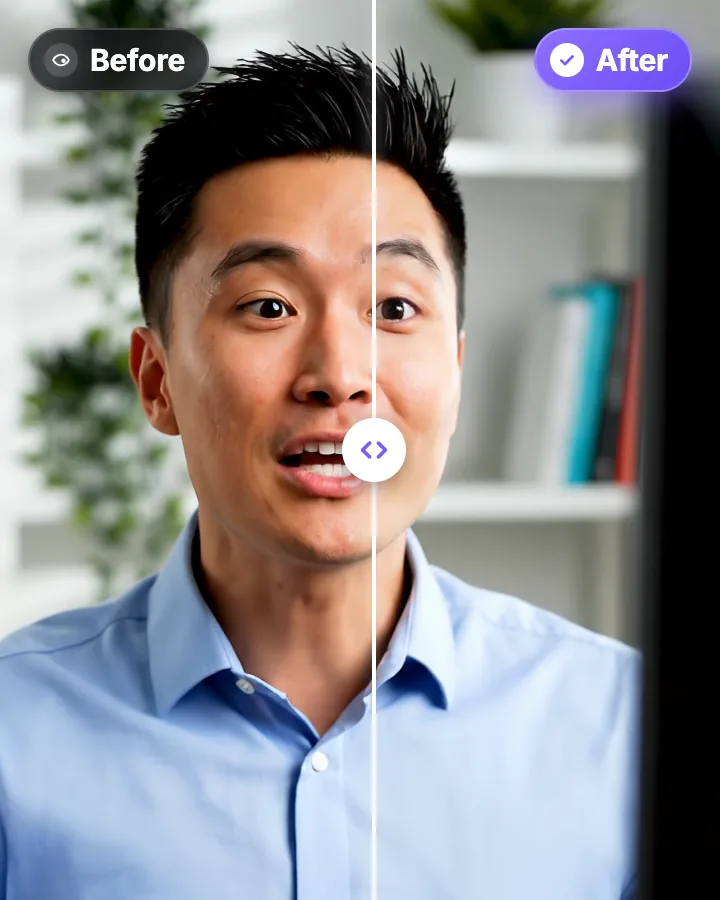
Read a script, checked your notes or watched yourself on screen? Upload the video and the AI points your gaze back at the lens in every frame, keeping your resolution, frame rate and audio. Try it free: watch the first 20 seconds of your own video fixed.
Captions App Alternatives in 2026: 6 Tools Compared
Captions (now by Mirage) is a strong iPhone app. If you edit in a browser, on Android or Windows, or you’re tired of counting credits, here is how six alternatives compare. Prices checked on each tool’s website on October 3, 2026. StoryCut is our product.

Auto SFX: Add Sound Effects to Your Video Automatically
StoryCut reads your transcript, picks the 4 to 8 words that deserve a sound and places a matching whoosh, pop or ding on each one, timed to the word. No library to dig through, no timeline to drag.

AI video editor for creators who want viral content without the editing grind.
Features
All FeaturesAI CaptionsHormozi CaptionsMrBeast CaptionsAdd Subtitles to VideoSubtitle GeneratorAI Video EditorAI Clip GeneratorYouTube to ShortsChatGPT & Claude ConnectorVideo Clipping APIEye Contact FixMagic ZoomTransitionsClean AudioAI MusicSound EffectsAI Auto EditRemove SilenceAI ThumbnailsBrand KitsCommunity StylesAI Video TranslatorFree Tools
Video Hook GeneratorTikTok CaptionsInstagram CaptionsYouTube TitlesTikTok HashtagsVideo Script GeneratorAI Video IdeasContent CalendarTikTok TranscriptVideo to TextFree SRT GeneratorSubtitle TranslatorFree TeleprompterWords to MinutesSRT to VTT ConverterTikTok Safe ZoneFree Sound EffectsAll 40 Tools →Use Cases
TikTok CreatorsYouTube ShortsInstagram ReelsPodcastersClippersAgencies & TeamsLinkedIn VideosTeleprompter Eye ContactPremiere Pro Eye ContactDaVinci Resolve Eye ContactFinal Cut Pro Eye ContactLoom Eye Contact