 VSVizard
StoryCut vs Vizard: Pay Less for Every Hour You Clip
Both find the best moments of a long video, score them, keep the speaker in frame and add captions. StoryCut costs less for the hours you clip, takes Twitch and Kick past broadcasts, puts your facecam on top of the game and finishes every clip with your edit style and eye contact correction.
Vizard has phone apps, posts to six networks and exports 4K on its entry plan.
- Free plan with 1 long video a month into AI clips
- No credit card
StoryCut vs Vizard: the short answer
- Verdict
Both are AI clip makers that find, score, frame and caption the best moments of a long video.
Pick StoryCut to pay less for the video you clip (10 hours a month for $19/mo on Pro, against $29/mo for 600 credits on Vizard Creator), to paste Twitch and Kick past broadcasts, to get your facecam stacked over the game, and to finish every clip with 18 edit styles, 1,000+ caption styles and eye contact correction.
Pick Vizard for iPhone and Android apps, posting to six networks, 4K on its entry plan, square and 16:9 clips, and 60 free minutes a month.
- Price of 10 hours of video
StoryCut Pro: $19/mo for 10 hours, or $14/mo billed yearly. Vizard Creator (600 credits, 1 credit = 1 minute): $29/mo, or $14.50/mo billed yearly.
For 3 hours a month, StoryCut Starter is $9/mo, while 600 credits is Vizard’s smallest paid plan; for 30 hours, StoryCut Business is $49/mo against $86/mo for 1,800 Vizard credits.
- Links you can paste
StoryCut takes a YouTube link, a Twitch or Kick past broadcast, a Google Drive or Dropbox link, or an upload, on every plan, free included. A run takes up to 150 minutes of a video (30 on Free), from any part of a longer one.
Vizard takes YouTube, Twitch, Google Drive, Dropbox, Zoom, Loom, StreamYard and social links, or an upload, up to 600 minutes on paid plans (60 on Free). We found no Kick links.
- What every clip gets
StoryCut returns 3 to 12 vertical clips a video, each with a 0 to 100 virality score, framing that follows the speaker (a split screen for two people, the facecam on top of the game for streams), captions in your style and a headline on its first seconds.
Vizard returns more clips a video (30+, it says), each with a virality score and a reason, framing on the active speaker, screen-share and interview layouts, captions and AI B-roll.
- Your style on every clip
On StoryCut Pro, one of 18 edit styles adds zooms, sound effects on key words and one music track to every clip of a run, and B-roll to the 3 best; eye contact correction covers 10 videos a month.
Vizard’s AI Edit (beta) adds B-roll, zooms and transitions to short talking-head clips for 30 credits a minute, and its music and sound effects library is used by hand.


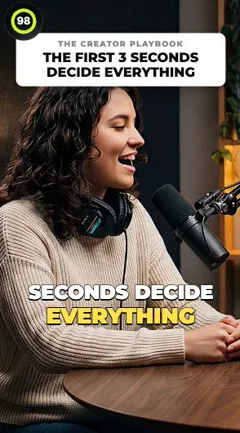
StoryCut
Web app • AI clips and a full editor
StoryCut is an AI clip maker for long videos.
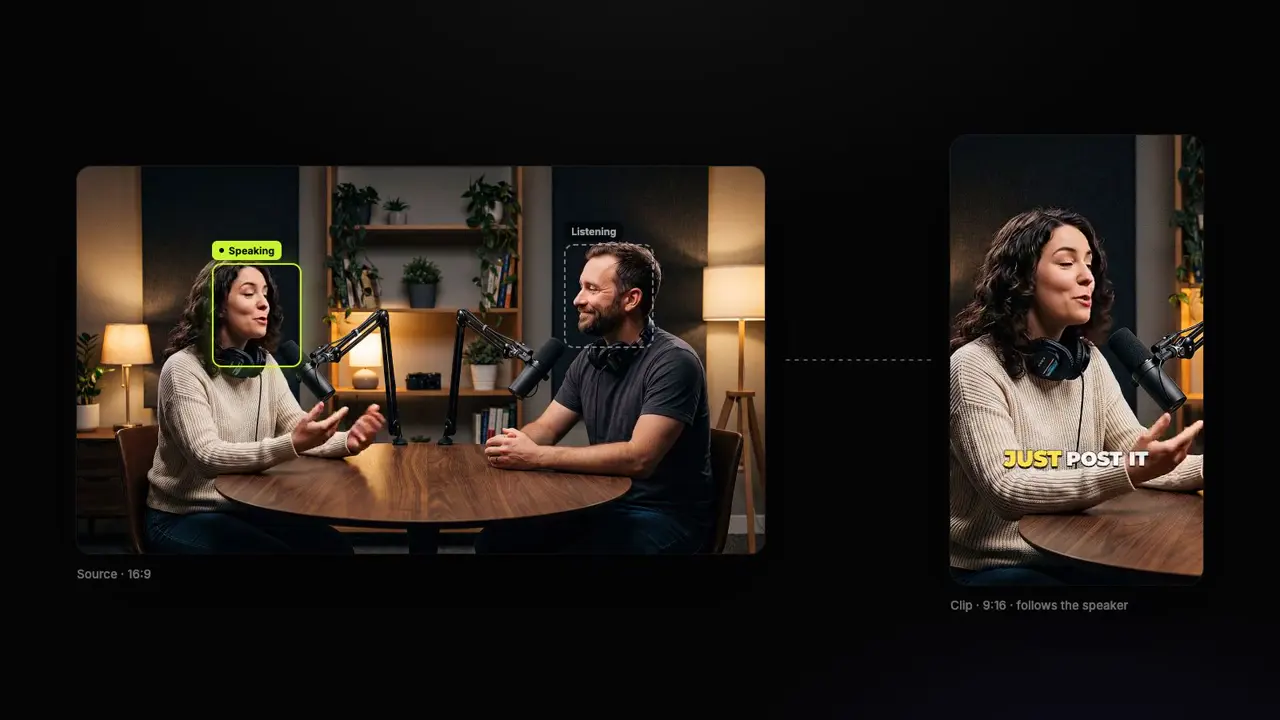
Paste a YouTube link, a Twitch or Kick past broadcast, a Google Drive or Dropbox link, or upload a file: it reads the whole transcript and returns 3 to 12 vertical clips, each with a 0 to 100 virality score, framing that follows the person speaking, captions and a headline.
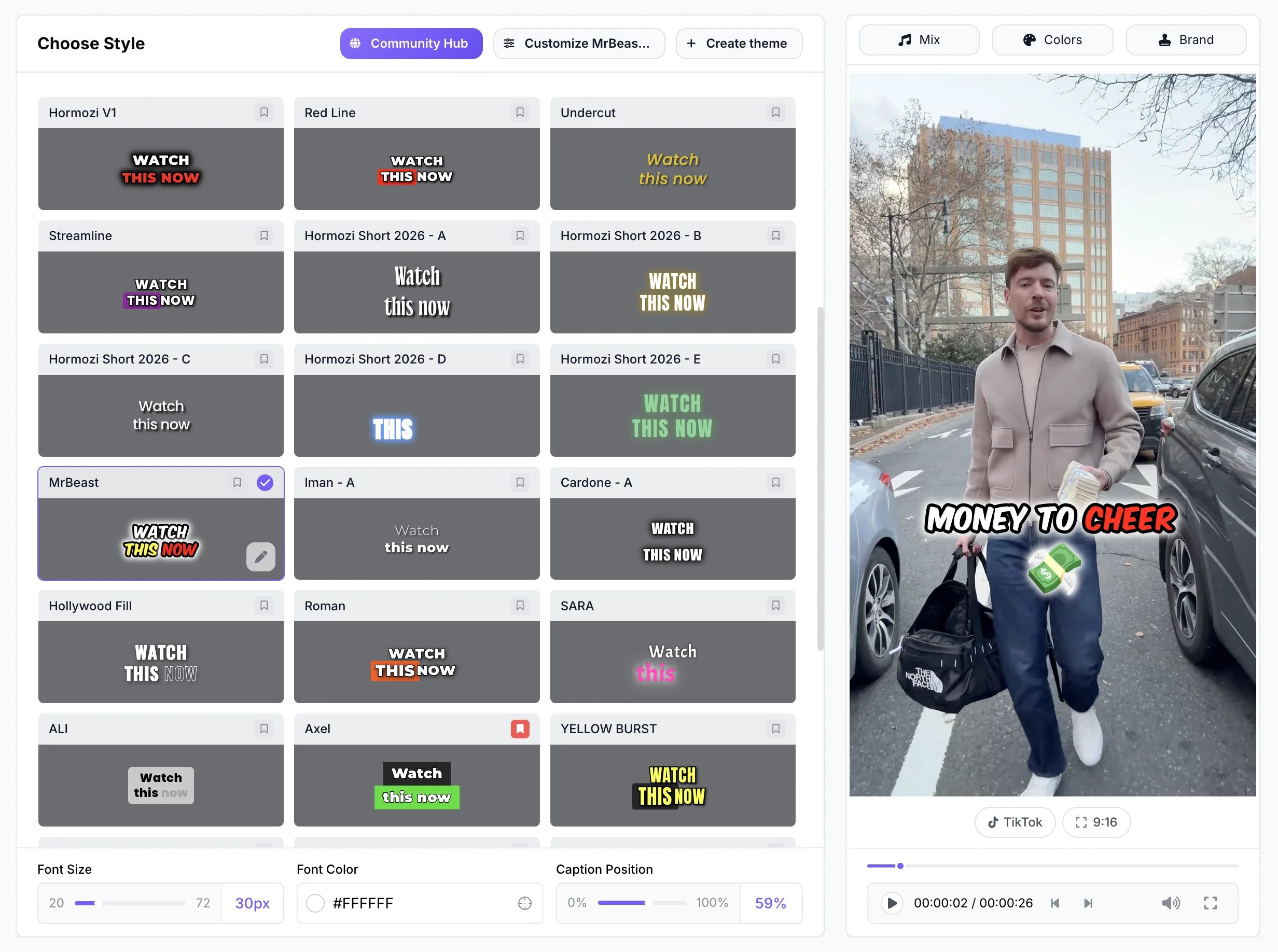
Gaming streams get the facecam stacked over the gameplay, and paid plans can clip new uploads from YouTube channels by themselves. Every clip opens in an editor with 1,000+ caption styles; on Pro your edit style adds zooms, sound effects and music to every clip of a run, and B-roll to the best ones.
Eye contact correction, a REST API with webhooks and a Claude and ChatGPT connector are built in.
Vizard
Web, iOS and Android • AI clipping and scheduling
Vizard turns long videos into short clips. It picks the moments, gives each a virality score with a reason, keeps the active speaker in frame and offers screen-share and interview layouts, in 9:16, 1:1, 4:5 or 16:9. AI B-roll, emojis and keyword highlights are on every plan, free included.
Paid plans export 4K, take uploads up to 600 minutes, schedule to TikTok, YouTube, Instagram, X, Facebook and LinkedIn, translate subtitles and include its API. It counts 1 credit per minute of video, and it has iPhone and Android apps.
Turn one long video into finished clips, free
StoryCut vs Vizard: feature comparison
| Feature | StoryCut | Vizard |
|---|---|---|
| AI clipping | Yes, 3–12 clips a video, every plan | Yes, 30+ clips a video, every plan |
| Video a month | Free: 1 video (any 30 min of it); Starter 3 hours, Pro 10 hours, Business 30 hours | Free: 60 min; paid: 600 to 6,200 credits (1 credit = 1 min) |
| 10 hours of video a month | Pro: $19/mo, or $14/mo billed yearly | Creator: $29/mo, or $14.50/mo billed yearly |
| Virality score | Yes, 0–100, every plan | Yes, with a reason |
| Links you can paste | YouTube, Twitch, Kick, Google Drive and Dropbox, every plan | YouTube, Twitch, Drive, Dropbox and more; no Kick1 |
| Longest video | 150 min a run (30 on Free), from any part of a longer video | 600 min on paid plans, 60 on Free |
| Speaker framing | Yes, follows the speaker; split screen for two people | Yes, active speaker; screen-share and interview layouts |
| Gaming streams | Yes, facecam on top of the game | Not found |
| Auto import from YouTube | Yes, every paid plan (Starter 1 channel, Pro 3 channels, Business 10 channels) | Not found |
| Captions | 1,000+ styles, 49 languages | Templates, 40 transcription languages |
| Edit style on every clip | Yes, 18 edit styles (zooms, sound effects, music; B-roll on the 3 best; Pro) | AI Edit (beta): B-roll, zooms, transitions2 |
| Sound effects | Yes, placed on key words (Pro) | A library, added by hand |
| Eye contact correction | Yes, Pro (10/mo) and Business; free 20 s preview | Not found |
| Posting and scheduling | Coming soon: download and post for now | Yes, 6 networks (Creator and up) |
| API | Yes, paid plans or API credits, with webhooks | Yes, paid plans (uses credits) |
| Claude and ChatGPT connector (MCP) | Yes, every plan, free included | For Vizard Agent, its editing product |
| Max resolution | 4K 60fps (Business) | 4K (Creator and up) |
| Clip shapes | 9:16 | 9:16, 1:1, 4:5, 16:9 |
| Platform | Web (desktop and mobile browsers) | Web, iOS and Android apps |
Notes
- 1
Links you can paste · Vizard Vizard’s upload page lists YouTube, Google Drive, StreamYard, Loom, Twitch, X, TikTok, Instagram, LinkedIn, Facebook and Dropbox links; Zoom imports too.
- 2
Edit style on every clip · Vizard AI Edit costs 30 credits a minute and works on 9:16 talking-head videos of 15 seconds to 3 minutes.
Checked on November 10, 2026 from each product’s public pages.Sources10
- Vizard pricingvizard.ai
- Vizard free planhelp.vizard.ai
- Vizard credit validityhelp.vizard.ai
- Vizard AI Edithelp.vizard.ai
- Vizard refundshelp.vizard.ai
- Vizard upload sourcesvizard.ai
- Vizard APIdocs.vizard.ai
- Vizard on the App Storeapps.apple.com
- Vizard on Trustpilottrustpilot.com
- StoryCut pricingstorycut.com
Pros and cons
StoryCut
- Less for the video you clip: 10 hours a month for $19/mo on Pro, against $29/mo for 600 credits on Vizard
- Twitch and Kick past broadcasts, Google Drive and Dropbox links on every plan, free included
- Finds your facecam and stacks it over the game on streams
- Your edit style on every clip: zooms, sound effects, music, and B-roll on the 3 best (Pro)
- Eye contact correction, and clips from new YouTube uploads by themselves
- No phone apps
- Posting and scheduling to YouTube and TikTok are coming soon
- 3 to 12 clips a video, fewer than Vizard returns
- Clips are 9:16 only, and 4K is on Business only
- The free plan uses 30 minutes of one video a month, where Vizard’s gives 60
Vizard
- iPhone and Android apps (4.8 stars from 824 App Store ratings)
- Posts and schedules to TikTok, YouTube, Instagram, X, Facebook and LinkedIn
- 4K exports and 600-minute uploads on its entry plan
- 9:16, 1:1, 4:5 and 16:9 clips, and 30+ clips a video
- Credits last 2 months on monthly plans (13 on yearly ones)
- More for the same hours: $29/mo for 600 credits is its smallest paid plan
- No facecam layout for streams and no Kick links found
- No eye contact correction found; sound effects are added by hand
- Brand kit, custom fonts and extra seats on Business only
- Refunds only within 7 days, and only if unused
Price comparison: StoryCut vs Vizard
- 3 videos at a time
- 720p export with watermark
- Videos up to 4 min
- AI captions, caption styles and transitions
- 1 long video per month into AI clips
- 20 videos at a time
- 1080p export, no watermark
- Videos up to 7 min
- AI captions, caption styles and transitions
- AI clips: 3 hours of video a month (up to 10 videos)
- Auto import from 1 YouTube channel
- StoryCut API and webhooks
- 50 videos at a time
- 2K export, no watermark
- Videos up to 10 min
- AI eye contact (10 videos/month), Auto Edit with 18 edit styles, auto sound effects, magic zoom, silence, filler-word and retake removal, clean audio, AI music, dubbing
- AI clips: 10 hours of video a month (up to 30 videos)
- Auto import from 3 YouTube channels
- StoryCut API and webhooks
- 100 videos at a time
- 4K 60fps export, no watermark
- Videos up to 30 min
- Everything in Pro + unlimited AI eye contact + priority rendering
- 5 team members
- AI clips: 30 hours of video a month (up to 60 videos)
- Auto import from 10 YouTube channels
- StoryCut API and webhooks
- 60 credits a month (1 credit = 1 min of video)
- 720p, watermark, exports up to 10 min
- Projects kept 3 days
- 600 credits a month, more in steps of 400
- 4K, no watermark, uploads up to 600 min
- Scheduling to 6 networks, API
- 600 credits a month, more in steps of 400
- Brand kit and custom fonts
- Extra seats $10/mo ($5/mo billed yearly)
Checked on November 10, 2026 from each product’s public pages.Sources3
- Vizard pricingvizard.ai
- Vizard credit validityhelp.vizard.ai
- StoryCut pricingstorycut.com
Which should you choose?
Both tools do the core job: paste a long video and get scored, framed, captioned clips. The difference is what the hours cost and what happens after the clips are cut.
Pick StoryCut if you clip several hours a month, from YouTube, Twitch, Kick, Google Drive or Dropbox, and want each clip finished in the same place. Pro clips 10 hours of video a month for $19/mo, where Vizard asks $29/mo for 600 credits. Streams get the facecam over the gameplay, your edit style puts zooms, sound effects and music on every clip, and eye contact correction, auto import, the API and the Claude and ChatGPT connector come with it.
Pick Vizard if you post from your phone or need several formats: it has iPhone and Android apps, schedules to six networks, exports 4K on its entry plan, and makes 1:1, 4:5 and 16:9 clips as well as vertical ones.



Frequently Asked Questions
How much does Vizard cost in 2026?
Vizard Creator is $29/mo, or $14.50/mo billed yearly ($174 a year), for 600 credits a month. Business is $39/mo or $19.50/mo billed yearly and adds the brand kit, custom fonts and extra seats. More credits come in steps of 400: Creator with 1,000 credits is $48/mo.
One credit is one minute of video, and the free plan gives 60 credits a month in 720p with a watermark (checked on November 10, 2026).
Is Vizard free?
Yes, with limits: 60 credits a month (60 minutes of video), 720p exports with a watermark, exports up to 10 minutes, uploads up to 60 minutes, and projects kept for 3 days. StoryCut’s free plan turns 1 long video a month into AI clips (any 30 minutes of it) that you can edit, exported in 720p with a watermark.
Is StoryCut cheaper than Vizard?
Yes, for the same hours. Ten hours a month cost $19/mo on StoryCut Pro against $29/mo on Vizard Creator, or $14/mo against $14.50/mo billed yearly. Below that, StoryCut Starter clips 3 hours for $9/mo, and Vizard’s smallest paid plan is 600 credits. Vizard’s unused credits last 2 months on monthly plans; StoryCut’s hours start again each month.
Does Vizard have a gaming or facecam layout?
We found none on Vizard’s pages: it has screen-share and two-person interview layouts, and it takes Twitch links but not Kick. StoryCut finds the webcam in a stream, stacks it over the gameplay on every clip, and takes Twitch and Kick past broadcasts on every plan, free included.
Does Vizard fix eye contact or add sound effects?
Vizard has had a music and sound effects library you use by hand since January 2026; we found no eye contact correction. StoryCut Pro places sound effects on key words for you, and eye contact correction is on Pro (10 videos a month) and Business, with a free 20-second preview on every account.
Can Vizard or StoryCut post my clips?
Vizard schedules clips to TikTok, YouTube, Instagram, X, Facebook and LinkedIn on its paid plans. StoryCut’s publishing to YouTube and TikTok is coming soon; for now you download each clip and post it.
Which one makes more clips per video?
Vizard: it says 30+ clips from a long video. StoryCut returns 3 to 12, ranked by score, and you can ask for specific moments or pick the part of the video to use. More clips means more to review; fewer means only the strongest.
Does Vizard have an app? Does StoryCut?
Vizard has an iPhone app (4.8 stars from 824 ratings) and an Android app (4.5 from about 8,350 reviews), with some plans priced higher in the iPhone app than on the web. StoryCut is a web app that works in desktop and phone browsers; it has no app to install.
Clip More Video for Less, Finished in One Place
Paste a link or upload a long video and see what StoryCut makes of it: scored vertical clips, framed on the speaker, captioned in your style.
1 long video a month free (any 30 minutes of it), no credit card. Paid plans from $7/mo billed yearly.
- Join 10,000+ creators
- No credit card required
You Might Also Like

AI Clip Generator: Turn Long Videos Into Shorts
Upload a podcast, webinar or interview, or paste a YouTube link. The AI reads the whole transcript, picks the 3 to 12 moments that stand on their own, gives each a virality score from 0 to 100, keeps the person speaking in frame with face tracking and adds animated captions and a headline. Tell it what to look for, or let it choose.
The Best Vizard AI Alternatives in 2026
Vizard is a well-reviewed AI clipper, but its smallest paid plan is 600 credits for $29/mo, and it has no facecam layout, Kick links or eye contact correction. Here are seven alternatives, what the hours you clip cost on each, and where Vizard is still the better pick.
The Best AI Clipping Tools in 2026
Paste a long video, get the moments worth posting: that is the job. Here are 10 AI clipping tools side by side, ranked on how they find and frame the moments, which videos they take, what 10 hours of clipping a month costs, and what you can do with the clips after. Our pick for most creators: StoryCut.

AI video editor for creators who want viral content without the editing grind.
Features
All FeaturesAI CaptionsHormozi CaptionsMrBeast CaptionsAdd Subtitles to VideoSubtitle GeneratorAI Video EditorAI Clip GeneratorYouTube to ShortsYouTube Auto ImportAI HeadlinesChatGPT & Claude ConnectorVideo Clipping APIEye Contact FixMagic ZoomTransitionsClean AudioAI MusicSound EffectsAI Auto EditEdit StylesAI B-RollGTA 6 Clip MakerTwitch & Kick Clip MakerRemove SilenceRemove Filler WordsAI ThumbnailsBrand KitsCommunity StylesAI Video TranslatorFree Tools
Video Hook GeneratorTikTok CaptionsInstagram CaptionsYouTube TitlesTikTok HashtagsVideo Script GeneratorAI Video IdeasContent CalendarTikTok TranscriptVideo to TextFree SRT GeneratorSubtitle TranslatorFree TeleprompterWords to MinutesSRT to VTT ConverterTikTok Safe ZoneFree Sound EffectsAll 40 Tools →Use Cases
TikTok CreatorsYouTube ShortsInstagram ReelsPodcastersClippersGTA RP ClipsGTA 6 Shorts with AIAgencies & TeamsLinkedIn VideosTeleprompter Eye ContactPremiere Pro Eye ContactDaVinci Resolve Eye ContactFinal Cut Pro Eye ContactLoom Eye Contact