




Our pick for GTA 6 streams: StoryCut

Quick answer
For streams with a facecam and commentary (reactions, story playthroughs, roleplay), StoryCut: it finds your webcam and puts it on top of the game, picks the moments from what you say and how you react, takes Twitch, Kick and YouTube links on every plan, and starts free. For gameplay nobody talks over, pick a tool that reads the picture or game events, such as OpusClip’s ClipAnything or Eklipse. For one moment on your console, the PS5 or Xbox capture button.
Facecam found for you
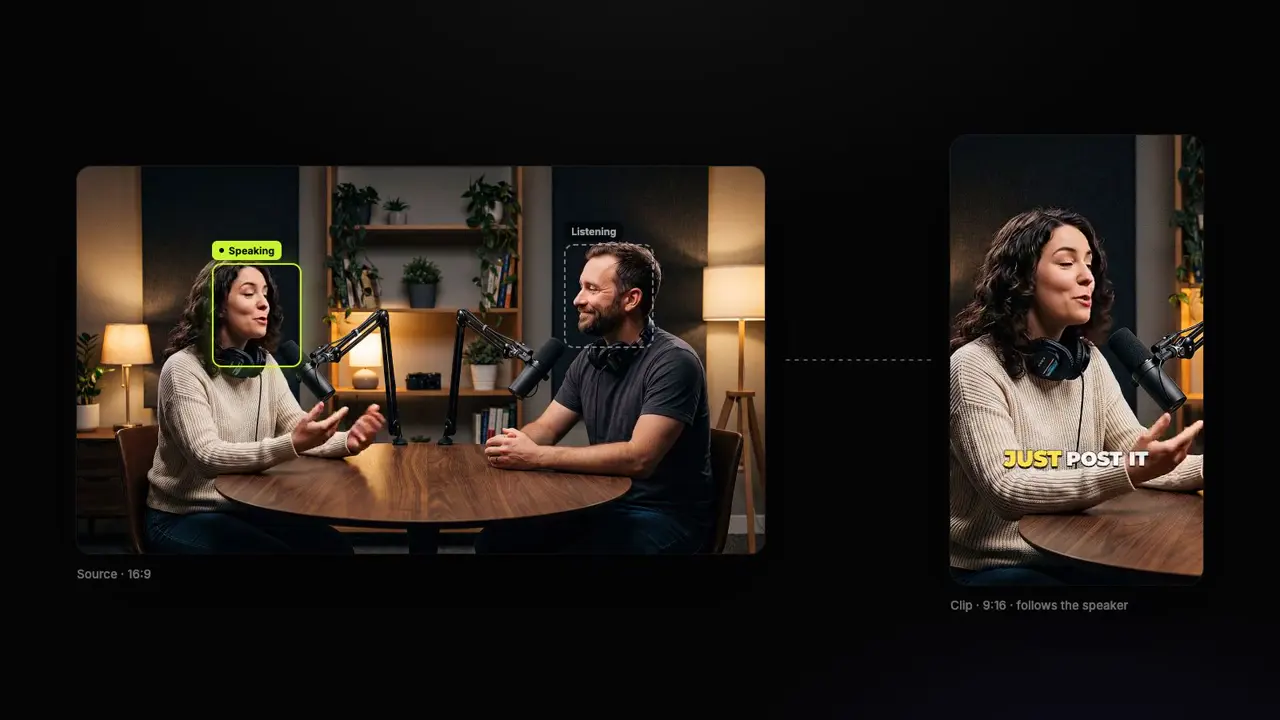
StoryCut looks for the webcam box on frames of your stream and shows it to you while the clips are made. One tap confirms it, and every clip gets your cam on top and the game below.
The moments that got a reaction
It reads what you say, listens for your loudest reactions and catches every “clip that”, then ends each clip about 3 seconds after the reaction so the payoff stays in.
Every link, on every plan
Twitch, Kick and YouTube past broadcasts, Google Drive, Dropbox or an upload, on the free plan too. 1 long video a month free, paid plans from $7/mo billed yearly.

How we compared

We read each tool’s own pricing, help and feature pages on November 4, 2026, and kept what matters for a GTA stream: whether it puts your facecam on top of the game, how it finds the moments, which links it takes, what the free plan gives and what the cheapest paid plan costs (US dollars, monthly, before tax; “Not published” means the price only shows inside the vendor’s checkout). No tool on this page has been run on GTA VI footage yet: the game comes out on November 19.

StoryCut publishes this page and is one of the tools listed, so where another tool fits a job better, its card says so. StoryCut is not affiliated with or endorsed by Rockstar Games or Take-Two Interactive. Grand Theft Auto and GTA are their trademarks, named here only to say which game the clips come from.

How to choose

How to choose a GTA 6 clipping tool

Four things decide which clipper fits your streams.

Your facecam on top

A stream is a webcam over the game. A good clipper finds your cam and puts it on top of the game by itself, on every clip, so you don’t rebuild the layout each time.

How it finds the moments

Story, reaction and roleplay streams live on what you say and how you react. Gameplay nobody talks over needs a tool that reads the picture or game events.

The link you already have

Twitch keeps past broadcasts 7 to 60 days. A tool that takes your Twitch, Kick or YouTube link saves you downloading and uploading hours of video.

What launch week costs

Launch streams run for hours. Compare what the free plan really gives with the price of the plan you’ll need for a week of streams.

Compare

GTA 6 clipping tools, side by side

GTA 6 clipping tools compared on the facecam layout, how they find moments, Twitch and Kick links, the free plan and the cheapest paid plan
ToolFacecam on topFinds the momentsTwitch and Kick linksFree planPrice from
StoryCutYes, automaticSpeech, reactions, “clip that”Yes, every planYes, 1 video a month$9/mo
OpusClipYes, automaticPicture and sound (paid)Twitch on ProYes, 60 min a month$15/mo
EklipseYes, you pick itGame events, chatChannel connectNo$24.99/mo
StreamLadderYes, automaticNot statedYesEditor onlyNot published
KlapYes, automaticSpeechYes1 video to try$29/mo
VizardNot documentedMostly speechTwitch onlyYes, 60 min a monthNot published
MedalNoPC game eventsNoYes$9.99/mo
Twitch ClipsYes, portrait versionYou pickTwitch onlyFreeFree
PS5 and Xbox captureNoYou press captureNoBuilt inFree
Checked on November 4, 2026 from each product’s public pages.Sources10
  1. StoryCut pricingstorycut.com
  2. OpusClip pricingopus.pro
  3. OpusClip: layout and reframinghelp.opus.pro
  4. Eklipse Premium costeklipse.gg
  5. StreamLadder ClipGPTstreamladder.com
  6. Klap pricingklap.app
  7. Vizard pricingvizard.ai
  8. Medal Premium FAQsupport.medal.tv
  9. Twitch: how to use Clipshelp.twitch.tv
  10. PlayStation and Xbox capture helpplaystation.com

See what StoryCut makes of your own stream

Clip a GTA stream freeFree plan • No credit card • Twitch, Kick and YouTube links
Tool details

Every tool, in detail

What each one is best for on a GTA stream, and where it falls short.

StoryCutOur pick

Best for: Streams with a facecam and commentary: reactions, story, roleplay

Paste a Twitch, Kick or YouTube past broadcast and get vertical clips ranked by score, with your facecam on top of the game, captions under it and a headline on the first seconds.

Pros

  • Finds your facecam and puts it on top, on every plan
  • Picks moments from your words, reactions and “clip that”
  • Twitch, Kick and YouTube links on the free plan too

Cons

  • Needs commentary: an almost silent stream is refused
  • Takes 150 minutes of a VOD per run

OpusClip

Best for: Gameplay nobody talks over, and very long VODs

Official site

An AI clipper with a Gameplay layout on every plan and ClipAnything, which reads the picture and the sound.

Pros

  • Facecam over the game on every plan
  • Finds moments without talking (Starter and up)
  • Takes videos up to 10 hours

Cons

  • Twitch import starts on its Pro plan
  • Free plan: 60 minutes a month, watermarked

Eklipse

Best for: Clips after every stream, without lifting a finger

Official site

Connect your Twitch, Kick, YouTube or Facebook channel and it clips from game events, audio spikes and chat.

Pros

  • Watches your channel and clips by itself
  • Finds moments from game events and chat

Cons

  • No free clipping: Premium is $24.99 a month
  • GTA VI detection unconfirmed on its own tool page

StreamLadder

Best for: Twitch and Kick VODs, with a hands-on editor

Official site

ClipGPT takes Twitch and Kick VOD links and finds the facecam, and its editor lets you move every box.

Pros

  • Finds the facecam, with boxes you can move
  • Streams up to 10 hours

Cons

  • YouTube streams have to be uploaded
  • Prices not published on its site

Klap

Best for: A link in, a gaming layout out

Official site

An automatic Gaming layout, with links from YouTube, Twitch, Kick, Vimeo, Google Drive and Dropbox.

Pros

  • Automatic Gaming layout
  • Takes Twitch, Kick and YouTube links

Cons

  • Relies on speech to pick moments, in its own words
  • Downloads need a paid plan ($29/mo, or $14/mo yearly)

Vizard

Best for: Talking videos, with free minutes each month

Official site

An AI clipper that, by its own help center, works best with speech-based videos.

Pros

  • 60 minutes of video free each month
  • Takes YouTube and Twitch links

Cons

  • No facecam layout documented
  • No Kick links listed

Medal

Best for: Games you play on a Windows PC

Official site

A PC recorder that clips game events as you play. GTA VI is console-only at launch, so for GTA 6 it only edits captures you import.

Pros

  • Clips game events by itself on PC
  • Free plan, with a watermark

Cons

  • No facecam layout: you crop to 9:16 by hand
  • No PC version of GTA VI to record

Twitch Clips

Best for: Your own Twitch moment, right now

Official site

Twitch’s built-in clips: up to 60 seconds, with an automatic portrait version.

Pros

  • Free and built in
  • The portrait version stacks your cam and the game

Cons

  • You pick every moment yourself
  • 60 seconds at most, Twitch only

PS5 and Xbox capture

Best for: One moment you just played on your console

Official site

Save the last moments or record, then crop to 9:16 in an editor, or send the long recording to an AI clipper.

Pros

  • Free and built into both consoles
  • Records up to an hour (Xbox: to external storage)

Cons

  • Saves 16:9 only: no facecam layout
  • You press capture for every moment
FAQ

Frequently Asked Questions

What is the best clipping tool for GTA 6?

For streams with a facecam and commentary (reactions, story, roleplay), StoryCut: it puts the facecam on top of the game by itself, picks moments from what you say and how you react, and takes Twitch, Kick and YouTube links on every plan. For gameplay nobody talks over, a tool that reads the picture or game events, such as OpusClip’s ClipAnything or Eklipse. StoryCut publishes this comparison.

When does GTA 6 come out?

Thursday, November 19, 2026, on PlayStation 5 and Xbox Series X|S, according to Rockstar. No PC version has been announced, and the game is single-player at launch. Pre-load opens on November 10 and needs up to 212 GB.

How big will GTA 6 streams be?

Big. Reaction streams of the game’s Extended Look peaked at 3.97 million viewers at once across 9,038 channels, according to Streams Charts, and Rockstar’s Rob Nelson told the New York Times one of his playthroughs ran around 80 hours. Long streams bury their best moments, which is what a clipper is for.

Is there a free GTA 6 clip maker?

Yes. StoryCut’s free plan makes AI clips from 1 long video a month (its first 30 minutes), facecam layout and Twitch or Kick links included, 720p with a watermark. OpusClip’s free plan gives 60 minutes of video a month with a watermark. Twitch Clips and the PS5 and Xbox capture buttons are free.

What can’t StoryCut do?

Clip gameplay nobody talks over: it picks moments from what is said, so a stream with almost no speech is refused. And one run takes up to 150 minutes of a VOD, so a longer stream goes in as parts.

Does OpusClip work for GTA 6?

OpusClip has no GTA page, and nobody has tested GTA VI yet. For any game, its Gameplay layout puts the facecam over the game on every plan, and ClipAnything (Starter and up) reads visual and sound cues. Twitch import starts on its Pro plan.

Does Eklipse support GTA 6?

Not confirmed. Eklipse’s GTA 6 clips tool says to “treat GTA VI detection as unconfirmed until it is announced”, while its GTA page says your first GTA 6 stream gets clipped on launch day. It supports GTA V today.

Which clipping tools take Twitch and Kick links?

StoryCut (on every plan), Klap and StreamLadder take both; OpusClip takes Twitch from Pro; Vizard takes Twitch. Eklipse connects to your channel instead of taking links.

Can I clip GTA 6 without a PC?

Yes. GTA VI is a PS5 and Xbox Series X|S game, and both consoles save clips and recordings. Send them to your phone or computer, then use a browser tool: StoryCut takes recordings of at least 2 minutes and finds the moments in them.

Can I clip someone else’s GTA 6 stream?

Only with permission, usually through a clipping campaign or the streamer’s own clipping program. Clipping without permission can get your clips taken down for copyright.

Try StoryCut on Your Stream

See what it makes of your own stream: scored vertical clips, your facecam on top of the game, captions under it.

Paste a YouTube, Twitch or Kick past broadcast. 1 long video a month free (its first 30 minutes), no credit card.

  • Join 10,000+ creators
  • No credit card required
StoryCut

AI video editor for creators who want viral content without the editing grind.

© 2026 StoryCut. All rights reserved.

Designed for creators.