Paste a long video, get the moments worth posting: that is the job. Here are 10 AI clipping tools side by side, ranked on how they find and frame the moments, which videos they take, what 10 hours of clipping a month costs, and what you can do with the clips after. Our pick for most creators: StoryCut.
For most creators who clip podcasts, talks, YouTube videos and streams, StoryCut: it takes any link on every plan, scores and frames every clip, stacks a gaming facecam over the game, and finishes each clip with your caption and edit style, for $19/mo for 10 hours of video a month.
Pick OpusClip to post and schedule from phone apps, Vizard for a free hour a month and 4K on its entry plan, Klap for up to 30 clips a video, VEED if you also need a full timeline editor, and 2short for the lowest price per hour on YouTube videos.
Best moments9 clips
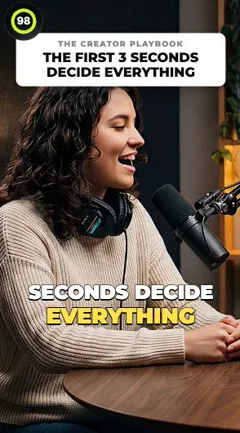
12:04We posted every single day for ninety days.
96
18:40The thumbnail matters more than the title.
92
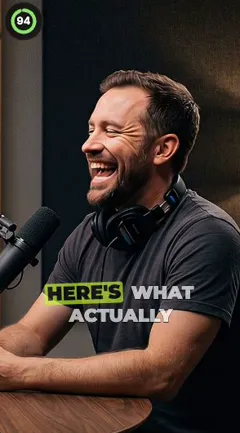
23:15Here’s what actually moved the needle.
89
Scored
Reframed
Captions
The best moments, scored
StoryCut reads the whole transcript, picks 3 to 12 moments that stand on their own, and gives each a 0 to 100 virality score, best first. Tell it what to look for, or pick the part of a long stream to use.
youtube.com/watch?v=…
Get clips
YouTubeTwitch past broadcastKick past broadcastGoogle DriveDropboxUpload
One run
2 to 150 min
Every plan, free included
Any link, on every plan
YouTube, Twitch and Kick past broadcasts, Google Drive and Dropbox links, or an upload, on the free plan too. A run takes up to 150 minutes of a video, from any part of a longer one.
10 hours of video a month
StoryCutPro
$19/mo$14 yearly
2shortPro
$19.90/momonthly
VEEDCreator
$20/mo$9.67 yearly
VizardCreator
$29/mo$14.50 yearly
Opus ClipPro × 2
$58/mo$29 yearly
KlapPro
$79/mo$39.50 yearly
What 10 hours a month costs
StoryCut Pro: $19/mo, or $14/mo billed yearly. 2short Pro: $19.90/mo, YouTube and Drive only. VEED Creator: $20/mo, uploads only. Vizard Creator: $29/mo. OpusClip: $58/mo for two Pro packs. Klap Pro: $79/mo, billed by clips.
How we compared
We read each tool’s own pricing, plan, help and app store pages on November 10, 2026, and kept what decides which clipper fits: how it finds and frames the moments, which videos it takes, what 10 hours of video a month costs on the cheapest plan that covers them (US dollars, before tax), and what you can do with the clips once they are cut.
Where a tool’s own pages disagree, the table says so in a note. We did not run the same videos through every tool for this page: the ranking comes from each tool’s public pages and from our own product.
StoryCut publishes this page and ranks itself first. Every card says where another tool fits a job better, and the sources are under the table.
How to choose
How to choose an AI clipping tool
Four things decide which clipper fits your videos.
01
It finds the right moments
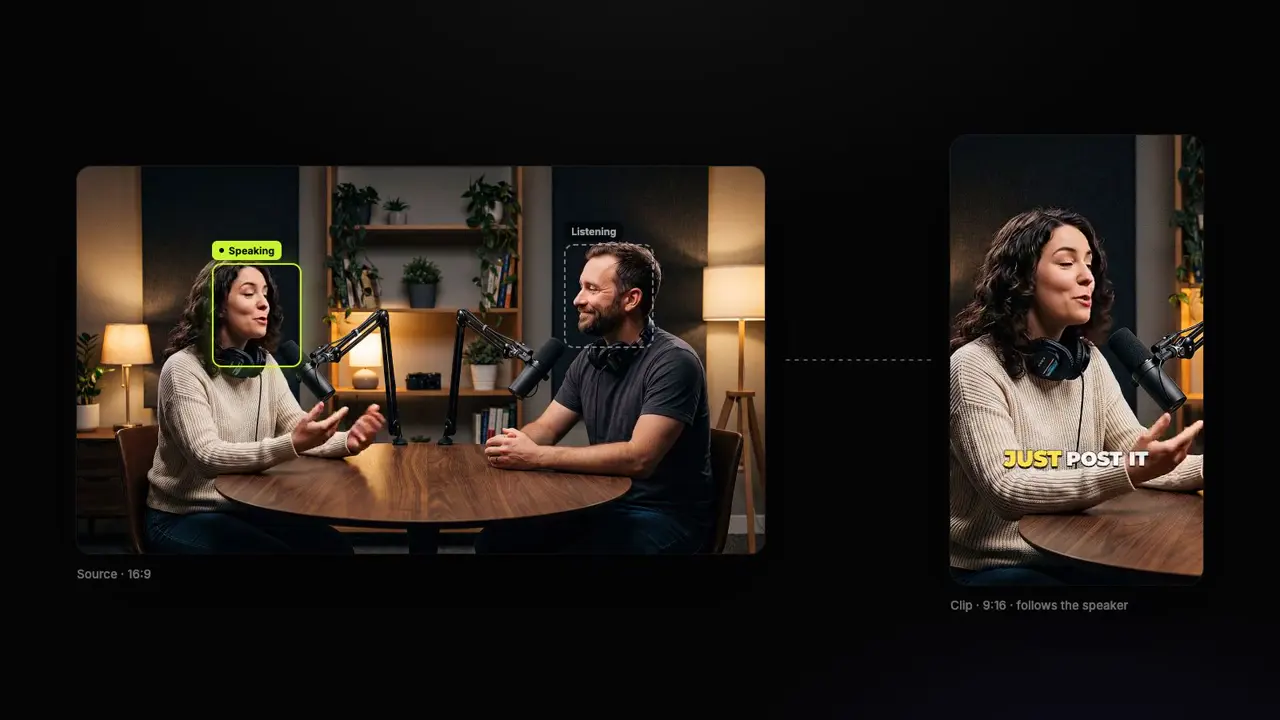
A clipper reads the whole video and returns the parts worth posting, ranked. Look for a score you can sort by, a way to steer it (a topic, or the part of the video to use), and framing that follows whoever is speaking.
02
It takes the videos you have
A YouTube link, a Twitch or Kick stream, a Drive link or a file on your computer: check which ones the plan you’d buy takes, and how long a video can be.
03
What your hours really cost
Tools count credits, minutes, clips or videos. Work out what the hours you clip each month cost, billed monthly and yearly, before you compare entry prices.
04
What happens after the clip
Captions you can style, zooms, sound effects, B-roll, eye contact, posting: the less you redo by hand, the more clips you post.
Compare
10 AI clipping tools, side by side
Ten AI clipping tools compared on the free plan, the entry paid plan, the price of 10 hours of video a month, the clip score, the links each takes and the gaming facecam layout
Tool
Free plan
Entry paid plan
10 hours of video a month
Clip score
Links it takes
Facecam layout
StoryCut
Free plan
1 long video a month (any 30 min), 720p, watermark
Klap · 10 hours of video a month Klap counts clips, not minutes: about 17 from a 30 to 60 minute video by its own figures, so 10 hours pass Basic’s 100 clips.
Try AI clips freeFree plan • No credit card • YouTube, Twitch, Kick, Drive and Dropbox links
Tool details
Every tool, in detail
What each one is best for, and where it falls short.
1
StoryCutOur pick
Best for: Clipping and finishing in one place, from any link
Paste a YouTube video, a Twitch or Kick stream or a Drive or Dropbox link, or upload a file, and get 3 to 12 vertical clips ranked by a 0 to 100 score, framed on the speaker, captioned in your style, with a headline on their first seconds. Gaming streams get the facecam over the game. On Pro, your edit style adds zooms, sound effects and music to every clip and B-roll to the best 3, and eye contact correction is built in.
Pros
Every link on every plan, free included
10 hours a month for $19/mo ($14/mo billed yearly)
Edit styles, sound effects, eye contact, auto import, API and MCP
The best-known AI clipper: a Virality Score, prompts to steer it (ClipAnything), a gameplay layout, auto-posting from Starter and a scheduler on Pro, uploads up to 10 hours, and iOS and Android apps.
Pros
Auto-posting from Starter, a scheduler on Pro
iOS and Android apps (4.85 stars on the App Store)
60 free minutes a month
Cons
10 hours a month cost $58/mo (two Pro packs)
Twitch, Kick and Dropbox imports start on Pro
3
Vizard
Best for: A free hour a month, and 4K on the entry plan
An AI clipper with 30+ clips a video, a virality score with a reason, AI B-roll on every plan, scheduling to six networks and phone apps. Creator exports 4K and takes uploads up to 600 minutes.
Pros
60 free minutes a month
4K, 600-minute uploads and scheduling on Creator
iOS and Android apps
Cons
$29/mo for 600 credits is its smallest paid plan
No facecam layout or eye contact correction found
4
Klap
Best for: The most clips per video, with a gaming layout
Up to 30 clips a video, each with a 0 to 100 score and an explanation, a gaming layout found for you, Twitch and Kick links, and scheduling with unlimited social accounts on every paid plan. It counts clips, not minutes.
Pros
Up to 30 scored clips a video
Gaming layout and Twitch, Kick and YouTube links
Scheduling, and an API billed per use
Cons
Billed by clips: 10 hours a month need Pro, $79/mo
The free trial can’t download
5
Submagic
Best for: Caption templates, on clips and short videos
Magic Clips turns a YouTube link, a Drive link or a file into 20+ scored clips in 10 to 25 minutes, using the plan’s credits (8 a long video), with Submagic’s caption templates, B-roll and, on Pro, eye contact and auto zooms.
Pros
35+ caption styles, including Hormozi themes
Counts videos, not minutes: 5 long videos on Starter
Eye contact, auto zooms and silence removal on Pro
Cons
Edited videos capped at 2 minutes on Starter and 5 on Pro
A browser video editor with a timeline, screen recorder, avatars and dubbing, whose Clips feature cuts uploads with up to 3 hours of speech into short clips framed on the speaker.
Pros
Unlimited AI clips on paid plans, per its help center
A full timeline editor in the same place
Creator from $9.67/mo billed yearly
Cons
No YouTube or stream links for clips: upload the file
A recording studio whose Magic Clips come with every plan without credits: about 2 clips for every 5 minutes, scored, from Riverside recordings and uploads of up to 4 hours.
Formerly vidyo.ai: 4 to 60 clips a video with a score out of 100, 9 reframing layouts on paid plans, and scheduling to 12 networks with a content planner and analytics.
Pros
Scheduling to 12 networks
4 to 60 clips a video
75 free minutes a month
Cons
$29/mo for 100 minutes, no yearly discount
1080p at most, no Kick links
9
2short
Best for: The lowest price per hour, for YouTube videos
Formerly Munch (getmunch.com): an AI social media manager that writes posts and scripts, makes AI videos, repurposes long videos into clips and schedules them, for businesses and agencies.
Pros
Posts, scripts, AI videos and scheduling in one place
Plans for agencies with up to 15 brands
Search-trend keywords for each project
Cons
No free plan, from $68/mo ($38/mo billed yearly)
No virality score, by its own comparison
FAQ
Frequently Asked Questions
What is the best AI clipping tool in 2026?
For most creators, StoryCut: it takes YouTube, Twitch, Kick, Google Drive and Dropbox links on every plan, scores and frames every clip, stacks a gaming facecam over the game, and finishes each clip with your caption and edit style, for $19/mo for 10 hours of video a month.
OpusClip is the pick for posting from phone apps, Vizard for a free hour a month, and Klap for the most clips per video. StoryCut publishes this comparison.
What is the best free AI clipping tool?
It depends on what you need from the free plan. OpusClip and Vizard give 60 minutes a month, and Quso 75, all with a watermark. 2short gives 30 minutes of YouTube video a month without a watermark, with ads.
StoryCut clips 1 long video a month (any 30 minutes of it), from any link or an upload, in 720p with a watermark. Klap’s free trial can’t download, and Munch Studio has no free plan.
Which AI clipping tool is the cheapest?
Per hour of video, 2short ($19.90/mo for 15 hours), for YouTube and Drive videos only. For 10 hours a month: StoryCut Pro $19/mo ($14/mo billed yearly), VEED Creator $20/mo (uploads only), Vizard Creator $29/mo, Quso Growth $49/mo, OpusClip $58/mo for two Pro packs and Klap Pro $79/mo.
Which AI clipping tools work with Twitch and Kick streams?
StoryCut takes Twitch and Kick past broadcasts on every plan, free included, and Klap on its paid plans; OpusClip imports them from Pro. Vizard and Quso take Twitch but not Kick. StoryCut, Klap and OpusClip also put the facecam on top of the game.
Which clipping tool handles podcasts with two or more speakers?
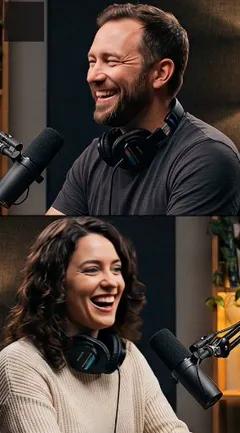
Look for framing that follows the active speaker and a layout for two people. StoryCut follows whoever is speaking and switches to a split screen, one person above the other, when two people matter.
Vizard keeps the active speaker centred and has an interview layout, Quso’s CutMagic has 9 layouts, and Riverside’s Smart Layouts pick the speaker in its own recordings. Captions include every voice.
Do AI clipping tools work for non-gaming streams like podcasts or IRL?
Yes, as long as people talk: most clippers pick moments from what is said. Podcasts, Just Chatting and IRL streams clip well; gameplay nobody talks over needs a tool that reads the picture. StoryCut keeps a full-screen cam on its own for IRL and chatting parts, and stacks the facecam over the game for gameplay.
What pricing model is best for a streamer who posts daily Shorts?
Pay for hours of video, not for each clip, when your streams are long: daily posting means many clips from few videos. StoryCut counts hours (10 hours for $19/mo on Pro, up to 30 videos), Klap counts clips (100 for $29/mo), and Submagic counts videos. A clip-based plan suits a few clips from many short videos.
Which AI clipping tools post to TikTok and YouTube for you?
OpusClip, Vizard, Klap and Quso schedule to several networks, and Munch Studio and Riverside post too. StoryCut’s publishing to YouTube and TikTok is coming soon; for now you download each clip and post it, or let auto import clip every new YouTube upload for you.
Can I use AI clipping tools on other people’s videos?
Only with permission, usually through a clipping campaign or the creator’s own clipping program. Clips made from someone else’s video without permission can be taken down for copyright.