
 Use Cases
How to Clip GTA 6 Streams with Claude or ChatGPT
Connect StoryCut to your AI assistant once, paste a GTA 6 stream into the chat and ask for clips in plain words. StoryCut finds the reactions, puts the facecam on top of the game and captions every clip on its own servers. Nothing to install, no code, any computer.
- Free connector, free plan
- Claude on every plan
- ChatGPT Business and Enterprise, on the web
 StoryCut

GTA 6 images: Rockstar Games. StoryCut is not affiliated with or endorsed by Rockstar Games or Take‑Two Interactive.
Clip GTA 6 with Claude or ChatGPT: key facts
- Short answer
Add StoryCut to Claude or ChatGPT as a custom connector (the address is https://app.storycut.com/mcp), sign in to StoryCut once, then paste a GTA 6 stream into the chat and ask for clips.
StoryCut does the clipping on its own servers: it finds the moments in what the streamer says and how they react, puts the facecam on top of the game, captions each clip and scores it out of 100. Your assistant shows you the best ones.
There’s nothing to install and no code to run, and the connector is free on every StoryCut plan.
- Where it works
Claude on the web and in its desktop app, on every plan: Free (one custom connector), Pro, Max, Ultra, Team and Enterprise. On Team and Enterprise, an owner adds it first. Once it’s added, Claude’s phone apps can use it too.
ChatGPT: Business, Enterprise and Edu workspaces, on the web. On ChatGPT Pro, custom connectors can only read, so they can’t start a run.
- What you paste
- A Twitch or Kick past broadcast, a YouTube video or ended stream, or a Google Drive or Dropbox link to one video, shared with anyone who has the link. A run takes 2 to 150 minutes of video. On a 10-hour launch stream, ask for a part (“from 3:00:00 to 5:30:00”), and only that part is downloaded.
- What comes back
- Up to 12 vertical clips a run, best first, each with its score out of 100, its length, its headline and a preview to watch. The facecam goes across the top, the game below, captions just under the line. A long stream takes about 15 to 20 minutes, and you get an email when the clips are ready.
- Edit by asking
- Ask for another caption style or headline look, a new title, or the zooms and sound effects of your edit style (on plans that include them). Then ask for the MP4: you get a download link that works for 24 hours, and the text to post it with on YouTube, TikTok and Instagram.
- What it won’t do
- It never uses an extra AI Clips video you bought without asking you first. It never makes music, images or video with AI, can’t buy anything and never sees your payment details. It can’t clip a stream that is still live. It doesn’t post for you: you download the clip and upload it.
- Price
The connector is free. Runs use your StoryCut plan: Free gives 1 long video a month (any 30 minutes of it), 720p with a watermark.
Paid plans count hours of video a month: Starter 3 hours (up to 10 videos), Pro 10 hours (up to 30 videos), Business 30 hours (up to 60 videos), without a watermark, from $7/mo billed yearly.


How to clip GTA 6 with Claude
In Claude on the web or the desktop app. You set it up once; after that, every run starts from a message.
- 1
Open Claude’s connectors
Go to Customize → Connectors, then + Add → Add custom connector. On a Team or Enterprise plan, an owner adds it for everyone first.
- 2
Paste StoryCut’s address
Name it StoryCut and paste https://app.storycut.com/mcp as the server URL. Click Continue through the sign-in settings Claude finds, then Add.
- 3
Sign in to StoryCut once
A StoryCut page opens: continue with Google, Apple or your email, and allow access. If the connector shows Connect instead, click it. No account yet? Create a free one first, no credit card.
- 4
Switch it on and ask
In a chat, click + → Connectors and turn StoryCut on. Paste the stream’s link and say what you want: “Clip the best reactions from this stream, 30 to 60 seconds each.”
Ask Claude for your next GTA 6 clips
What you type, and what comes back
An example on a paid plan, written out. Your assistant words it its own way; the facts in its answers come from StoryCut.
- You
Clip the best reactions from my GTA 6 stream, 30 to 60 seconds each. Use the part from 3:00:00 to 5:30:00: twitch.tv/videos/…
- StoryCut
create_clipsRun started - Assistant
Started on your StoryCut account: clips from 3:00:00 to 5:30:00 of your 9-hour stream, 30 to 59 seconds each. It uses 1 of your AI Clips videos this month and 2 h 30 min of your hours of video. It takes about 15 to 20 minutes, and you’ll get an email when the clips are ready.
- You
Are they ready? Which ones are best?
- StoryCut
list_clips12 clips - Assistant
Yes, 12 clips. The best three: “Did you see that?!” scored 96/100 (0:41), “No way bro” 93/100 (0:52) and “Clip that” 90/100 (0:33). Each has your facecam on top, captions and a preview link.
- You
Put the first one’s headline in the Breaking look, then export it.
- StoryCut
update_clipHeadline saved - StoryCut
export_clipMP4 ready - Assistant
Done: the headline is in Breaking, and your MP4 is ready. Here’s the download link; it works for 24 hours.
- You
Write me a TikTok caption for it.
- StoryCut
write_post_textPost text - Assistant
Here’s a TikTok caption, plus a YouTube title and description and an Instagram caption, ready to copy.
The stream, the clips and their scores are an example. On the free plan a run takes up to 30 minutes of a video, and the assistant asks before it would use an extra AI Clips video you bought.
How to clip GTA 6 with ChatGPT
In a ChatGPT Business, Enterprise or Edu workspace, on the web. An admin adds custom connectors, or lets members add them.
- 1
Add a custom MCP server
Open Plugins (chatgpt.com/plugins), select + and choose Add custom MCP server. Name it StoryCut, paste https://app.storycut.com/mcp, tick “I understand and want to continue” and select Create as a plugin.
- 2
Install it and sign in
Install the plugin. When StoryCut’s sign-in page opens, continue with Google, Apple or your email and allow access.
- 3
Mention it and ask
In a new chat, type @, pick StoryCut and paste the stream: “@StoryCut clip the best reactions from this stream.”
What you can ask for, and what it won’t do
| You ask | What happens |
|---|---|
| Clip a Twitch or Kick past broadcast | Yes, from twitch.tv/videos/… or kick.com/<channel>/videos/…, not the live channel page |
| Clip a YouTube video or stream | Yes, a video, or a stream once it has ended |
| Clip a stream that is still live | No, only its past broadcast, once the stream has ended |
| Clip one part of a 10-hour stream | Yes, give the start and the end: up to 2.5 hours (30 minutes on Free), and only that part is downloaded |
| Clip a file on your computer | No, share it as a Google Drive or Dropbox link, or upload it on storycut.com |
| Change a headline, caption style or title | Yes, on every plan |
| Add zooms and sound effects | Yes, from your edit style, on plans that include them |
| Export an MP4 | Yes, at your plan’s quality, with a download link that works for 24 hours |
| Write the post text | Yes, a YouTube title and description, a TikTok caption and an Instagram caption |
| Post the clip for you | No, you download the clip and upload it |
| Make music, images or video with AI | No, it cuts, frames and captions your own video |
| Use an extra AI Clips video you bought | Limited, only after you say yes |
| Clip gameplay nobody talks over | No, StoryCut picks moments from what is said. When nobody talks, it stops right after the download, and that run doesn’t count |
StoryCut in the chat, or the free gta6-clipper skills?
| StoryCut connector | gta6-clipper | |
|---|---|---|
| What it is | A connector: Claude or ChatGPT sends the job, and StoryCut’s servers do the clipping | Two free, open-source Claude Code skills that clip on your own computer |
| What you install | Nothing: Claude in a browser or its desktop app, or ChatGPT on the web | Claude Code and a setup script1 |
| Computer | Any computer with a browser | A Mac2 |
| Links | Twitch and Kick past broadcasts, YouTube, Google Drive and Dropbox | YouTube, Twitch and Kick (Kick needs your browser’s login). With no link, it finds the day’s biggest GTA 6 streams |
| Live streams | No, a stream is clipped once it has ended | Yes, a live skill makes a clip about 5 to 8 minutes after the moment, while Claude Code stays open |
| What you get | Vertical clips scored out of 100: facecam on top, captions and a headline. Open any clip in StoryCut’s editor | 1080×1920 clips: facecam on top, gameplay below, a hook title, word-by-word captions and a post caption with hashtags |
| Cost | The connector is free; runs use your StoryCut plan (Free: 1 long video a month, any 30 minutes of it) | Free and open source (MIT). Picking the moments uses your Claude subscription, or a local model through Ollama |
Notes
Checked on November 20, 2026 from each product’s public pages.Sources6
- GitHub: vossashtonai/gta6-clipper (README)github.com
- GitHub: gta6-clipper-windowsgithub.com
- Claude Help: custom connectors using remote MCPsupport.claude.com
- Claude Help: use connectorssupport.claude.com
- OpenAI: connect a custom MCP server to ChatGPTdevelopers.openai.com
- OpenAI Help: custom MCP servers in ChatGPT (copy of Nov 7, 2026)web.archive.org
Which one should you use?
Use the free skills if you’re on a Mac (a Windows version exists too), you’re happy to install developer tools, and you want to clip streams while they’re still live or let the tool find streams for you.
Use StoryCut’s connector if you want nothing to install and any computer to work: paste a finished stream into Claude or ChatGPT, get clips scored out of 100 with the facecam already on top, and open any of them in a full editor to change the captions, the headline or the layout. Either way, clip only streams you have permission to clip.
Frequently Asked Questions
How do I clip GTA 6 with Claude?
Add StoryCut as a custom connector in Claude (Customize → Connectors → + Add → Add custom connector, with the address https://app.storycut.com/mcp), sign in to StoryCut once and turn the connector on in a chat. Then paste the stream’s link and ask: “Clip the best reactions from this stream.” StoryCut makes the clips and Claude shows you the best ones.
Can I clip GTA 6 with ChatGPT?
Yes, in a ChatGPT Business, Enterprise or Edu workspace, on the web: add StoryCut under Plugins → + → Add custom MCP server, then mention @StoryCut in a chat. On ChatGPT Pro, custom connectors can only read, so they can’t start a run, and OpenAI’s help doesn’t list custom servers for Plus or Free. Claude allows custom connectors on every plan, Free included.
Is it free to clip GTA 6 with Claude?
The connector is free, and Claude’s free plan allows one custom connector. Runs use your StoryCut plan: the free plan gives 1 long video a month (any 30 minutes of it), 720p with a watermark. Paid plans count hours of video a month: Starter 3 hours (up to 10 videos), Pro 10 hours (up to 30 videos), Business 30 hours (up to 60 videos), from $7/mo billed yearly.
Do I need a Mac, Claude Code or any code?
No. The clipping runs on StoryCut’s servers, so Claude in a browser or its desktop app is enough, on any computer. Many free tutorials use Claude Code skills that run on your own Mac; StoryCut’s connector needs no install. If you use Claude Code anyway, connectors you add in Claude show up there too.
Can it clip a GTA 6 stream that is still live?
No. Paste the past broadcast once the stream has ended. YouTube can take hours to prepare a long stream’s recording: if it’s still preparing, the run waits and starts by itself once the recording is ready. If YouTube hasn’t listed the stream’s length yet, try again in a few hours.
How many clips does one run give?
Each run gives 3 to 12 clips, best first, from 2 to 150 minutes of video. On a longer stream, ask for a part, then for the next part. Ask “are my clips ready?” at any time, or open the clips page link the assistant gives you.
Can I clip someone else’s GTA 6 stream?
Only with permission: a clipping campaign that names the streamer, the streamer’s own clipping program, or your own stream. Clips of a stream you may not clip can be taken down for copyright.
What does Claude or ChatGPT see from my StoryCut account?
Only what the StoryCut actions it calls send back: your runs and clips (titles, scores, timings, headlines and the beginning of what is said in them), your caption and edit style choices, what your plan has left, and preview and export links that stop working after 1 to 24 hours.
Not your email address or payment details. Disconnect it any time in StoryCut, under API & Integrations → AI assistants.
Does it work in Claude’s phone app?
Add the connector on the web or in the desktop app first. Claude then makes it available in its iOS and Android apps the next time you sign in there.
Does a run started from the chat read the Twitch chat?
Yes, on a Twitch past broadcast: StoryCut also reads the moments your viewers clipped and where the chat lit up, and uses them as hints when it picks the clips, unless you saved Viewer reactions off in the AI Clips window’s settings. Kick and YouTube streams are picked from what is said.
Is StoryCut made by Anthropic, OpenAI or Rockstar Games?
No. StoryCut is an independent clip maker that works in Claude and ChatGPT through their custom connectors; it isn’t affiliated with or endorsed by Anthropic or OpenAI. StoryCut is not affiliated with or endorsed by Rockstar Games or Take-Two Interactive. Grand Theft Auto and GTA are their trademarks, named here only to say which game the clips come from.
More for GTA 6 clippers
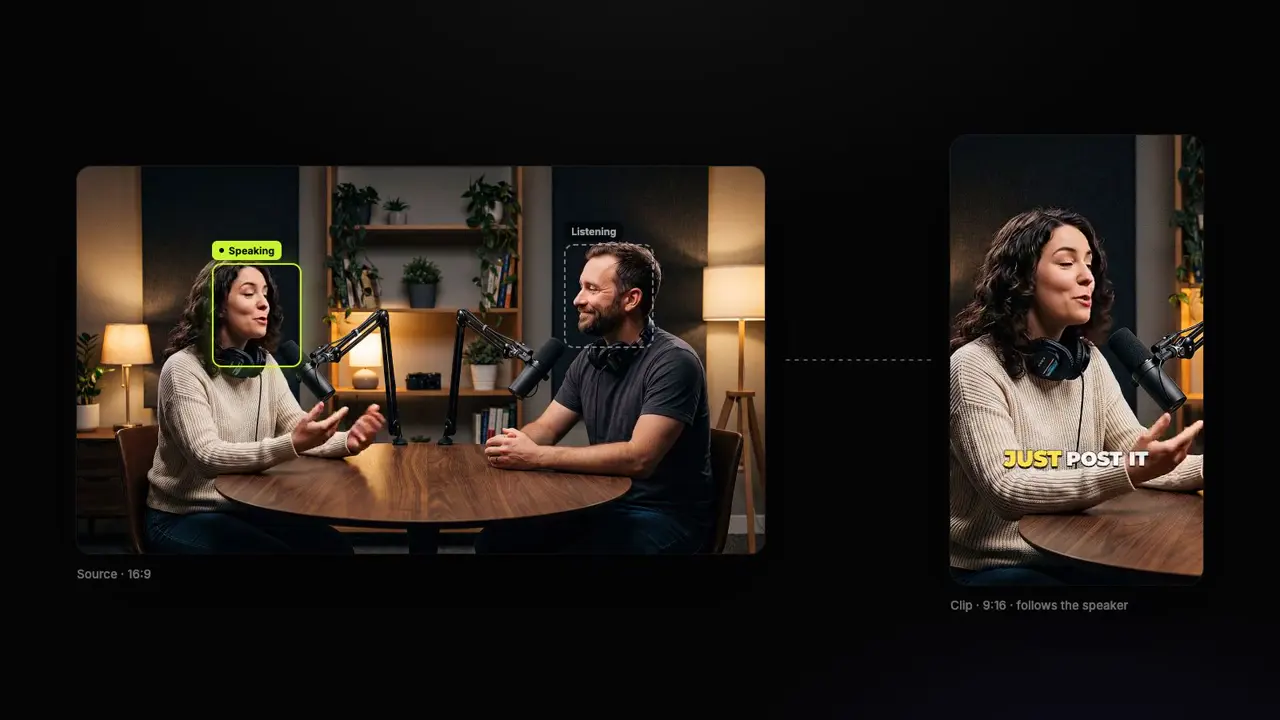
Clip Your Next GTA 6 Stream
Set up the connector and ask Claude or ChatGPT for your clips, or paste the past broadcast here and get the same clips on storycut.com.
1 long video a month free (any 30 minutes of it), no credit card. The connector is free on every plan.
- Free plan, no credit card
- Twitch, Kick and YouTube links
- In Claude and ChatGPT Business
You Might Also Like
Make Short Clips From Claude or ChatGPT
StoryCut is a remote MCP server. Add it to your AI assistant once, paste a YouTube link in the chat, and an AI Clips run starts on your StoryCut account: the best moments found, reframed to 9:16, captioned and scored.

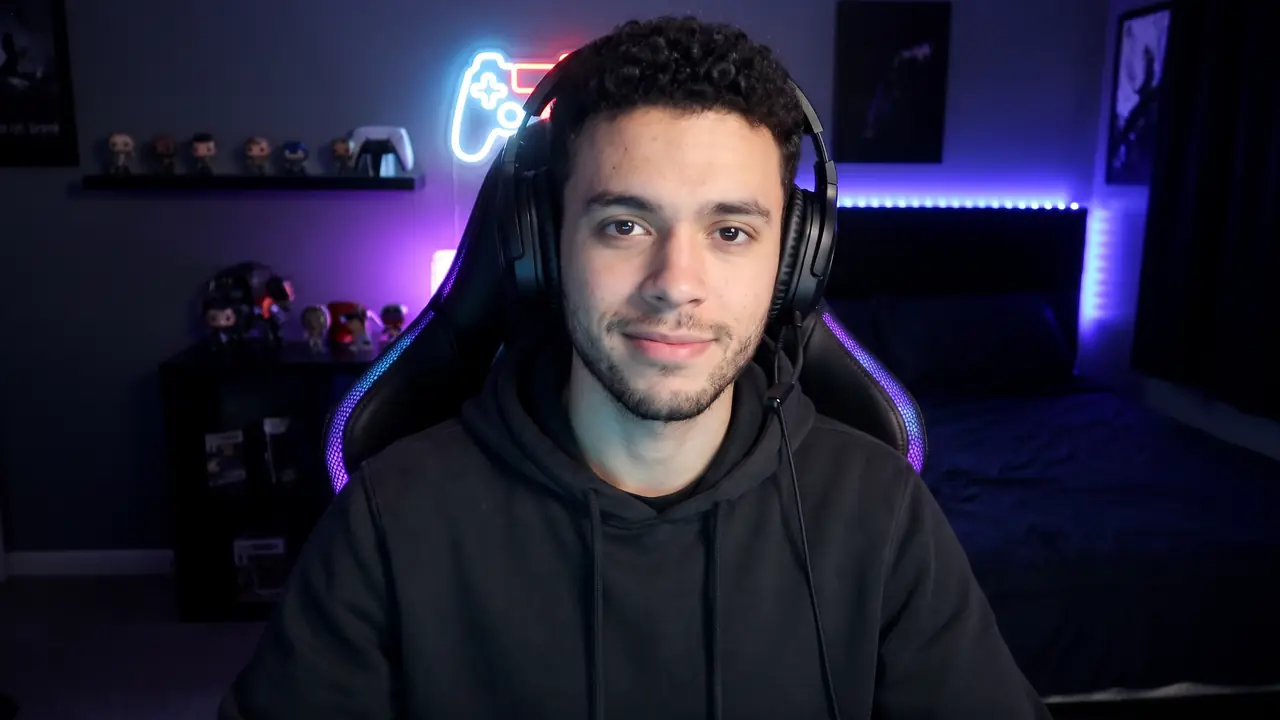
GTA 6 Clip Maker: Your Best Moments, Ready to Post
Paste your GTA 6 stream or video link. StoryCut finds the reactions worth posting in hours of footage, puts your facecam on top of the game and captions every clip, ready for TikTok, Shorts and Reels while the game is everywhere.
Make Money with GTA 6 Shorts, Clipped by AI in Minutes
Paste your Grand Theft Auto VI gameplay into StoryCut, or ask Claude or ChatGPT. Minutes later you have vertical clips of the best moments: captioned, scored, facecam on top, ready for Shorts, TikTok and Reels.

AI video editor for creators who want viral content without the editing grind.
Features
All FeaturesAI CaptionsHormozi CaptionsMrBeast CaptionsAdd Subtitles to VideoSubtitle GeneratorAI Video EditorAI Clip GeneratorYouTube to ShortsYouTube Auto ImportAI HeadlinesChatGPT & Claude ConnectorVideo Clipping APIEye Contact FixMagic ZoomTransitionsClean AudioAI MusicSound EffectsAI Auto EditEdit StylesAI B-RollGTA 6 Clip MakerTwitch & Kick Clip MakerRemove SilenceRemove Filler WordsAI ThumbnailsBrand KitsCommunity StylesAI Video TranslatorFree Tools
Video Hook GeneratorTikTok CaptionsInstagram CaptionsYouTube TitlesTikTok HashtagsVideo Script GeneratorAI Video IdeasContent CalendarTikTok TranscriptVideo to TextFree SRT GeneratorSubtitle TranslatorFree TeleprompterWords to MinutesSRT to VTT ConverterTikTok Safe ZoneFree Sound EffectsAll 40 Tools →Use Cases
TikTok CreatorsYouTube ShortsInstagram ReelsPodcastersClippersGTA RP ClipsGTA 6 Shorts with AIClip GTA 6 with ClaudeAgencies & TeamsLinkedIn VideosTeleprompter Eye ContactPremiere Pro Eye ContactDaVinci Resolve Eye ContactFinal Cut Pro Eye ContactLoom Eye Contact