 VS
VS
Captions AI vs Submagic: Phone App or Web Editor?
Captions is an iPhone-first AI video editor that runs on credits. Submagic is a web app that charges per video, with a length cap on each plan. Here is where each one actually works, what it costs, and which fits the way you make videos, with every plan checked on October 3, 2026. We make StoryCut, a third option, and we say where it fits.
- We make StoryCut
- Free plan, no credit card
- Paid plans from $7/mo billed yearly
Captions AI vs Submagic: the short answer
- Verdict
- Pick Captions if you film and edit on an iPhone and want generative AI tools (AI Edit, eye contact, voice dubbing with lip-sync, AI avatars) and can live with credits. Pick Submagic if you edit in a browser on Windows or Mac, want a fixed number of captioned videos a month and a large template library, and your videos fit its 2-minute (Starter) or 5-minute (Pro) cap.
- Captions price (2026)
- Free: 60–200 credits for the life of the account. Basic $9.99/mo (iOS: $64.99/yr; not shown on the pricing page). Max $24.99/mo (500 credits, 2 seats). Frontier $69.99/mo (1,400 credits, 3 seats). Captions says the prices it lists are iOS prices.
- Submagic price (2026)
- Starter $19/mo or $12/mo billed yearly (15 videos a month, up to 2 min each, 1080p). Pro $39 or $23 (40 videos, up to 5 min, 2K). Business $69 or $41 (100 videos, up to 30 min, 4K 60fps). Per member. Free trial: 3 short videos with a watermark.
- Cheapest plan with eye contact
- Captions Basic, $9.99/mo, on iPhone (Android gets it in Captions Lite; the new web app doesn’t have it). Submagic Pro, $39/mo or $23/mo billed yearly, in the browser. StoryCut Pro, $19/mo or $14/mo billed yearly (10 videos a month), or 5 videos for $9 one-time, after 1 free correction on every account.
- A third option (ours)
- StoryCut is a web app like Submagic, with longer videos per plan (7 minutes on Starter, from $7/mo billed yearly), sound effects placed on key words and voice dubbing in 33 languages on Pro, and AI clips on every plan. No mobile app.
Captions AI vs Submagic at a glance (with StoryCut)
| Feature | Captions AI | Submagic |  StoryCut StoryCut |
|---|---|---|---|
| Platform | iPhone, web, Android (Lite only) | Web only | Web (desktop and mobile browsers) |
| Entry paid plan | Basic $9.99/mo (iOS: $64.99/yr) | Starter $19/mo, $12/mo yearly | Starter $9/mo, $7/mo yearly |
| Free Plan | 60–200 lifetime credits, 1 template | Trial: 3 short videos | 3 videos at a time, 720p |
| Free exports without watermark | Limited(paid AI features add one) | No | No |
| How usage is counted | Credits (AI Edit: 10–40 per video) | Videos per month (3 credits each) | Videos at a time |
| AI Captions | Yes101 languages | Yes100+ languages (48+ on some pages) | Yes49 languages + auto-detect |
| Templates | 100+ on Max; 1 on Free; 30+ on web | 35+ styles, incl. Hormozi 1–5 | 26 styles, incl. 6 Hormozi-style |
| Max video length | 10 min captions; AI Edit 2 min (iOS) | 2 / 5 / 30 min (Starter to Business) | 4 / 7 / 10 / 30 min (Free to Business) |
| Eye Contact Fix | YesiOS from Basic (not new web app) | YesPro and Business | YesYes: 1 free, $9 for 5, Pro (10/mo), Business |
| Sound Effects | Yesprompt-made AI Sounds (Max) | Limited(by hand: 10 sounds + uploads) | YesAI-placed on key words (Pro) |
| Video Translation | Yesdubbing in 31 languages + Lipdub | Translated captions; voice translation per its help center (Sept 2026) | Yesdubbing in 33 languages (Pro) |
| AI Clipping | YesClips (Max): up to 3 h input | YesMagic Clips add-on ($19/mo) | Yesevery plan (1 to 100 a month) |
| Auto Zoom | YesAI Zoom (iOS only) | YesPro and Business | YesMagic Zoom (Pro) |
| Silence Removal | YesAI Trim (iOS) | Yesplus filler words (Pro) | Yessilence only (Pro) |
| Max Resolution | 4K and below (per its feature table) | 4K 60fps (Business) | 4K 60fps (Business) |
| Team Features | Max 2 seats, Frontier 3 (up to 5) | Each member pays a seat | 5 members on Business |
| App Store rating | 4.7 from about 38,000 ratings | Noapp | Noapp |
| Trustpilot | 4.4 (480 reviews) | 4.5 (844 reviews) | Noreviews yet (founded 2025) |
Checked on October 3, 2026 from each product’s public pages. Sources: Captions pricing, Captions plans, Captions feature availability, Captions credit usage, Captions clips, Captions on the App Store, Captions on Trustpilot, Submagic pricing, Submagic AI captions, Submagic sound effects, Submagic on Trustpilot, StoryCut pricing.
iPhone, Android, Mac, web: where each one actually works
| Feature | Captions on iPhone | Captions on the web | Submagic (web) |
|---|---|---|---|
| Captions on any video | Yesup to 10 min | Limited(through AI Edit styles, 4–60 s, 9:16) | Yesup to 2 / 5 / 30 min by plan |
| One-click AI edit | YesAI Edit up to 2 min | YesAI Edit up to 1 min | YesAI Auto Edit |
| Eye Contact Fix | Yesfrom Basic | No | YesPro and Business |
| Pause and filler removal | YesAI Trim | Limited(AI Edit suggests cuts) | YesPro and Business |
| Auto Zoom | YesAI Zoom | No | YesPro and Business |
| AI sound effects and music | Yes | No | Nosound and music libraries |
| Voice dubbing | Yes | No | Voice translation per its help center (Sept 2026), plans not published |
| Manual timeline | Yes | No | Browser editor |
| Upload size | Not stated | 100 MB (2 GB for Remix) | 3,000 MB |
Checked on October 3, 2026 from each product’s public pages. Sources: Captions feature availability, Captions: add captions, Captions AI Edit, Captions web app, Submagic pricing.
What the platform table means
Captions is built for the iPhone (iOS 17 or 18). Its web app at captions.ai is a much smaller product: there is no standalone caption generator, captions come through AI Edit styles that cost more credits, videos must be 9:16 and 4 to 60 seconds long, and uploads from the home screen are capped at 100 MB. Eye contact, dubbing, AI Trim, AI Zoom, AI sound effects, AI music, AI Twins and the manual timeline are missing on the web, and the web app is English-only. On Android you get Captions Lite, a reduced app with a $4.99/mo plan for manual editing; Captions’ help center says eye contact is available there too. Captions’ web help says there is no dedicated Mac or PC app.
Submagic is the opposite: everything runs in the browser, on Windows, Mac or a phone browser, and its help center says there is no native mobile app. If you work on a computer, Submagic gives you its full feature set; if you work on an iPhone, Captions does.
Pricing in 2026
Captions renamed its plans: Pro is now called Basic and Scale is now Frontier, though its own llms.txt file still uses the old names. Basic ($9.99/mo, or $64.99 a year or $5.99 a week in the iOS app) isn’t shown on the pricing page, where Max ($24.99/mo) is the headline plan. Frontier costs $69.99/mo, and Frontier 2x and 4x cost $139.99 and $279.99 a month. The pricing page says "Features and prices reflect iOS plans only", web checkout can show local prices, and yearly prices for Max and Frontier are not published.
Submagic’s prices are per member: Starter $19/mo or $12/mo billed yearly, Pro $39 or $23, Business $69 or $41. Yearly billing saves up to 41%, and the free trial covers 3 short videos with a watermark and no card.
On refunds, Captions’ help center says "Monthly plans are non-refundable", and Submagic’s says it does not offer refunds.
Captions AI vs Submagic pricing (October 2026)
Captions AI- 60–200 credits, no monthly refresh
- 1 caption template (Eclipse)
- Exports using paid AI features are watermarked
- 200 credits a month
- Formerly called Pro
- Eye contact on iPhone
- 500 credits a month
- 2 seats
- 100+ templates, AI Sounds, Clips
- Dubbing and Lipdub, generative B-roll, AI avatars
- 1,400 credits a month
- 3 seats
- 2x and 4x tiers: $139.99 and $279.99 a month
Submagic- 3 short videos
- Exports have a watermark
- 15 videos per month (45 credits)
- Videos up to 2 min
- 1080p, 30fps, no watermark
- Standard caption templates
- 40 videos per month (120 credits)
- Videos up to 5 min, up to 2K
- Eye contact, auto zoom, clean audio, filler removal
- Social publishing
- 100 videos per month (300 credits)
- Videos up to 30 min
- Up to 4K, 60fps
- API: 100 min per month
Checked on October 3, 2026 from each product’s public pages. Sources: Captions pricing, Captions plans, Captions subscriptions, Submagic pricing, Submagic refund policy.
How credits work
Captions charges credits for AI work, not for exports. AI Edit costs 10 to 40 credits per video, changing a style costs 1, each chat message with the AI costs 2, one AI sound effect costs 2 (4 with the MMAudio model), and Prompt to Video costs 16 credits per 6 seconds. Credits are spent even if you never export the result. Unused credits roll over, up to 3 times your monthly allowance, but standard plans can’t buy top-ups: only Teams, Business and Frontier 4x can.
In practice, Basic’s 200 credits cover about 5 to 20 AI Edits a month and Max’s 500 cover about 12 to 50, depending on the style you pick and how often you redo an edit.
Submagic is simpler to predict. One video costs 3 credits, so Starter’s 45 credits make 15 videos, Pro’s 120 make 40 and Business’s 300 make 100. Credits are also used by premium features such as AI B-roll and Magic Clips, and extra packs can be bought.
Captions and styles
Captions lists 101 caption languages (its marketing says 100+). Submagic says 100+ on some pages and 48+ on others. For templates, Captions’ free plan has 1 ("Eclipse"), Max and Frontier have 100+, the web editor has over 30 presets, and AI Edit has 95 basic styles. Submagic has 35+ caption styles, standard ones on Starter and premium themes on Pro and Business, including themes named Hormozi 1 to 5. We found no template officially named after Hormozi in Captions.
Both animate captions word by word, emphasize keywords and add emojis automatically. Captions can export an SRT file. If Hormozi-style captions are what you are after, Submagic (Hormozi 1–5) and StoryCut (6 Hormozi-style presets) have them ready-made.
AI editing: eye contact, AI Edit vs AI Auto Edit, B-roll, zoom, filler removal, SFX, music
Eye contact: Captions has it from Basic on iPhone, and in Captions Lite on Android, but not in its new web app. Submagic has it on Pro and Business, in the browser.
One-click editing: Captions’ AI Edit restyles a whole video with captions, B-roll, zooms and sounds, but works on videos up to 2 minutes on iOS and 1 minute on the web. Submagic’s AI Auto Edit applies captions, B-roll, transitions and zooms in one step, with 3 templates.
Zoom and cuts: Captions has AI Zoom and AI Trim (pauses and "uhms") on iOS only. Submagic has auto zooms, silence and bad-take removal and filler-word removal on Pro and Business.
B-roll: Captions’ AI Edit places B-roll for you, and Max adds generative AI B-roll. Submagic has free stock B-roll on Starter, Storyblocks B-roll on Pro and movie clips on Business.
Sound effects and music: Captions generates a sound effect from a text prompt (AI Sounds, on Max per its pricing page), and AI Edit adds sounds as part of its edit, on iPhone. Submagic adds sound effects by hand from a library of 10 sounds or your uploads, and has a music library. Neither places sound effects on your key words the way StoryCut Pro does.
Dubbing and translation
Captions dubs your voice into 31 languages with a voice clone, and Lipdub matches your lip movements to the new language. Translated captions and dubbing work on videos up to 5 minutes. Its pricing page puts dubbing on Max, while one help page lists "Caption & Dub" under Basic, so check the plan in the app before you buy.
Submagic’s translator page still describes translated subtitles (“isn’t robotic voice cloning or uncanny valley lip sync”), but its help center, updated September 29, 2026, says it now supports voice translation too, without saying which plans include it. If you want lip-sync in another language, Captions’ Lipdub is the one of these two that does it.
StoryCut Pro translates captions into 33 languages and can dub your voice with AI, including a clone of your own voice, on videos up to 10 minutes.
Long videos to clips
Captions’ Clips feature (formerly AI Shorts) is on Max. It takes a video up to 3 hours or 10 GB, or a YouTube link, and returns 30+ ranked clips, reframed automatically. Two Captions help pages disagree on whether Clips works on the web, so plan on the iPhone app.
Submagic’s Magic Clips is an add-on at $19/mo for 10 uploads, on top of your plan. It takes a YouTube link, an upload or a Google Drive file and returns 20+ clips with a virality score, usually in 10 to 25 minutes.
StoryCut includes AI clips in every plan: a YouTube link or an upload from 2 minutes to 2.5 hours, 3 to 12 clips per video with a virality score, reframed to 9:16 around the active speaker, with captions on (1 long video a month on Free, 10 on Starter).
Limits and data safety
Length: Captions handles same-language captions on videos up to 10 minutes on iOS, but AI Edit stops at 2 minutes on iOS and 1 minute on the web, and translation and dubbing at 5 minutes. Submagic caps each video at 2 minutes on Starter, 5 on Pro and 30 on Business, with files up to 3,000 MB.
Export: Captions’ feature table says it exports "4K and below" on iOS and the web, with no HDR on the web. Submagic exports 1080p at 30fps on Starter, up to 2K on Pro and up to 4K at 60fps on Business.
Your projects: Captions’ web help says web projects are stored locally in your browser and are not synced, so logging out or clearing your browser cache deletes them. Export anything you want to keep. Submagic’s editor runs in your account in the browser.
Reviews and complaints
Captions has 4.7 stars from about 38,000 ratings on the US App Store and 4.4 on Trustpilot from 480 reviews (68% five stars, 20% one star). Recent Trustpilot reviewers praise fast support and refunds. The complaints are mostly about credits: App Store reviewers say they feel "nickel and dimed" (November 2025) and that they spend credits fixing the AI’s mistakes (July 2026), and one review titled "Extremely Misleading Trial" (May 2026) describes confusing plan tiers.
Submagic has 4.5 stars on Trustpilot from 844 reviews (86% five stars, 7% one star). Its 1-star reviews are mostly about renewals and its no-refund policy: one reviewer says it "took €339.48 from me without proper notification of the subscription renewal" (July 2026). Reviewers praise the time it saves, its transcription and its style library.
Ratings were checked on October 3, 2026. We could not check Reddit for this page.
Which should you choose?
| Your situation | Pick | Why |
|---|---|---|
| Solo creator filming on an iPhone | Captions | Best phone app; eye contact from $9.99/mo (iOS) |
| Editing on Windows, Mac or the web | Submagic | Full feature set in the browser |
| Small team of 3 | Either, about $70/mo | Captions Frontier: 3 seats; Submagic Pro: 3 × $23 |
| Posting in several languages | Captions | Voice dubbing in 31 languages; Submagic: subtitles |
| Videos of 5 to 10 minutes | Captions or Submagic Business | Captions: captions up to 10 min; Submagic Pro: 5 |
| You want a predictable bill | Submagic | Fixed videos per month; credits vary per edit |
| Clipping long videos | Captions Max | Clips takes up to 3 h; Submagic needs an add-on |
Checked on October 3, 2026 from each product’s public pages. Sources: Captions pricing, Submagic pricing.
Where StoryCut fits (a third option)
Disclosure: we make StoryCut, so read this section with that in mind.
StoryCut is closer to Submagic: a web app that runs in desktop and mobile browsers, with nothing to install. Captions start on their own when your upload finishes, in 49 languages, with 26 built-in styles including 6 Hormozi-style presets. Compared with Submagic, videos can be longer on cheaper plans (7 minutes on Starter at $7/mo billed yearly, 10 on Pro), Pro places sound effects on 4 to 8 key words for you and dubs your voice into 33 languages, and AI clips from long videos are in every plan with no add-on.
Compared with Captions, eye contact correction starts on Pro ($14/mo billed yearly, 10 videos a month), not on a $9.99 plan, but every account can fix one video for free with no card, 5 more cost $9 one-time, and it works in the browser, which Captions’ web app doesn’t offer. StoryCut counts videos at a time rather than credits, so changing caption styles doesn’t use anything up.
Where it is weaker than both: no iPhone or Android app, no AI avatars, no API and no social posting, a free plan that exports 720p with a watermark, and no third-party reviews yet.
Test StoryCut in your browser on your own video
Captions AI vs Submagic: pros and cons
Captions AI
- Polished iPhone app: 4.7 stars from about 38,000 App Store ratings
- Eye contact from the $9.99 Basic plan (iPhone)
- Voice dubbing in 31 languages plus Lipdub lip-sync
- Clips from videos up to 3 hours (Max)
- Deep generative AI: AI Edit, AI avatars, Prompt to Video
- Unused credits roll over, up to 3× the monthly allowance
- Credits are spent even if you don’t export, and standard plans can’t top up
- The new web app lacks eye contact, dubbing, AI Zoom, AI Trim and AI sound effects
- AI Edit works on videos up to 2 min on iOS and 1 min on the web
- No Windows app; Android only gets Captions Lite
- Web projects are stored in your browser and not synced
- Monthly plans are non-refundable, and plan names differ between its pages
Submagic
- Full feature set in any browser, on Windows or Mac
- Predictable usage: a set number of videos per month
- 35+ caption styles, including Hormozi 1–5 themes
- Eye contact, auto zoom, filler removal and clean audio on Pro
- Publishing to 6 networks from Pro, and API minutes on every plan
- 4.5 on Trustpilot from 844 reviews
- Videos capped at 2 min on Starter and 5 min on Pro
- Voice translation is new and its plans aren’t published
- Sound effects are added by hand from 10 sounds or uploads
- Long video to clips is a $19/mo add-on
- No mobile app, and seats are billed per member
- No refunds, per its help center


FAQ
Frequently Asked Questions
Want Submagic-style captions with longer videos and dubbing?
Upload your video. Get back a scroll-stopper with viral captions, cinematic transitions, auto zoom, and clean audio. The same tools top creators use to explode views.
StoryCut works in any browser: captions start on their own, in 26 styles including 6 Hormozi-style presets. Free plan with no credit card. Paid plans from $7/mo billed yearly.
- Join 10,000+ creators
- No credit card required

You Might Also Like
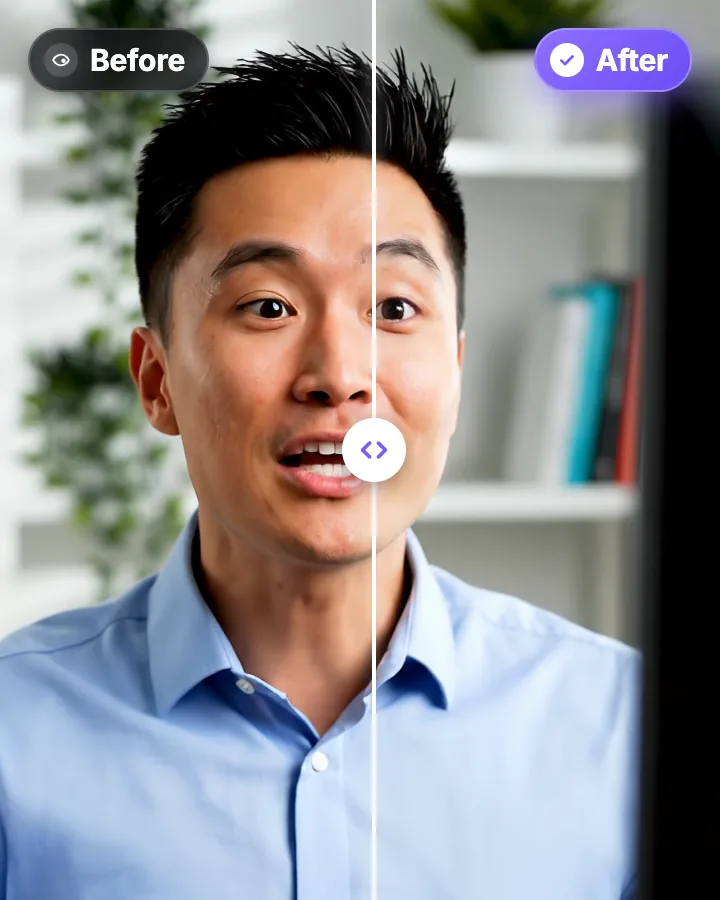
AI Eye Contact and Gaze Correction for Recorded Videos
Read a script, checked your notes or watched yourself on screen? Upload the video and the AI points your gaze back at the lens in every frame, keeping your resolution, frame rate and audio. Your first video is free.

Video Translator: Translate and Dub Your Videos with AI
Translate a video’s captions into 33 languages, English included, or dub the voice too, in a clone of your own voice or a stock male or female voice. Turn it on when you upload, and the translated video opens ready to edit.
Hormozi Style Captions, Generated for You
Bold uppercase words, two or three at a time, the key word in color and a quick pop-in. Upload a video and StoryCut transcribes it and animates the captions in the Hormozi style.
Auto SFX: Add Sound Effects to Your Video Automatically
StoryCut reads your transcript, picks the 4 to 8 words that deserve a sound and places a matching whoosh, pop or ding on each one, timed to the word. No library to dig through, no timeline to drag.

AI video editor for creators who want viral content without the editing grind.
Features
All FeaturesAI CaptionsHormozi CaptionsMrBeast CaptionsAdd Subtitles to VideoSubtitle GeneratorAI Video EditorAI Clip GeneratorYouTube to ShortsEye Contact FixMagic ZoomTransitionsClean AudioAI MusicSound EffectsAI Auto EditRemove SilenceAI ThumbnailsBrand KitsCommunity StylesAI Video TranslatorFree Tools
Video Hook GeneratorTikTok CaptionsInstagram CaptionsYouTube TitlesTikTok HashtagsVideo Script GeneratorAI Video IdeasContent CalendarTikTok TranscriptVideo to TextFree SRT GeneratorSubtitle TranslatorFree TeleprompterWords to MinutesSRT to VTT ConverterTikTok Safe ZoneFree Sound EffectsAll 40 Tools →Use Cases
TikTok CreatorsYouTube ShortsInstagram ReelsPodcastersClippersAgencies & TeamsLinkedIn VideosTeleprompter Eye ContactPremiere Pro Eye ContactDaVinci Resolve Eye ContactFinal Cut Pro Eye ContactLoom Eye Contact