Video Editing Styles for Short-Form Video: 18 Styles, With the Numbers
An editing style is a handful of choices you repeat on every video: how often the picture zooms and how far, how many sounds, how loud the music, how tight the cuts. Here they are for 18 styles, and how to pick yours.
Edit styles released November 1, 2026
On this page
The Short Answer
A video editing style is the set of choices you make the same way on every video: how often the picture zooms in, how strong the zooms are, whether sound effects mark key words, how loud the music sits under your voice, and how tightly pauses are cut. For talking videos, calm styles zoom 1 to 3 times a minute by 4 to 15%; energetic ones about 6 times a minute by 12 to 25%.
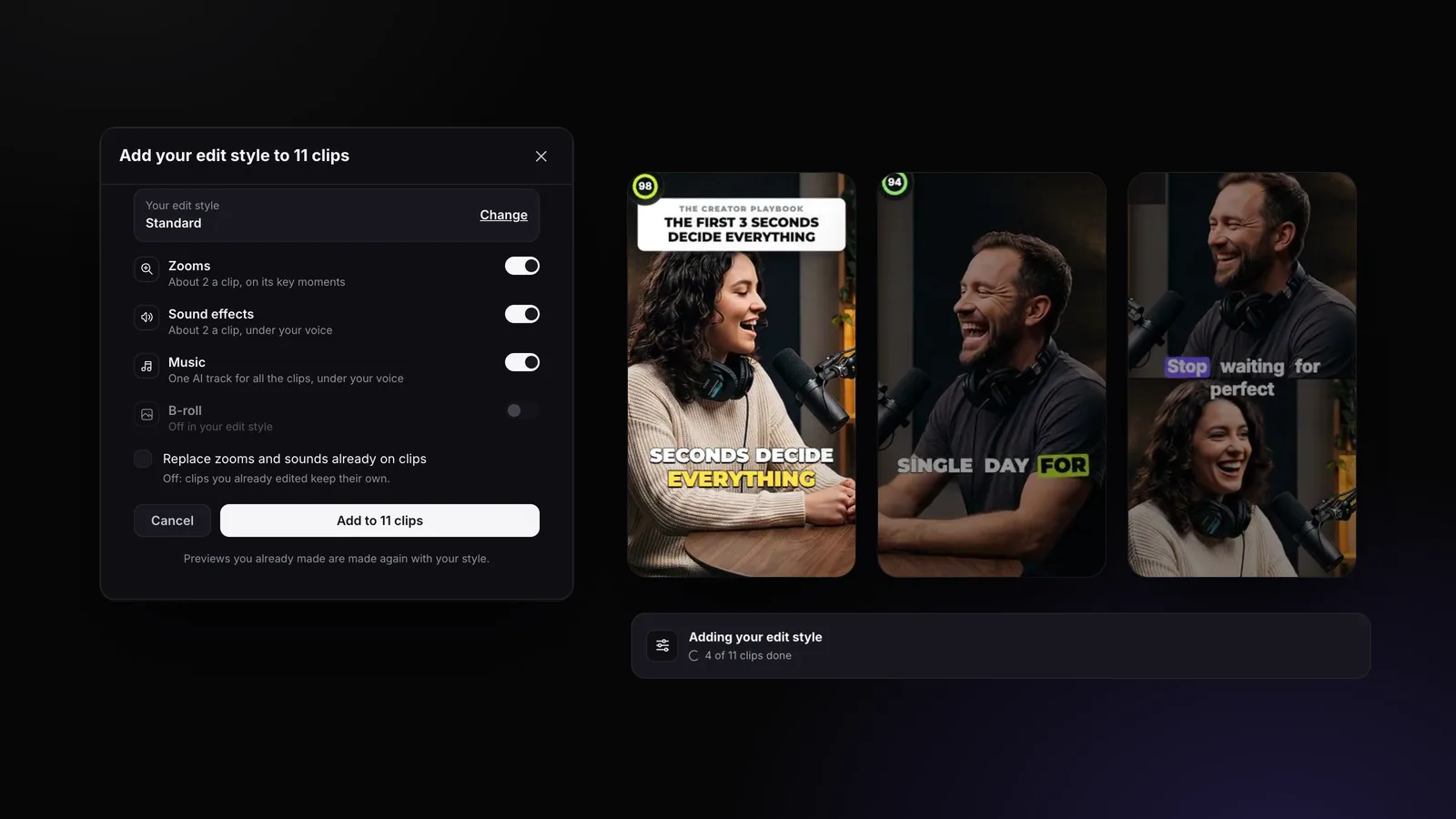
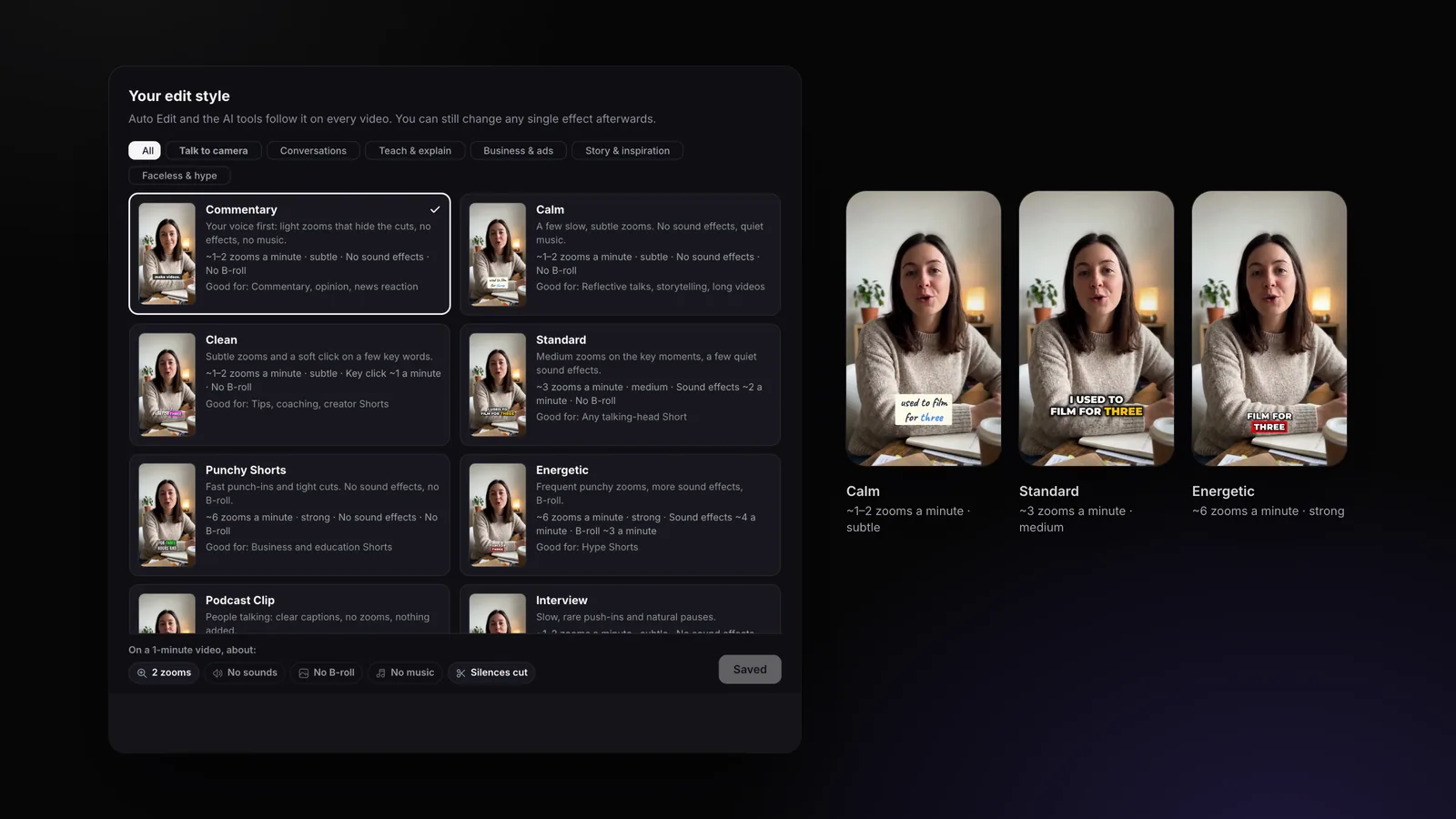
Pick the style that fits your format (a podcast clip needs almost nothing, a hype Short a lot), then keep it on every video so your channel is recognizable. In StoryCut, you choose one of 18 edit styles once in Settings → Edit style, and Auto Edit and every AI tool follow it.
Disclosure: StoryCut publishes this guide and makes the tool it describes.
What Makes Up an Editing Style?
Five dials, plus how your text looks:
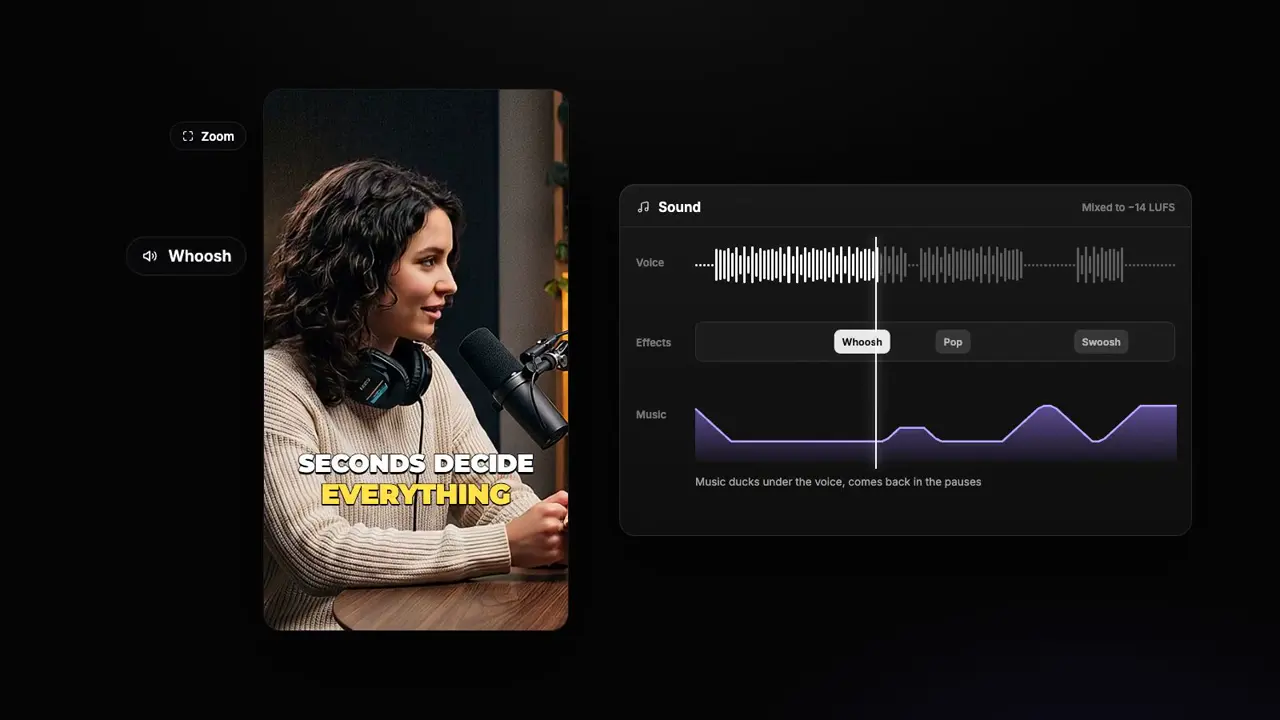
- Zooms: how many (none, 1 to 2, about 3 or about 6 a minute), how far (subtle 4–8%, medium 8–15%, strong 12–25% closer) and how they move: a slow drift, a smooth ease, or a punch-in held to the next sentence. Zooms also hide the jump where a pause was cut.
- Sound effects: none, about 1, 2 or 4 a minute, on the words that matter, and how loud: StoryCut’s default sits about 10 dB under the voice. Some styles use one quiet sound, a key click or a soft pop, instead of a mix.
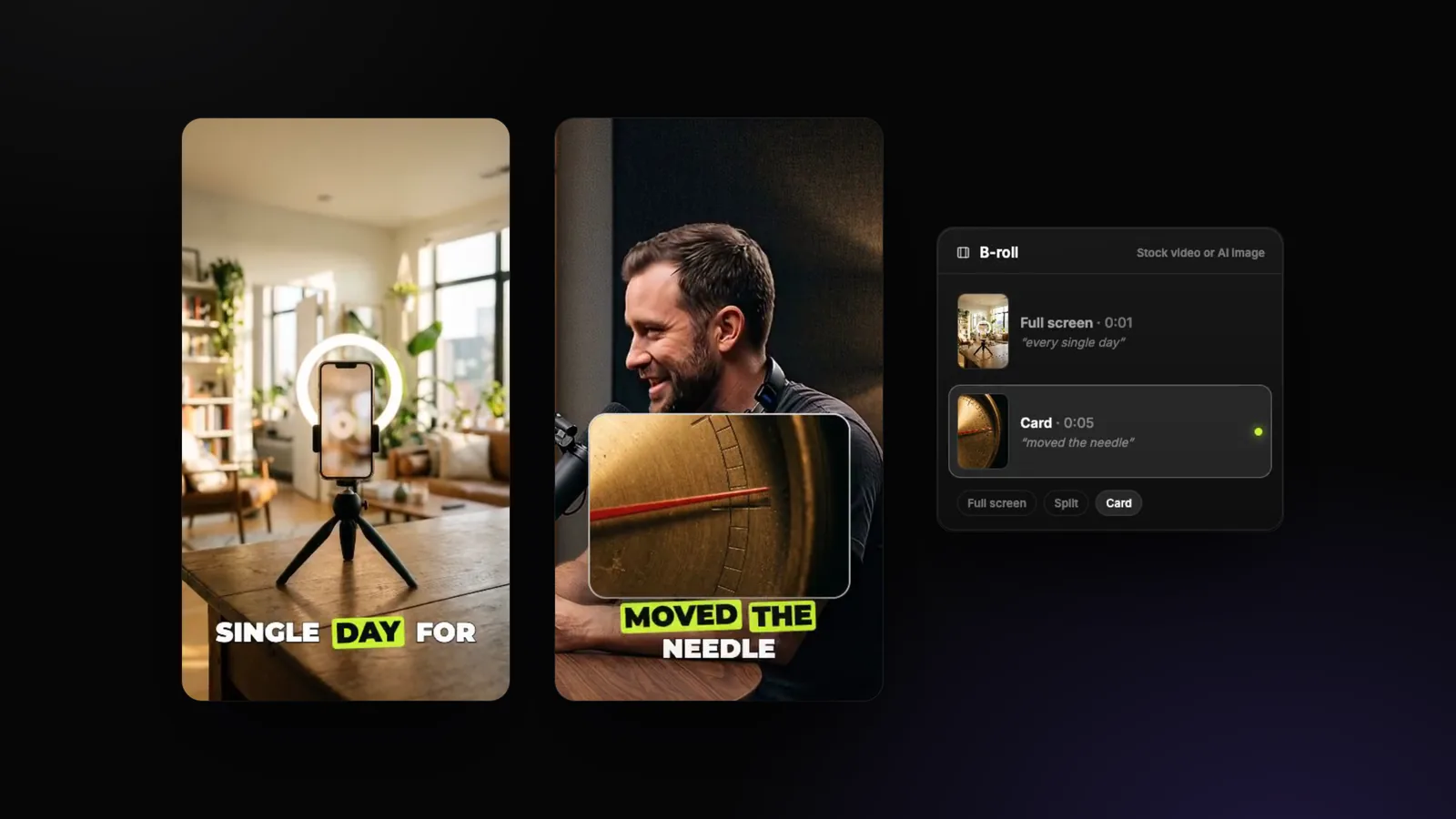
- B-roll: none, about 1 or 3 cutaways a minute.
- Music: off, or on at a level against your voice, lower still while you speak.
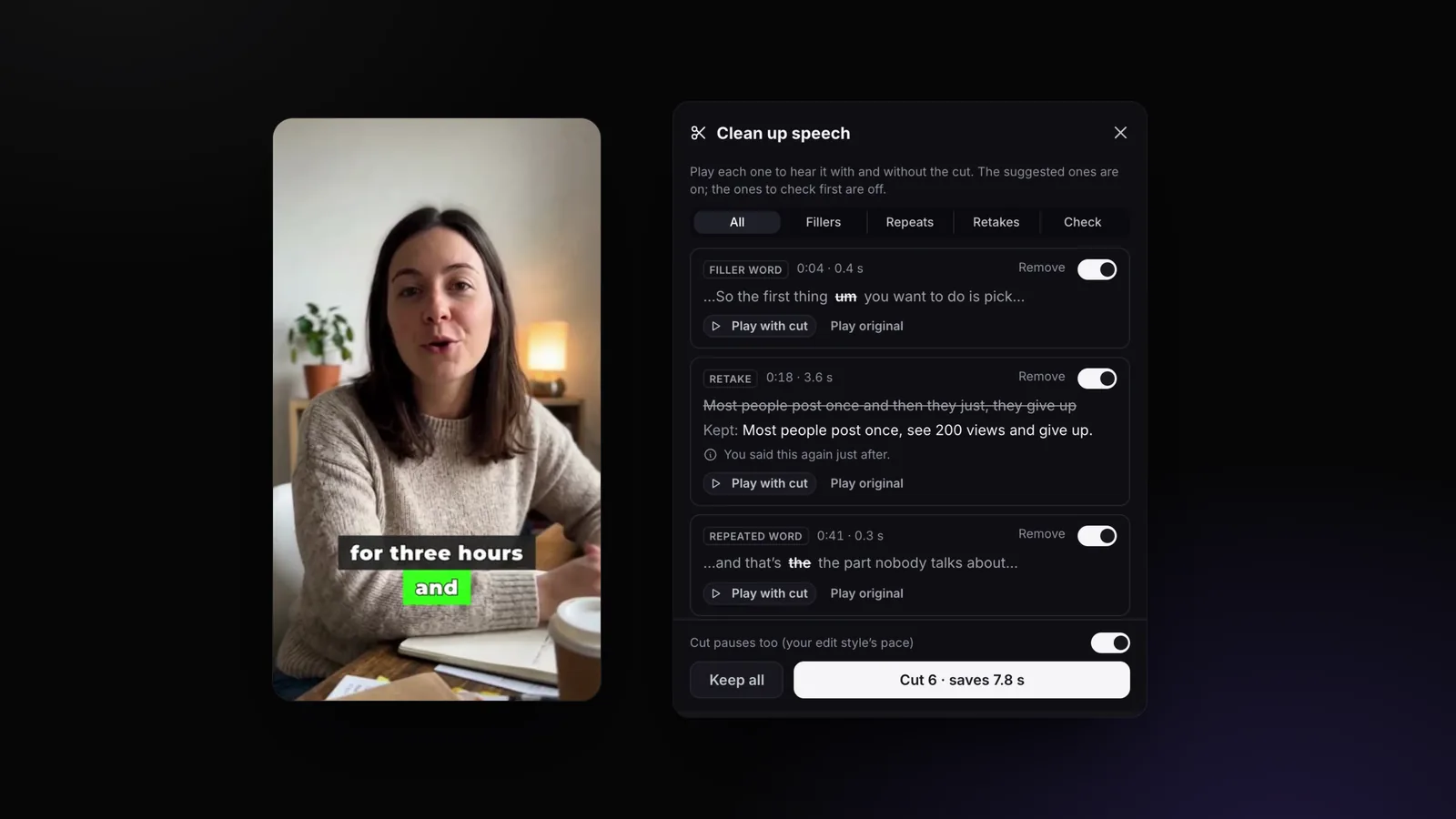
- Pauses: cut when longer than 0.8 s (natural), 0.5 s (normal) or 0.35 s (tight).
- Captions and headline: the caption style every video starts with, and the look of the headline on AI clips.
Change one dial and the video feels different: the same take with 6 strong punch-ins a minute and 4 sound effects reads as hype; with one slow push-in a minute and no effects, as a calm conversation.
What We Measured
To set these numbers, we measured popular editing tools’ own automatic edits frame by frame in November 2026. Calm and default styles zoomed 1 to 3 times a minute by 4 to 15% and held each zoom 2 to 5 seconds with eased ramps; energetic ones about 6 times a minute by 12 to 25%, snapped in. Their sound effects sat 12 to 15 dB under the voice, on few moments; music sat 20 to 26 dB under the voice while someone spoke; pauses were cut from 0.35 to 0.8 seconds.
Our own Auto Edit was far busier before that: over 30 days it averaged about 10 zooms a minute, with sound effects about 3 dB under the voice. A creator who publishes commentary videos daily told us it looked overproduced, and they were right. The styles below are built on the measured numbers, and the counts are enforced in code, not only asked of the AI.
The 18 Styles at a Glance
Each style as designed (the Balanced intensity). Subtle and Bold move every amount one step down or up; an effect that is off stays off.
| Style | Group | Zooms | Sound effects | B-roll | Music and pauses | Good for |
|---|---|---|---|---|---|---|
| Commentary | Talk to camera | ~1–2 zooms a minute · subtle | No sound effects | No B-roll | No music · Pauses cut | Commentary, opinion, news reaction |
| Calm | Talk to camera | ~1–2 zooms a minute · subtle | No sound effects | No B-roll | Music very low · Long pauses cut | Reflective talks, storytelling, long videos |
| Clean | Talk to camera | ~1–2 zooms a minute · subtle | Key click ~1 a minute | No B-roll | Music low · Pauses cut | Tips, coaching, creator Shorts |
| Standard | Talk to camera | ~3 zooms a minute · medium | Sound effects ~2 a minute | No B-roll | Music low · Pauses cut | Any talking-head Short |
| Punchy Shorts | Talk to camera | ~6 zooms a minute · strong | No sound effects | No B-roll | Music low · Tight cuts | Business and education Shorts |
| Energetic | Talk to camera | ~6 zooms a minute · strong | Sound effects ~4 a minute | B-roll ~3 a minute | Music up · Tight cuts | Hype Shorts |
| Podcast Clip | Conversations | No zooms | No sound effects | No B-roll | No music · Pauses cut | Video podcast clips, 2 or more people |
| Interview | Conversations | ~1–2 zooms a minute · subtle | No sound effects | No B-roll | No music · Long pauses cut | Sit-down interviews, long form |
| Tutorial | Teach & explain | No zooms | No sound effects | No B-roll | No music · Pauses cut | Screen recordings, how-tos, lessons |
| Explainer | Teach & explain | ~3 zooms a minute · medium | Soft pop ~1 a minute | B-roll ~3 a minute | Music very low · Pauses cut | Educator Shorts, facts, lists |
| LinkedIn Pro | Business & ads | ~1–2 zooms a minute · subtle | No sound effects | B-roll ~1 a minute | Music very low · Pauses cut | Founders, B2B, thought leadership |
| Product Demo / Ad | Business & ads | ~3 zooms a minute · medium | Sound effects ~2 a minute | B-roll ~3 a minute | Music up · Tight cuts | UGC ads, product demos |
| Finance & Real Estate | Business & ads | ~1–2 zooms a minute · medium | No sound effects | B-roll ~1 a minute | Music low · Pauses cut | Advisers, realtors, property tours |
| Vlog | Story & inspiration | ~1–2 zooms a minute · medium | Sound effects ~1 a minute | No B-roll | Music up · Pauses cut | Day in the life, travel, lifestyle |
| Motivational | Story & inspiration | ~3 zooms a minute · medium | Sound effects ~1 a minute | B-roll ~1 a minute | Music up · Long pauses cut | Coaching, quotes, inspiration |
| Sermon & Faith | Story & inspiration | ~1–2 zooms a minute · subtle | No sound effects | No B-roll | Music very low · Long pauses cut | Church and faith clips |
| Faceless / Voiceover | Faceless & hype | No zooms | Sound effects ~1 a minute | B-roll ~3 a minute | Music low · Tight cuts | Narration over images |
| Reaction & Gaming | Faceless & hype | ~6 zooms a minute · strong | Sound effects ~4 a minute | No B-roll | No music · Tight cuts | Gaming, streams, reactions |
From StoryCut’s edit style settings. "Long pauses cut" = pauses over 0.8 s, "Pauses cut" = over 0.5 s, "Tight cuts" = over 0.35 s.
One Take, Five Styles
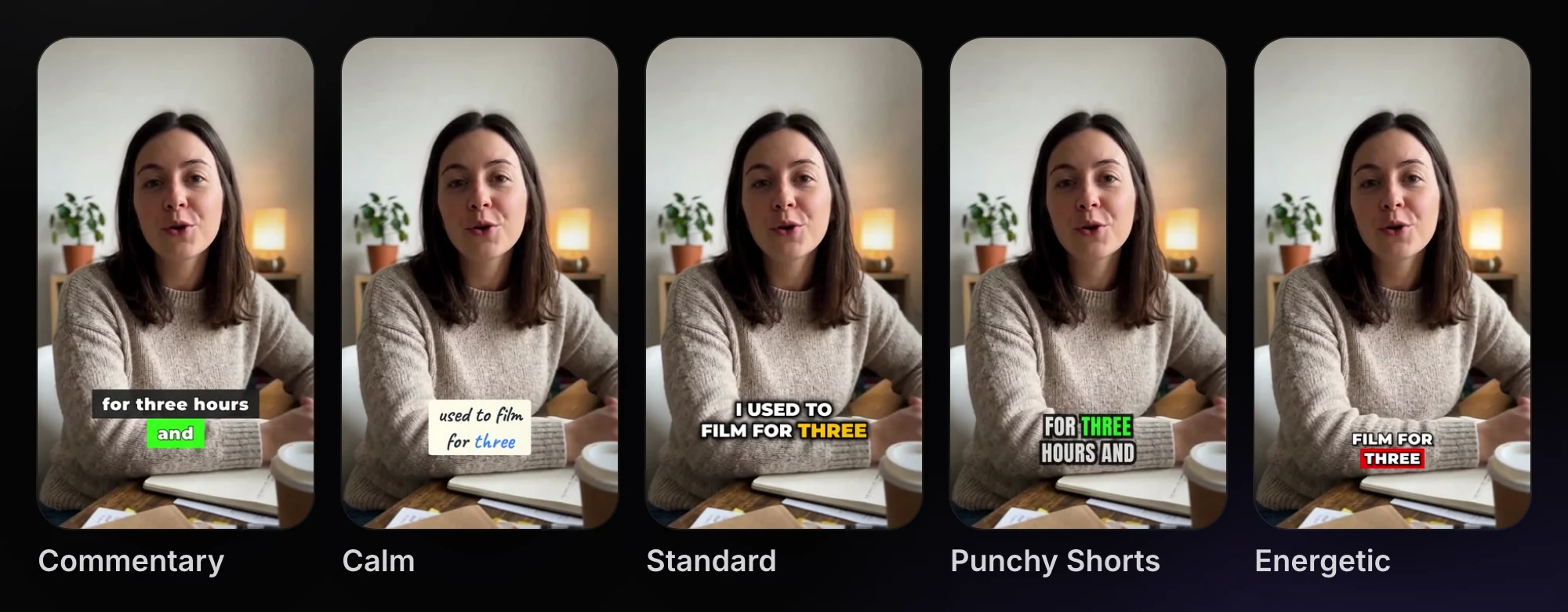
StoryCut’s example videos: the same take, uploaded and edited with each style through the real editor and export. Each style also starts new videos with its own caption style, chosen to stay readable on light and dark backgrounds.
Which Editing Style Fits Your Videos?
- Opinion, commentary, news reaction: Commentary. Light zooms that hide the cuts, no effects, no music: your voice carries it.
- Video podcasts and interviews: Podcast Clip (nothing added) or Interview (slow, rare push-ins, natural pauses).
- Tutorials and screen recordings: Tutorial: clear and quiet, tight pauses.
- Educator Shorts, facts, lists: Explainer: medium zooms, a soft pop on key points, a few images.
- Coaching and tips: Clean (a key click on a few words) or Calm for longer, reflective talks.
- Founders and B2B: LinkedIn Pro. Ads and demos: Product Demo / Ad. Advisers and realtors: Finance & Real Estate.
- Vlogs: Vlog. Motivation: Motivational. Churches: Sermon & Faith.
- Narration over pictures: Faceless / Voiceover. Gaming and reactions: Reaction & Gaming.
- Hype Shorts: Punchy Shorts (fast punch-ins, no sounds) or Energetic (everything on).
- Not sure: Standard, at Subtle intensity. You can always add more.
Popular Style Names, in Plain Words
Creators often describe a style by a name. What those usually mean in the five dials:
- "Hormozi style": bold, word-by-word captions with the key word highlighted, fast punch-ins, tight cuts. The captions do most of the work: see Hormozi-style captions; Punchy Shorts is the closest edit.
- "MrBeast style": big outlined captions, very tight pacing, lots happening on screen. MrBeast-style captions with Energetic.
- "Jump cut style": every pause cut, often with a small zoom on each cut so the jump doesn’t show. Any style with tight cuts.
- "Podcast clip style": clean captions, the frame on whoever speaks, nothing else. Podcast Clip.
- "Calm" or "aesthetic": slow push-ins, quiet music, room to breathe. Calm.
Intensity and Every Dial, Under Customize
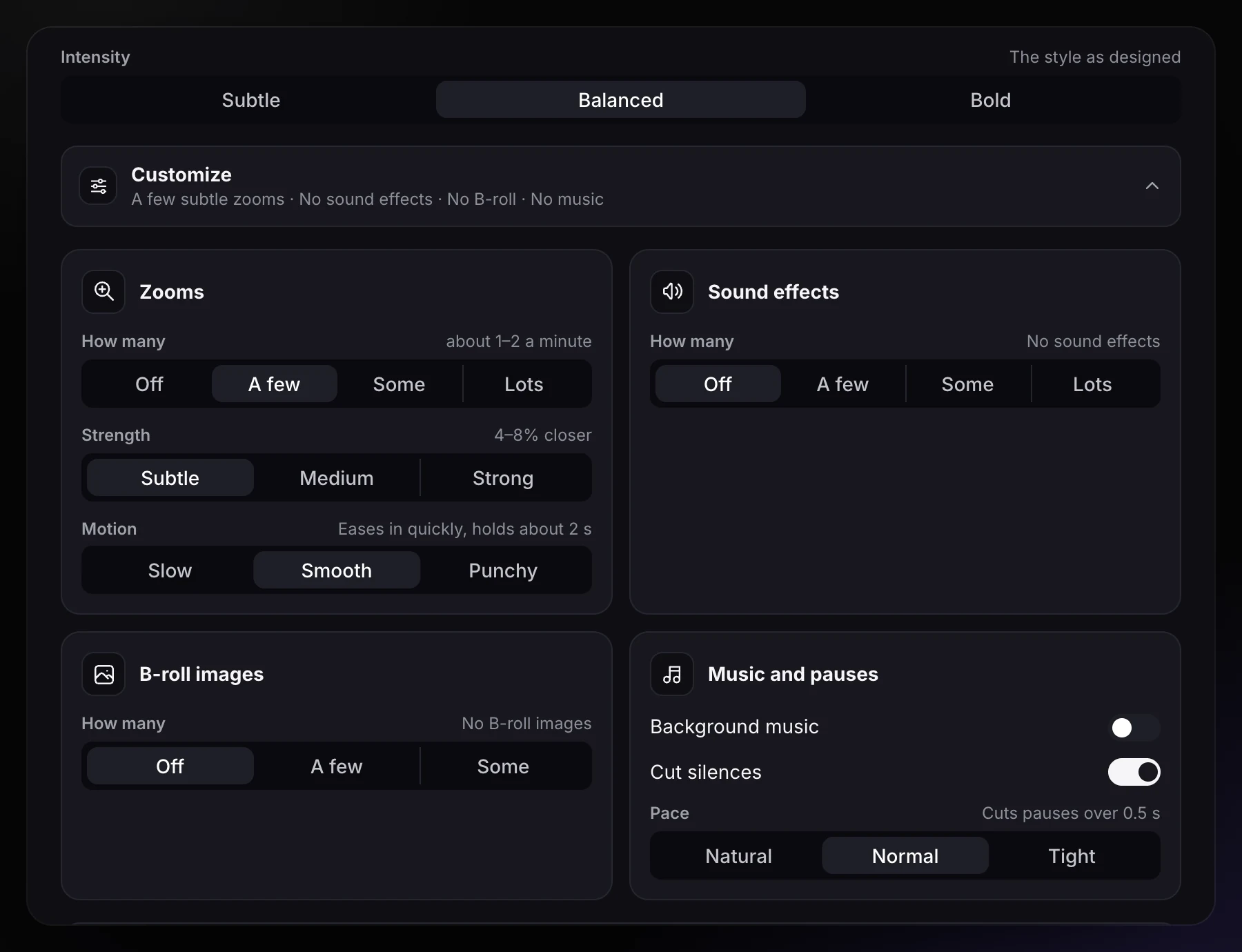
Under the gallery, Intensity moves the whole style one step quieter (Subtle) or busier (Bold). Customize opens every dial: zoom amount, strength and motion, sound effects (AI picks, or one sound such as a key click), B-roll, music and its level, and the pause pace. Change anything and the style becomes Custom.
How to Set Your Style Once in StoryCut
Open Settings → Edit style
Or press Change on the Auto Edit start screen, or on the Zoom, Sound effects and B-roll cards in the editor.
Pick a group and a style
Six groups (talk to camera, conversations, teach & explain, business & ads, story & inspiration, faceless & hype). Each card plays its example video and lists its facts.
Set the intensity
Subtle, Balanced or Bold. Bold never turns on an effect the style leaves off, so a Podcast Clip stays clean.
Customize if you need to
Pick one quiet sound for every accent, slow the zooms down, choose the headline look for AI clips.
Save
Auto Edit, Magic Zoom, Sound effects, B-roll, Remove Silence’s pace, new videos’ caption style and AI clips all follow it. On Pro and up, Auto Edit can also run by itself on every new video.
Why Keep One Style on Every Video?
Because viewers recognize a channel by its rhythm as much as by its face: the same caption look, the same kind of zoom, music at the same place. A style also saves the decision: you choose once, and every new video, every batch of AI clips and every video auto import brings in starts the same way.
The style is saved for your whole workspace, so a team edits the same way too. Any single video can still be changed afterwards: remove a zoom, add a sound, mute the music.
Frequently Asked Questions
What are the main types of video editing styles?
What is the best editing style for YouTube Shorts?
How many zooms per minute is too many?
How loud should sound effects be?
Can I use a different style for one video?
Is it free?
Related Tools & Features