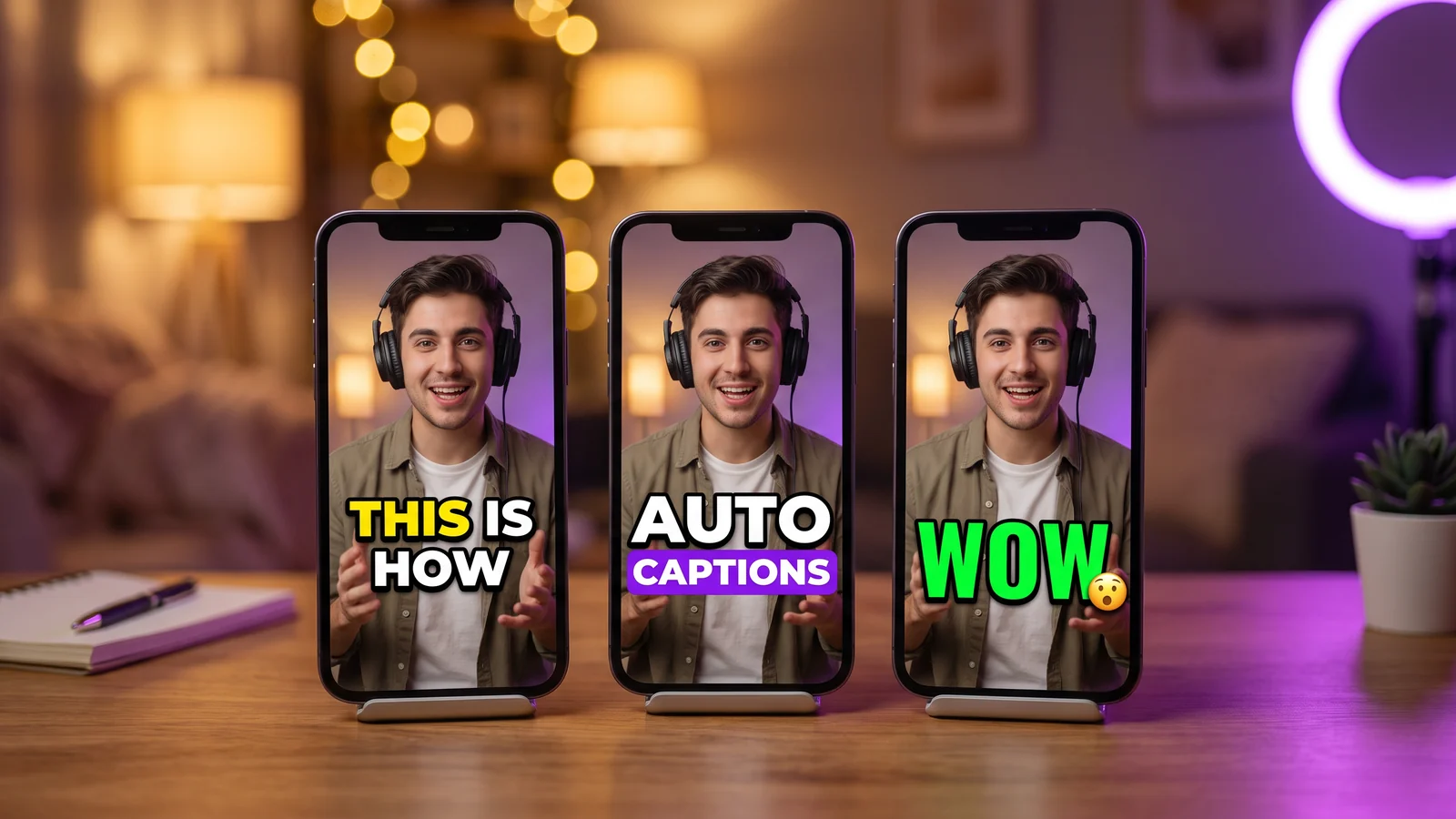
Best AI Caption Apps in 2026: 10 Tools Compared Wi...
Guides
16 min read
Best AI Caption Apps in 2026: 10 Tools Compared With Real Prices
CapCut, Captions, Submagic, StoryCut, Opus Clip, Descript, VEED, Kapwing, ZapCap and Klap, compared on caption styles, languages, free plans, watermarks, prices, eye contact and auto sound effects. Prices checked on October 3, 2026.
StoryCut Team
October 3, 2026
What Is the Best AI Caption App in 2026?
There is no single best AI caption app. The right one depends on how you make videos. CapCut is the best free pick if you want a full editor. Captions is the strongest phone app. Opus Clip is built for cutting long videos into shorts. Descript lets you edit a video by editing its transcript. Submagic has a large template library in the browser. StoryCut is the pick for Hormozi-style captions with sound effects placed for you, plus eye contact correction you can try once for free.
The table below compares 10 caption apps on entry price, free plan, watermark, languages, eye contact, auto sound effects and platforms. Every price was checked on the vendor's own pricing or help pages on October 3, 2026.
Disclosure: we make StoryCut. It is in this list with its weaknesses spelled out, and it is not the right choice for every creator.
AI Caption Apps Compared (October 2026)
Entry price is the cheapest paid plan, billed monthly and billed yearly (per month). Languages are the counts each vendor publishes, and vendors count them in different ways. Scroll sideways on a phone.
Prices checked on October 3, 2026, in USD. Prices change often and can differ by country, app store and promotion.
App
Best for
Entry price (monthly · yearly)
Free plan & watermark
Languages (vendor says)
Eye contact
Auto sound effects
Platforms
CapCut
Free full editor
Pro $19.99/mo · ≈$15/mo yearly ($179.99/yr)
Free editor; watermark when you use Pro assets
No clear count published
Yes, mobile app
AI sound effects in the mobile app
iOS, Android, Windows, Mac, web
Captions
Phone app (iPhone)
Basic $9.99/mo (iOS: $64.99/yr) · Max $24.99/mo
60–200 credits for life; paid AI features watermarked
100+
Yes, iOS and Android Lite, not web (Basic+)
Partly: AI Edit adds sounds; AI Sounds on Max
iOS, Mac, web, Android (Lite)
Submagic
Caption template library
Starter $19/mo · $12/mo yearly
Trial: 3 short videos, watermark
100+ (48+ on some pages)
Yes, Pro and up
No, manual (10 sounds + uploads)
Web
StoryCut
Hormozi-style captions + auto SFX
Starter $9/mo · $7/mo yearly
3 videos at a time, 720p, watermark
49 + auto-detect
Yes, Pro (10/mo) and Business, 1 free try
Yes, on key words (Pro)
Web (desktop and mobile browsers)
Opus Clip
Clipping long videos
Starter $15/mo (monthly only) · Pro $14.50/mo yearly
60 credits/mo, watermark
20+ (25 listed, 20 in beta)
No
Yes, Pro and up
Web, iOS, Android
Descript
Editing by transcript
Hobbyist $24/mo · $16/mo yearly
60 min/mo, 720p, watermark
25 (transcription)
Yes, limited on Free, full from Hobbyist (credits)
We compared each app on what creators ask about most when they pick a caption tool for TikTok, Reels and Shorts: • Caption styles: animated word-by-word templates, keyword highlights, emojis, and named presets such as Hormozi-style. • Languages: how many languages the vendor says it can caption. • Free plan and watermark: what you can export for free, and whether it carries a watermark. • Price: the cheapest paid plan, billed monthly and billed yearly. • Length limits: how long a video each plan accepts or exports. • Eye contact correction: whether the app can turn your gaze back to the lens when you read a script. Caption app comparisons almost never check this, but it matters if you film talking-head videos. • Auto sound effects: whether the app places sound effects for you, or you add them by hand. • Platforms: phone app, desktop app or browser.
What this comparison is, and what it isn't. It is based on each vendor's public pricing pages, help centers and app store listings, all checked on October 3, 2026. We did not run lab tests of caption accuracy, so there are no accuracy scores here. Vendors publish their own accuracy claims, but they test in different ways, so those numbers can't be compared. The best accuracy test is your own video: almost every app below lets you try it for free. Prices are in USD. Several vendors change their pricing pages often, so check the linked page before you buy.
CapCut: Best Free Caption App With a Full Editor
Best for: creators who want a free, full video editor with auto captions on every device. Price: the editor is free. CapCut Pro costs $19.99/mo, or $179.99 a year (about $15/mo), in the US. A cheaper Standard plan is also sold in the apps. CapCut has no public pricing page and says prices vary by region, device and promotion. Pro's yearly price went up in 2026, as Newsweek reported. Source: CapCut Standard vs Pro.
What's good • A full multi-track editor on iPhone, Android, Windows, Mac and the web. • Auto captions plus a huge template library. Community templates include Hormozi-style looks. • AI tools such as eye contact and AI sound effects in the mobile app, and long video to short clips. • 4K, 60fps and HDR export on Pro. • Very widely used: 4.6 stars from more than 1.1 million ratings on the US App Store (October 2026).
What's missing • You edit on a timeline yourself. It is not a caption-first tool that styles the whole video for you. • Using Pro assets or templates adds a watermark, and 4K, 60fps and watermark-free export are locked for free users on web and desktop. • CapCut doesn't publish a clear caption language count. • Prices differ by account, and CapCut's terms give it a broad license to the content you upload. Read them if that matters to you.
Best for: recording and editing talking-head videos on an iPhone. Price: free with 60–200 credits for the life of the account. Basic costs $9.99/mo (or $64.99 a year in the iOS app), but it isn't shown on the pricing page. Max costs $24.99/mo and adds most of the generative AI tools. Captions says the prices it lists are iOS prices, and web checkout can show local prices. Source: Captions pricing.
What's good • A polished iPhone app, rated 4.7 from 38,220 ratings on the US App Store (October 2026), plus a Mac app and a web app. • Captions in 100+ languages, according to Captions. • Eye contact correction on iOS from the Basic plan. • A deep generative AI set: AI Edit, voice-cloned dubbing in 31 languages, Lipdub lip-sync, AI avatars, and Clips from videos up to 3 hours long (Max). • Unused credits roll over, up to 3 times your monthly allowance.
What's missing • Features depend on the platform. Eye contact, AI Trim and AI Zoom are not in the new web app, and Android only gets the reduced "Captions Lite". • Credits are spent even if you never export, and standard plans can't buy top-ups. • AI Edit works on videos up to 2 minutes on iOS and 1 minute on the web. • Captions' own pages disagree about free-plan watermarks. Exports that use paid AI features are watermarked.
Submagic: Best for a Large Caption Template Library
Best for: a large library of animated caption templates in a polished web app. Price: a free trial with 3 short videos, watermarked, no credit card. Starter costs $19/mo, or $12/mo billed yearly, for 15 videos a month of up to 2 minutes each, in 1080p. Pro costs $39/mo or $23/mo yearly (40 videos, up to 5 minutes). Business costs $69/mo or $41/mo yearly (100 videos, up to 30 minutes, 4K at 60fps). Prices are per member. Source: Submagic pricing.
What's good • A big template library with keyword highlights and emojis, including themes named "Hormozi 1" to "Hormozi 5". • Pro adds eye contact correction, auto zooms, silence and bad-take removal, filler-word removal and clean audio. • Posting to TikTok, YouTube and Instagram on Pro and Business, and an API on every paid plan. • An established brand: 4.5 on Trustpilot from 844 reviews (October 2026).
What's missing • Short length limits: 2 minutes per video on Starter, 5 on Pro. • Sound effects are manual: a library of 10 sounds plus your own uploads, added line by line. • Turning long videos into clips (Magic Clips) is a separate paid add-on. • Voice translation is new, with no published plan details (its help center, September 2026). • Submagic's help center says it doesn't offer refunds. It is web only, with no mobile app. • Its language count changes from page to page: 100+ on some, 48+ on others.
StoryCut: Best for Hormozi-Style Captions With Auto Sound Effects
Best for: Hormozi-style captions with sound effects placed for you, and eye contact correction you can try once for free. Price: a free plan with 3 videos at a time, 720p export with a watermark and videos up to 4 minutes, no credit card. Starter costs $9/mo, or $7/mo billed yearly (1080p, no watermark, videos up to 7 minutes). Pro costs $19/mo, or $14/mo yearly, and adds auto sound effects, magic zoom, clean audio, AI music, dubbing and eye contact (10 videos a month). Business costs $49/mo, or $39/mo yearly, and adds 4K at 60fps, unlimited eye contact and 5 team members. See all plans.
What's good • AI captions start on their own when your upload finishes, with word-level timing in 49 languages or auto-detect. You can also download an SRT file. • 26 built-in caption styles, including 6 Hormozi-style presets and a MrBeast-style preset. Save as many custom styles as you like. • Auto sound effects (Pro): the AI reads your transcript, picks 4 to 8 key words and places a matching sound on each one, timed to the word. You can switch any of them off. • Eye contact correction with NVIDIA Maxine. Every account gets 1 free correction, no card needed. It works without captions and keeps your resolution, frame rate and audio. • Turning long videos into clips is included in every plan (1 long video a month on Free). • Starter allows 7-minute videos without a watermark. Submagic's Starter stops at 2 minutes.
What's missing • It runs in the browser only (desktop and mobile). There is no iPhone, Android or desktop app. • No posting or scheduling to TikTok, Instagram or YouTube, and no public API. • The free plan exports 720p with a watermark, and videos can be up to 4 minutes long. • The AI picks the sound effects. There is no library to browse and you can't upload your own. • After the free try, eye contact needs the Business plan. 4K and team seats are Business only too. • StoryCut is newer and smaller than most tools here, with no third-party reviews yet.
Opus Clip: Best for Clipping Long Videos
Best for: turning long videos, podcasts and streams into short clips. Price: a free plan with 60 credits a month (1 credit = 1 minute of source video), watermarked exports, and clips you can no longer export after 3 days. Starter costs $15/mo and is sold monthly only. Pro costs $29/mo, or $14.50/mo billed yearly ($174 a year). Source: Opus Clip pricing.
What's good • Finding the best moments is the core product, with a Virality Score from Starter. • Animated captions with emojis and keyword highlights in 20+ languages (its help center lists 25, 20 of them in beta). • Auto SFX places sound effects on your timeline automatically (Pro and Business). • Auto-posting to YouTube Shorts, TikTok and Instagram Reels from Starter. Pro adds voice-clone dubbing in 25 languages, AI B-roll and XML export to Premiere and DaVinci. • Apps for iPhone (4.85 from 7,417 ratings, October 2026) and Android.
What's missing • No eye contact correction. • Credits are counted per minute of source video, so long uploads use them up quickly. • Starter has no auto SFX and no yearly billing. • The free plan and the Pro trial both export with a watermark.
Descript: Best for Editing Video by Editing the Transcript
Best for: editing video by editing its transcript, especially podcasts and long-form videos. Price: free with 60 media minutes a month, 720p export and a watermark. Hobbyist costs $24/mo, or $16/mo billed yearly (10 hours of media a month, 1080p, no watermark). Creator costs $35/mo or $24/mo yearly and exports 4K. Source: Descript pricing.
What's good • Text-based editing: change the transcript and the video changes with it. • Dynamic animated captions with presets and active-word styling on every plan. • Eye contact correction, limited on the free plan and full from Hobbyist (it uses AI credits and works on one face), plus Studio Sound, filler-word removal and clips. • Desktop apps for Mac and Windows, plus a web app. Caption translation into 61 languages and dubbing in 30.
What's missing • Transcription covers 25 languages, fewer than most apps here. • AI features run on credits, and Hobbyist can't buy top-ups. • No mobile app, and mobile browsers aren't supported. • Sound effects aren't placed for you: you pick them from a library or generate them from a prompt.
Best for: an all-round browser editor with subtitles, translation and AI tools in one place. Price: free with 720p export, a watermark and 10 minutes of auto subtitles a month. Creator (formerly Lite) costs $20/mo, or $9.67/mo billed yearly ($116 a year), and exports 1080p without a watermark. Pro costs $44/mo or $21.42/mo yearly and exports 4K. VEED loads its prices by country, so they may differ slightly where you live. Source: VEED pricing.
What's good • Auto subtitles are unlimited on paid plans, with a 50-hour monthly fair-use cap. • VEED says it supports 125+ languages. • Eye contact correction, silence and filler-word removal, AI B-roll and clips in one editor. • Creator includes up to 3 editors.
What's missing • Sound effects are added by hand. • Voice dubbing (29 languages) starts on Pro. • AI tools run on monthly credits that don't carry over. • VEED's own pages disagree on whether eye contact needs Creator or Pro.
Kapwing: Best for Long Exports and 4K on a Mid-Priced Plan
Best for: long exports and 4K in a collaborative browser editor. Price: free with 10 credits for the life of the account, 720p export with a watermark, and exports up to 4 minutes. Pro costs $24/mo, or $16/mo billed yearly, per member, with 1,000 credits a month, 4K export and exports up to 120 minutes. Business costs $64/mo or $50/mo yearly. Source: Kapwing pricing.
What's good • Transcription in 155 language variants, according to Kapwing. • A clear credit table: subtitles cost 1 credit per minute. • A Hormozi-style captions template you can drop your video into. • Eye contact correction, dubbing in 40+ languages, clean audio and an AI B-roll generator.
What's missing • No trial of paid plans and no refunds. • AI features use credits fast. Eye contact costs 30 credits per minute, so Pro's 1,000 monthly credits would cover about 33 minutes of it. • Sound effects are not placed for you (a library plus a text-to-SFX generator). • The free plan's 10 credits don't refresh.
ZapCap: Best for Low-Cost Captions With an API
Best for: a simple, low-cost caption tool, with an API for developers. Price: free with 3 videos a month of up to 1 minute 30 seconds, watermarked, no credit card. Starter costs $10/mo, or $8/mo billed yearly (15 videos a month, up to 2 minutes, no watermark). Pro costs $20/mo or $16/mo yearly (50 videos, up to 5 minutes, API access, with API usage billed per minute). Agency+ costs $40/mo or $32/mo yearly (200 videos, up to 10 minutes). Source: ZapCap pricing.
What's good • Animated templates with emojis and keyword highlights, including a "Hormozi" preset. • Export captions as SRT, VTT or TXT. • ZapCap says it supports 90+ languages. • Silence and filler-word removal, B-roll, a viral clip finder and scheduling.
What's missing • Short length limits: 2 minutes on Starter, 5 on Pro. • No eye contact correction, and you add sound effects by hand from a small library. • Web only, with little independent review volume so far. • Some of ZapCap's comparison pages promise unlimited videos and no length caps, but its pricing page lists both. Trust the pricing page.
Klap: Best for Trying an AI Clipper Without a Watermark
Best for: trying an AI clip maker without a watermark. Price: 1 free video, no credit card. Basic costs $29/mo, or $14/mo billed yearly, for 100 clips a month. Pro costs $79/mo or $39/mo yearly, and Pro+ $189/mo or $94/mo yearly. Source: Klap pricing.
What's good • No watermark on any plan, including the free video. • Captions in 52 languages, with animated keyword highlights and emojis. • Virality scores, AI reframing that follows the active speaker, scheduling to TikTok, YouTube, Instagram and LinkedIn, and a public API.
What's missing • The free trial is a single video, which is not much to judge it on. • It is a clipper first: we found no eye contact correction or sound effects on Klap's pages. • Web only.
What Is the Best Free AI Caption App?
CapCut is the best free caption app if you want a full editor. The editor is free on every platform, and CapCut markets its auto captions as free. The catch: Pro assets add a watermark, and 4K, 60fps and watermark-free export are locked for free users on web and desktop.
If you only want to try a few clips without a watermark, Klap gives you 1 free video with no watermark. Most other free plans watermark your exports: Submagic's trial, Opus Clip, Descript, VEED, Kapwing, ZapCap and StoryCut all do.
Free plans also differ a lot in size. Captions gives 60–200 credits for the life of your account, and Kapwing gives 10, also for life. Opus Clip gives 60 credits a month and Descript 60 media minutes a month. StoryCut's free plan includes AI captions, all 26 caption styles and transitions on 3 videos at a time (720p, watermark, videos up to 4 minutes), with no credit card.
For plain subtitles on one platform, TikTok's built-in auto captions cost nothing. They just can't be styled the way caption apps can.
What Is the Best Caption App for TikTok and Instagram Reels?
For TikTok and Reels, pick by how you work: • You film and edit on your phone: CapCut (free full editor) or Captions (the most polished iPhone app). • You record talking-head videos and want them styled fast: Submagic or StoryCut. Both caption your video automatically and offer Hormozi-style looks. Submagic has the larger template library. StoryCut also places sound effects on key words (Pro) and lets you try eye contact correction once for free. • You start from long videos or podcasts: Opus Clip or Klap find the best moments and reframe them to 9:16. StoryCut's AI clips do this too, on every plan. • You post in several languages: check the language counts in the table, then test your own language on a free plan.
Whatever you pick, export in 9:16 and keep captions away from the very bottom and the right edge of the frame, where TikTok and Reels show their buttons and post text. Burn the captions into the video so every viewer sees the same style.
CapCut is the best free option if you want a full editor: it is free on iPhone, Android, Windows, Mac and the web. Using Pro assets adds a watermark, and 4K and watermark-free export are locked for free users on web and desktop. If you want a caption-first tool instead, most offer a free plan or trial with a watermark, so test your own video before you pay.
Klap is the clearest case: its 1 free video has no watermark. Almost every other app watermarks free exports, including Submagic (trial), Opus Clip, Descript, VEED, Kapwing, ZapCap and StoryCut. CapCut adds a watermark when you use Pro assets or templates, and Captions watermarks exports that use paid AI features. To export without a watermark you need a paid plan. Among the cheaper ones are StoryCut Starter ($7/mo billed yearly), ZapCap Starter ($8/mo yearly) and VEED Creator ($9.67/mo yearly).
Yes. TikTok can generate auto captions for your video inside the app, and viewers can turn them on or off. They are plain subtitles, though. If you want animated word-by-word captions, highlight colors, emojis or a Hormozi-style look burned into the video, you need a caption app.
By the vendors' own counts, Kapwing lists 155 language variants for transcription, VEED says 125+, Captions and Submagic say 100+, and ZapCap says 90+. Klap lists 52, StoryCut 49 plus auto-detect, Descript 25 and Opus Clip 20+. Vendors count languages and dialects differently, so test your own language on a free plan before you commit.
For TikTok, Reels and Shorts, use burned-in captions. They are part of the video, so every viewer sees the same styled, animated text. An SRT file is a separate subtitle track that viewers can switch on or off and that platforms like YouTube can read as text. Many creators do both: burned-in captions for short-form, and an SRT upload for long YouTube videos. StoryCut and ZapCap, for example, both let you download an SRT file.
Submagic, StoryCut and ZapCap all ship ready-made Hormozi-style presets: Submagic has themes named Hormozi 1 to 5, StoryCut has 6 Hormozi-style presets, and ZapCap has a Hormozi preset. Kapwing offers a Hormozi-style template project, and CapCut has community-made templates. The look is bold uppercase text with a thick outline and one highlighted word, a few words at a time. StoryCut is not affiliated with Alex Hormozi; its presets are named after the style.
Submagic (Pro and up), Captions (iOS and Android Lite, from Basic; not in its new web app), Descript (limited on Free, full from Hobbyist, using credits), VEED (paid plans), Kapwing (30 credits per minute), CapCut (mobile app) and StoryCut (1 free correction with no card, then Pro or a one-time $9 pack) all offer AI eye contact correction. Opus Clip and ZapCap don't, and we found none on Klap. Eye contact correction is made for a person looking slightly off camera, for example while reading a script.
StoryCut (Pro) places a sound effect on 4 to 8 key words of your script, timed to the word. Opus Clip's Auto SFX (Pro and Business) places sound effects on your timeline automatically. CapCut's mobile app has AI sound effects, and Captions' AI Edit adds sounds as part of its edit. In Submagic, Descript, VEED, Kapwing and ZapCap you add sound effects yourself from a library.
Try StoryCut on Your Next Video
Upload a video and the captions start on their own, in 49 languages. Pick from 26 styles, including 6 Hormozi-style presets, and try eye contact correction once for free. Free plan: 3 videos at a time, 720p with a watermark, no credit card.