 VS
VS
Descript vs CapCut: Edit by Transcript or on a Timeline?
Descript lets you cut a video by editing its text, which suits podcasts and long recordings. CapCut is a free, full timeline editor on phone, desktop and web. Here is how they compare on price, features and limits, with every price checked on October 3, 2026.
- Free plan
- No credit card
- Paid plans from $7/mo billed yearly
Descript vs CapCut: the short answer
- Verdict
- Pick Descript to edit long recordings, podcasts and tutorials by editing the transcript, with filler words and retakes removed for you, in a Mac or Windows app. Pick CapCut to edit by hand on a timeline, for free, on your phone, computer or the web, with a huge template and effects library. For short vertical videos CapCut is the more natural fit; for hour-long episodes, Descript is.
- Descript price (2026)
- Free: 60 media minutes a month, 720p with a watermark. Hobbyist $24/mo or $16/mo billed yearly (10 hours a month, 1080p). Creator $35 or $24 (30 hours, 4K). Business $65 or $50 (40 hours, 4K). Prices are per person, and AI features spend credits.
- CapCut price (2026)
- The editor is free. Pro is $19.99/mo or $179.99/yr (about $15/mo) in the US after the 2026 price increase, with 4K 60fps, 1,200 AI credits a month and 1 TB of storage. The iOS app also lists a Standard plan at $9.99/mo. CapCut says prices vary by region, device and promotions.
- Best for Descript
- Podcasters, YouTubers, course creators and teams who edit long recordings and want to cut by text in a desktop app.
- Best for CapCut
- Creators who want full manual control, templates and effects for TikTok, Reels and Shorts, on any device, starting for free.
- A third option
- StoryCut, a browser editor for short talking videos: captions start on upload, then sound effects on key words, zoom and music are one click each on Pro. Paid plans from $7/mo billed yearly. StoryCut publishes this page.
Descript vs CapCut at a glance (plus StoryCut)
| Feature | Descript | CapCut |  StoryCut StoryCut |
|---|---|---|---|
| Editing Style | Edit the video by editing the transcript | Manual multi-track timeline | Auto captions, then Auto Edit or one click per effect |
| Platform | Mac and Windows apps + web, no mobile | iOS, Android, Windows, Mac and web | Web (desktop and mobile browsers) |
| Free Plan | Yes60 min a month, 720p, watermark | Yesfull editor; Pro assets add a watermark | Yes3 videos at a time, 720p, watermark |
| Price | Hobbyist $24/mo or $16/mo yearly | Standard $9.99 (iOS), Pro $19.99/mo | Starter $9/mo or $7/mo yearly |
| Usage limits | Media hours + AI credits per month | AI credits for AI tools (Pro: 1,200/mo) | Videos at a time + length (4–30 min) |
| AI Captions | Yes25 transcription languages | Yesauto captions (no clear language count) | Yes49 languages, start on upload |
| Animated Captions | YesDynamic captions on all plans | Yeslarge caption template library | Yes26 styles, incl. 6 Hormozi-style |
| Filler Word Removal | Yesplus word gaps and retakes | Yeson desktop | No(silence removal on Pro) |
| Eye Contact Fix | Yeslimited on Free, full from Hobbyist (AI credits) | YesAI eye contact tool (mobile) | YesPro (10/mo) and Business, 1 free try |
| Sound Effects | Library + AI generation, placed by hand | YesAI sound effects (mobile) + library | YesAI-placed on key words (Pro) |
| Auto Zoom | Only by prompting Underlord | Not listed (zoom by hand) | YesAI-picked moments (Pro) |
| Video Translation | Yesdubbing in 30 languages | Yesvideo translator with lip-sync | Yes33 languages + voice clone (Pro) |
| AI Clipping | Yes1–20 clips per video | Yeslong video to short tool | Yes3–12 clips per video, every plan |
| Max Resolution | 4K (Creator and up) | 4K 60fps and HDR (Pro) | 4K 60fps (Business) |
| Public ratings | Trustpilot 2.6 (290), Capterra 4.6 (183) | App Store 4.6 (1.1M), Trustpilot 1.2 | None yet (founded 2025) |
Checked on October 3, 2026 from each product’s public pages. Sources: Descript pricing, Descript help center, Descript on Trustpilot, Descript on Capterra, CapCut Pro price, CapCut Standard vs Pro, CapCut watermark help, CapCut filler words, CapCut AI eye contact, CapCut AI sound effects, CapCut video translator, CapCut long video to short, CapCut on the App Store, CapCut on Trustpilot, StoryCut pricing.
Transcript or timeline: how the work differs
In Descript, your recording becomes a document. You read the transcript, delete a sentence and the video cut follows, and one-click tools remove filler words, shorten gaps between words and drop retakes. That is fast for a 45-minute interview where most of the work is cutting talk. Captions, layouts and B-roll go on top, and Underlord, Descript’s AI assistant, can run many steps from a prompt, spending AI credits as it goes.
In CapCut, you work on a multi-track timeline: you cut clips, stack text, stickers, effects and audio on layers, and set keyframes. It also has auto captions, filler-word detection on desktop and a long-video-to-short tool, but the result depends on how much editing you do yourself. That suits short, designed videos where every second matters, and it works the same way on a phone.
A rough rule: if most of your time goes into cutting talk, Descript saves more of it. If most of your time goes into styling short clips, CapCut gives you more control.
Descript and CapCut: pros and cons
Descript
- Edit video by editing the transcript
- Removes filler words, word gaps and retakes
- Desktop apps for Mac and Windows, plus a web app
- Lots of media time: 10 hours a month on Hobbyist, 30 on Creator
- Eye contact, Studio Sound, clips and dubbing in 30 languages
- Published prices, with monthly and yearly billing
- AI features spend credits, and Underlord’s cost per request varies
- Hobbyist can’t buy credit top-ups, and unused credits don’t roll over
- No mobile app; mobile browsers and iPad aren’t supported
- Free plan exports 720p with a watermark
- No auto-placed sound effects; zoom only by prompting Underlord
CapCut
- Full multi-track timeline editor, free
- Apps for iPhone, iPad, Android, Windows and Mac, plus a web editor
- Huge library of templates and effects
- AI sound effects and eye contact tools in the mobile app
- 4K 60fps and HDR export on Pro, with 1 TB of storage
- 4.6 on the App Store from over 1.1 million ratings
- You build every edit by hand, which takes time to learn
- Annual Pro rose from about $77.99 to $179.99 in 2026 (Newsweek)
- No pricing page: prices vary by region, device and promotion
- Pro templates and effects add a watermark on the free plan
- Its terms give CapCut a perpetual, sub-licensable license to your uploads
Descript vs CapCut pricing in 2026
| Plan | Descript | CapCut |
|---|---|---|
| Free | 60 media min a month, 720p, watermark | Full editor; Pro assets add a watermark |
| Cheapest paid plan | Hobbyist: $24/mo, or $16/mo yearly | Standard: $9.99/mo (listed in the iOS app) |
| Cheapest plan includes | 10 media hours, 400 AI credits, 1080p | Up to 1080p, less storage than Pro |
| Main plan | Creator: $35/mo, or $24/mo yearly | Pro: $19.99/mo, or $179.99/yr |
| Main plan includes | 30 media hours, 800 AI credits, 4K | 4K 60fps HDR, 1,200 AI credits, 1 TB |
| Higher plan | Business: $65/mo, or $50/mo yearly | — |
| Higher plan includes | 40 media hours, 1,500 AI credits, 4K | — |
| Billed | Per person | Price varies by region and device |
Checked on October 3, 2026 from each product’s public pages. Sources: Descript pricing, CapCut Pro price, CapCut subscription pricing, CapCut Standard vs Pro, Newsweek on the 2026 price increase.
What the price doesn’t include
Descript’s plans are measured in media minutes and AI credits. Hobbyist includes 10 hours of media and 400 AI credits a month. Underlord, Studio Sound, eye contact and filler-word removal all spend credits, Descript says the cost of an Underlord request varies, and unused credits don’t roll over. Hobbyist can’t buy top-ups, so heavy AI use pushes you to Creator, which can buy packs (350 credits for $35). Every price is per person.
CapCut’s free editor is generous, but using a Pro template, effect or asset adds a watermark, and 4K, 60fps and watermark-free export are locked for free users on web and desktop. CapCut has no pricing page: its help center says the price varies by region, device and promotion, and Newsweek reported in February 2026 that the US annual Pro price rose from about $77.99 to $179.99. Check the price in your own account before you subscribe.
Which should you choose?
Choose Descript if your raw material is long: podcasts, interviews, webinars, courses or YouTube videos where most of the work is cutting talk. Editing the transcript, removing filler words and retakes in a click, and working in a desktop app make that faster than a timeline. Its plans include generous media time, but watch the AI credits if you lean on Underlord.
Choose CapCut if you make short, designed videos for TikTok, Reels or Shorts, want templates and effects, edit on your phone, or need a capable editor for free. It asks more of you: you place every caption, cut and effect yourself. Check the Pro price in your own account, since it varies, and read the terms if you edit client work.
Many creators use both: Descript to cut the long episode, CapCut to finish the short clips.
Where StoryCut fits
Disclosure: StoryCut publishes this comparison, so here is where it fits and where it doesn’t. StoryCut is a web editor for short talking videos. It doesn’t replace Descript’s transcript editing or CapCut’s timeline: there is no manual cutting, no multi-track timeline and no filler-word removal, and videos are capped at 4 to 30 minutes depending on the plan.
What it does instead: captions start on their own when the upload finishes, in 49 languages, with 26 ready-made styles including 6 Hormozi-style presets. On Pro ($14/mo billed yearly), sound effects placed on your key words, magic zoom, silence removal, clean audio, AI music and voice dubbing in 33 languages are one click each. AI clips turn a long video (an upload of 2 to 150 minutes, or a YouTube link) into 3 to 12 vertical clips on every plan, and every account can fix eye contact once for free. If you cut a long episode in Descript and then need captioned shorts, StoryCut handles that second step without a timeline. It is newer and smaller than both, with no third-party reviews yet.


FAQ
Frequently Asked Questions
Want captions and effects without a timeline?
Upload your video. Get back a scroll-stopper with viral captions, cinematic transitions, auto zoom, and clean audio. The same tools top creators use to explode views.
StoryCut adds captions as soon as your upload finishes. Free plan with no credit card. Paid plans from $7/mo billed yearly.
- Join 10,000+ creators
- No credit card required

You Might Also Like
Is Captions Better Than CapCut? Captions vs CapCut in 2026
Captions (by Mirage) is an iPhone-first app where AI does most of the editing, paid in credits. CapCut is a free, full editor on every device where you do the editing yourself. Here is how they compare on price, features and platforms, with every price checked on October 3, 2026.

Submagic vs CapCut: Automatic Captions or Manual Editing?
Submagic is a web tool that captions and edits talking-head videos for you. CapCut is a free, full editor on every device where you build the edit yourself. Here is how they compare on price, limits and caption styles, with every price checked on October 3, 2026.


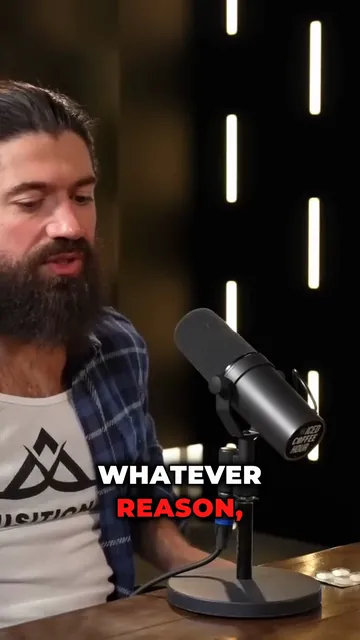

Turn a Podcast Episode Into Up to 12 Short Clips
Upload the full episode or paste its YouTube link. AI clips reads the transcript, picks the strongest moments, reframes them to 9:16 around whoever is speaking and adds captions. Then polish each clip in the editor.

AI video editor for creators who want viral content without the editing grind.
Features
All FeaturesAI CaptionsHormozi CaptionsMrBeast CaptionsAdd Subtitles to VideoSubtitle GeneratorAI Video EditorAI Clip GeneratorYouTube to ShortsEye Contact FixMagic ZoomTransitionsClean AudioAI MusicSound EffectsAI Auto EditRemove SilenceAI ThumbnailsBrand KitsCommunity StylesAI Video TranslatorFree Tools
Video Hook GeneratorTikTok CaptionsInstagram CaptionsYouTube TitlesTikTok HashtagsVideo Script GeneratorAI Video IdeasContent CalendarTikTok TranscriptVideo to TextFree SRT GeneratorSubtitle TranslatorFree TeleprompterWords to MinutesSRT to VTT ConverterTikTok Safe ZoneFree Sound EffectsAll 40 Tools →Use Cases
TikTok CreatorsYouTube ShortsInstagram ReelsPodcastersClippersAgencies & TeamsLinkedIn VideosTeleprompter Eye ContactPremiere Pro Eye ContactDaVinci Resolve Eye ContactFinal Cut Pro Eye ContactLoom Eye Contact